
WordPress plugin · Local search
Local SEO Plugin for WordPress
Get your business found in Google Maps and local search. FoundHint adds local business schema, builds location pages and keeps your business details consistent, all from your WordPress dashboard.
FoundHint is a local SEO plugin for WordPress. It adds LocalBusiness schema, creates location pages, checks your business name, address and phone number (NAP) for consistency, and helps your website qualify to appear in Google's local pack and Google Maps.
Set up in minutes. 30-day money-back guarantee.
What Is FoundHint? The Local SEO Software Built for WordPress
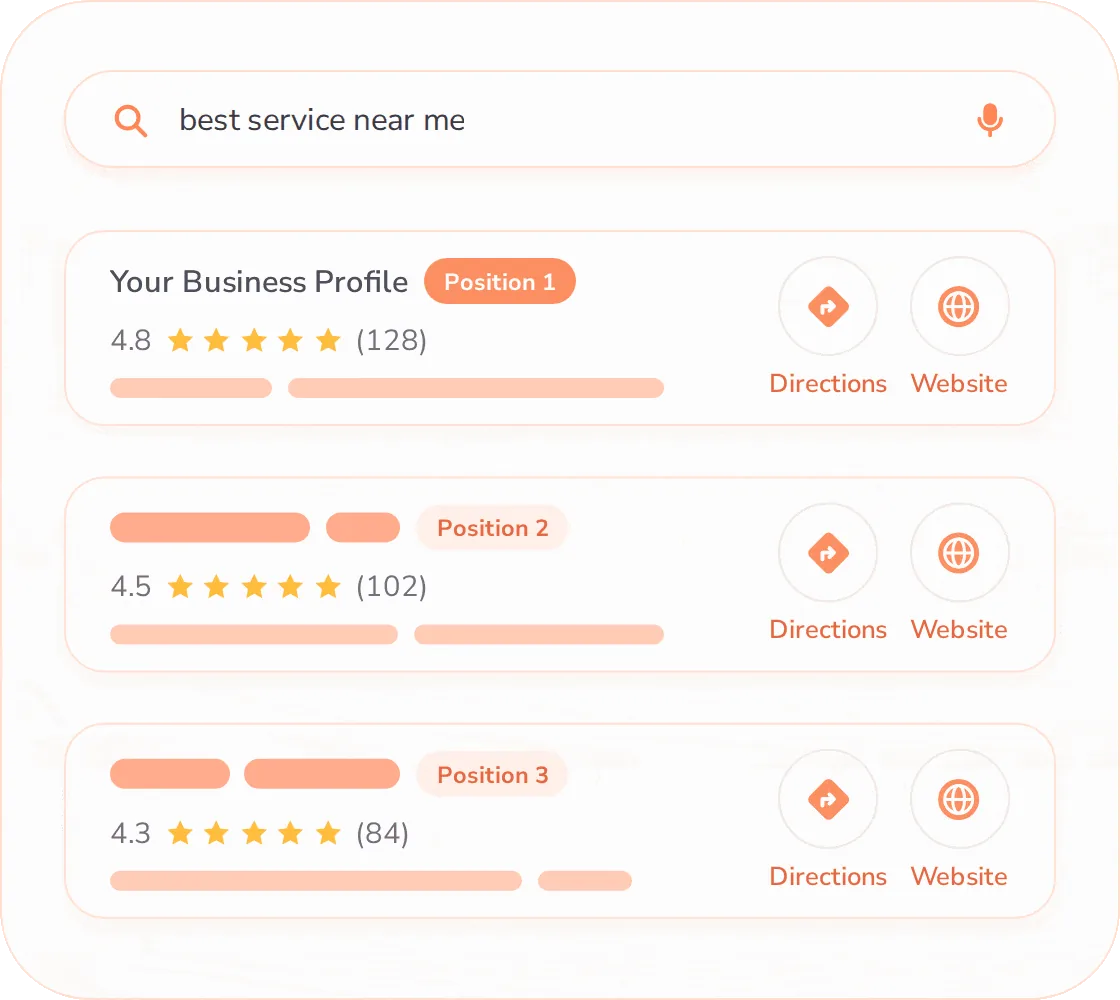
Most SEO plugins focus on general on-page SEO. FoundHint is a local SEO tool that focuses on the signals Google uses for local results: accurate business details, structured data, location pages, reviews and Google Business Profile consistency. You set your details once, and FoundHint helps keep them correct across your site.
Grow Your Business With This Advanced Local SEO Plugin
With built-in advanced insights, FoundHint helps you optimize Google Business Profiles faster, fix local SEO issues, track local rankings more easily and build visibility where customers search for you.
Manage
Track Google Local Rankings
Track Google Business Profile positions for selected local keywords and see how the business stands against local competition.
Find and Fix Problems on Listings
Audit Google Business Profiles to find issues impacting local visibility and fix them from WordPress.
Keep the Business Safe
Anyone can suggest edits to a Business Profile or mark a business as closed. FoundHint alerts you so you can act fast.
Plan Google Posts and Get Cited by AI
Get ready-to-use Google Post ideas, schedule publication automatically and boost your mentions in AI answers.
Automate Managing Google Reviews
Collect and respond to Google reviews from all locations in a single view, and build your reputation in Maps and AI answers.
Generate Local SEO Reports for Clients
Set reports to auto-generate weekly or monthly. When they're ready, check them and click Send.
Generate Local SEO Schema
Create LocalBusiness schema for every location from your business details, without writing code.
Keep NAP Details Consistent
Check your business name, address and phone number across your site and spot mismatches before they confuse Google.
Manage Every Location in One Place
Add each location with its own hours, services and schema, and keep details consistent from one dashboard.
Align Website and Business Profile
Compare your website details with your connected Google Business Profile and fix differences in a few clicks.
Improve
Add Listings in the Right Directories
Find where competitors are listed but you aren't, then list the business in trusted directories to appear in local searches and AI answers.
Complete Weekly Optimization Tasks
Never wonder what to do next. Get weekly optimization tasks for easier, faster position improvements.
Create Local SEO Optimized Landing Pages
Create a ready-to-publish landing page built from your Google Business Profile information in a single click.
Optimize Profile Information
Improve your name, categories, services, hours and description with clear guidance for each field.
Run a Local SEO Audit
Scan your site for local SEO issues and get a prioritized fix list, starting with the critical errors.
Research Local Keywords
Find the service and location keywords customers actually use, then target them on the right pages.
Show Reviews With Review Schema
Display real customer reviews on your site and mark them up to support rich results.
Add Maps and a Store Locator
Embed Google Maps, directions and a store locator so nearby customers can find you quickly.
Grow
Convert Local SEO Leads into Clients
Find local businesses, research them and show prospects their positions on a simple map so they see the need to grow visibility.
Check GBP Statistics
Analyze how the Business Profile performs over time with customer calls, direction requests and other valuable statistics.
See Visibility on the Local SEO Grid
Map your rankings across a geographic grid and see exactly which neighborhoods you win and where you're invisible.
Analyze Local Competitors
See who outranks you nearby, compare their profiles with yours and find the gaps worth closing.
Expand Your Area Coverage
Find the service areas where demand exists but you don't appear yet, and plan pages to reach them.
Track Analytics and Reporting
Follow local visibility, clicks and calls over time in simple reports you can share with your team.
Everything You Need for Local SEO in WordPress
Fifteen tools, one plugin. Each one solves a specific local ranking problem.

Local Business Schema
Add LocalBusiness JSON-LD with your address, hours, geo coordinates and service areas so search engines understand your business.

Location Pages
Create unique, SEO-ready pages for each location or service area, without duplicate content.

Google Business Profile Tools
Keep your website details aligned with your Google Business Profile and get guidance to strengthen it.

NAP and Citation Manager
Check your name, address and phone number for consistency and spot mismatches across your site.

Reviews and Review Schema
Display customer reviews and mark them up with schema to support rich results.

Maps and Store Locator
Add Google Maps, directions and a store locator so nearby customers can find you.

Local Rank Tracking
Track your local keyword positions and see how your visibility changes over time.

Local SEO Audit
Scan your site for local SEO issues and get a prioritized fix list.

Profile Posts and Scheduling
Write Google Business Profile posts, offers and updates in WordPress and schedule them ahead so your listing stays active.

Review Management and Replies
Read new reviews and reply from one inbox, with reply templates so no customer waits.

Profile Information Optimization
Fill the gaps in your listing: categories, services, attributes, hours and descriptions, scored as you complete them.

Critical Error Fixing
Catch the errors that block local results (broken schema, duplicate listings, missing hours) and fix them from one screen.

Analytics and Reporting
See calls, direction requests and local search views in one report you can send to a client or a manager.

Local Keyword Research
Find the service and city phrases people near you actually search, with volume and difficulty, then assign them to pages.

Local SEO Grid
See your map rank as a grid of points across your service area, so you know exactly where you show up and where you don't.
Also included: Multi-location management · Blocks and shortcodes
How FoundHint Local SEO Plugin Works in WordPress?
Ten steps, in order, from a fresh install to an active listing. Each one takes minutes, not days.
Install and activate the plugin
Add FoundHint to WordPress and the setup guide opens on its own.
Connect your Google Business Profile
Link your listing so FoundHint can compare it with your site.
Optimize your business information
Complete your name, phone, address, services and description in one form.
Publish your local business schema
FoundHint writes the LocalBusiness JSON-LD from those details. No code.
Research your local keywords
Get service and city phrases for your business, then assign them to pages.
Track your local rank positions
Watch each keyword, and see the grid of map positions across your area.
Build your local citations
Work through a recommended directory list with your details ready to paste.
Create multi-location landing pages
One page per location or service area, each with its own details and schema.
Manage reviews and reply
Answer new reviews from your dashboard and show them on your site.
Schedule your profile posts
Queue offers and updates ahead so your listing keeps showing fresh activity.
Benefits of Using a Local SEO Plugin
Show up in more local searches
Structured data and location pages help Google match you to nearby searches.
Stop losing customers to inconsistent details
One source of truth for your name, address and phone number.
Save hours of manual work
No hand-written schema code or duplicated pages.
Grow trust with reviews
Show real reviews and support rich results.
Manage every location in one place
Scale from one office to many without chaos.
Fix problems faster
Audits show what to fix and in what order.
Own your local SEO
A plugin you control, not a monthly agency retainer.
New to local search?
Start with the fundamentals: what the local pack is, how Google picks results, and which signals you control.
Local SEO for Every Type of Local Business
If customers search for you by service and location, FoundHint helps you show up. It supports industry-specific schema types so search engines know exactly what you do.
Small businesses | Agencies | Dentists | Law firms | Contractors | Restaurants | Real estate agents | All industries
See the Difference in the Local Pack
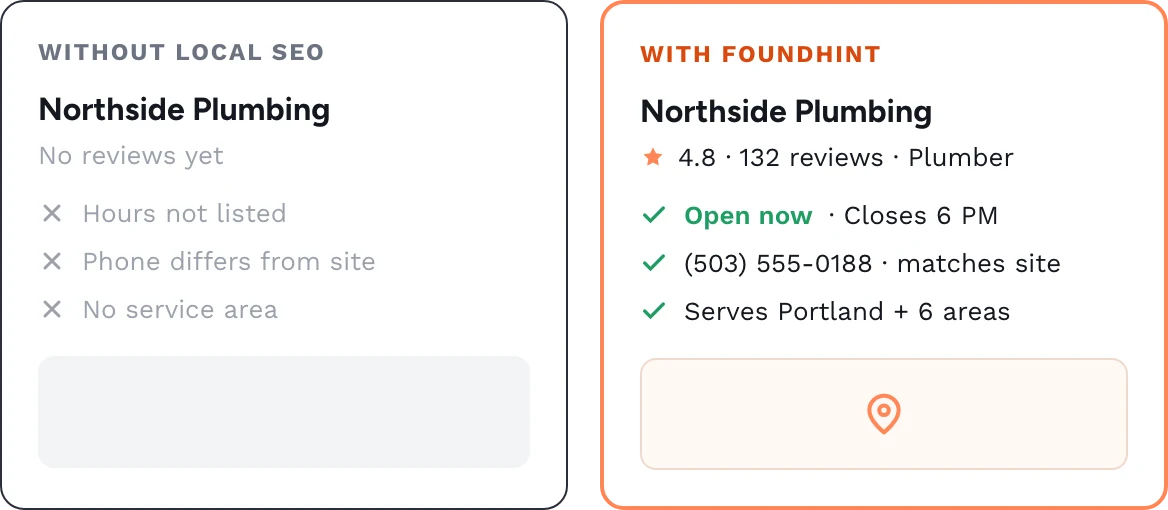
The local pack is the map and three listings Google shows for nearby searches. FoundHint helps your website send clear, consistent signals so you have a better chance of being included. Results depend on competition, reviews and your Google Business Profile.
Built for Small Businesses, Multi-Location Brands and Agencies
Small businesses
Get a professional local SEO setup without hiring an agency.
Multi-location brands
Manage many locations with consistent details and unique pages.
FoundHint vs Other WordPress Local SEO Plugins
Choosing a plugin? See how FoundHint compares on schema, multi-location support, maps, reviews and price.
| Capability | FoundHint | General SEO plugin | Manual setup |
|---|---|---|---|
| Local business schema | Built in | Basic | Hand-coded |
| Location pages | Templates | Not included | Built one by one |
| Google Business Profile tools | Built in | Not included | Separate dashboard |
| NAP and citation checks | Automatic | Not included | Manual review |
| Reviews and review schema | Display and markup | Markup only | Hand-coded |
| Maps and store locator | Included | Not included | Extra plugin |
| Local rank tracking | Local keywords | Add-on | Separate tool |
| Local SEO grid | Map grid view | Not included | Paid third-party tool |
| Local keyword research | Built in | General keywords | Separate tool |
| Local SEO audit | Prioritized fixes | On-page only | Your own checklist |
| Critical error fixing | Flagged and guided | Not included | You find them |
| Profile posts and scheduling | Schedule ahead | Not included | Post one at a time |
| Review replies | One inbox | Not included | In Google, per listing |
| Analytics and reporting | Local reports | Traffic only | Built by hand |
| Multi-location management | Supported | Limited | Hard to maintain |
| Blocks and shortcodes | Included | Some blocks | Custom code |
Video Tutorials: Set Up Local SEO in WordPress
Short walkthroughs of the plugin, recorded in a real WordPress dashboard. Nothing plays until you press play.

Getting started · 4 min
Install FoundHint and finish the setup wizard
From plugin upload to your first LocalBusiness schema, start to finish.
Location pages · 7 min
Build location pages that don't duplicate each other
Templates, service areas and the details to change on every page.
Google Business Profile · 6 min
Match your site to your Google Business Profile
Fix NAP mismatches, then post and reply without leaving WordPress.
Learn Local SEO and Get Set Up Fast
Guide
What Is Local SEO? The Complete Guide
How local ranking works and which signals you control.
Checklist
Local SEO Checklist
Work through the basics in order, step by step.
Docs
FoundHint Documentation
Setup, schema options, blocks, shortcodes and hooks.
From the blog
 Local Citation
Top Free USA Business Directories: Where to List Your Local Business
 Local Citation
Free Local Citation Sites for UK: What to Claim First
 Google Business Profile Guide
Google Business Profile Video Verification: What to Show, and Why It Fails
 Google Business Profile Guide
Service Area Business SEO: How to Set Up Your Google Business Profile and Website
 WordPress SEO
How to Improve Core Web Vitals on Your WordPress Site
 Google Business Profile Guide
How to Add a Manager to Google Business Profile (and Remove an Old Agency)
Frequently Asked Questions About the FoundHint Local SEO Plugin
What is a local SEO plugin for WordPress?
A local SEO plugin adds the features WordPress needs to rank in local search: LocalBusiness schema, location pages, consistent business details, maps and reviews. It helps search engines understand where you operate and what you offer, so you have a better chance of showing in Google Maps and the local pack.
What does FoundHint do?
FoundHint adds local business schema, builds location pages, checks your NAP consistency, supports Google Business Profile alignment, displays maps and reviews, and runs local SEO audits from your WordPress dashboard.
Do I still need my regular SEO plugin?
FoundHint is focused on local SEO. Many sites use it alongside a general SEO plugin for titles, sitemaps and content analysis. Check the documentation for compatibility notes so you avoid duplicate schema.
What is LocalBusiness schema and why does it matter?
LocalBusiness schema is structured data that tells search engines your business name, address, phone, hours and location. It helps Google understand your business and can support richer search results. FoundHint generates it for you, so you don't write code.
Does FoundHint work for multiple locations?
Yes. You can add multiple locations, each with its own details, schema and page. This suits franchises, clinics, stores and service-area businesses that need consistent information across many places.
Will FoundHint get me to number one on Google?
No plugin can guarantee rankings. FoundHint gives your website the local SEO foundation Google looks for. Your results also depend on competition, reviews, your Google Business Profile, backlinks and content quality.
Do I need technical skills to use it?
No. FoundHint uses simple forms and a setup guide, so you can add your details without writing code. Developers can extend it with blocks, shortcodes and hooks.
Does it connect to Google Business Profile?
FoundHint helps keep your website details consistent with your Google Business Profile and gives optimization guidance.
Which businesses can use FoundHint?
Any business that serves customers in a specific area: home services, dentists, law firms, restaurants, salons, real estate agents, retail stores, multi-location brands and agencies. If people search for you with a location or "near me", it can help.
Can agencies use FoundHint for client sites?
Agencies can use FoundHint to set up local SEO on client WordPress sites. Check the pricing page for the agency license and site limits.
Still have questions? Read the documentation
Get Found in Local Search With FoundHint
Add the local SEO plugin built for WordPress and give your business a stronger foundation for Google Maps and local results.