Your Google Business Profile category tells Google what kind of business you are.
Your products and services tell customers exactly what you sell and what you do: the “AC Repair” an HVAC company offers, the “Teeth Whitening” a dental clinic provides, or the running shoes a sports store keeps in stock.
Yet many businesses leave the products and services sections half-empty or out of date. Customers have to guess, and Google has less information to work with.
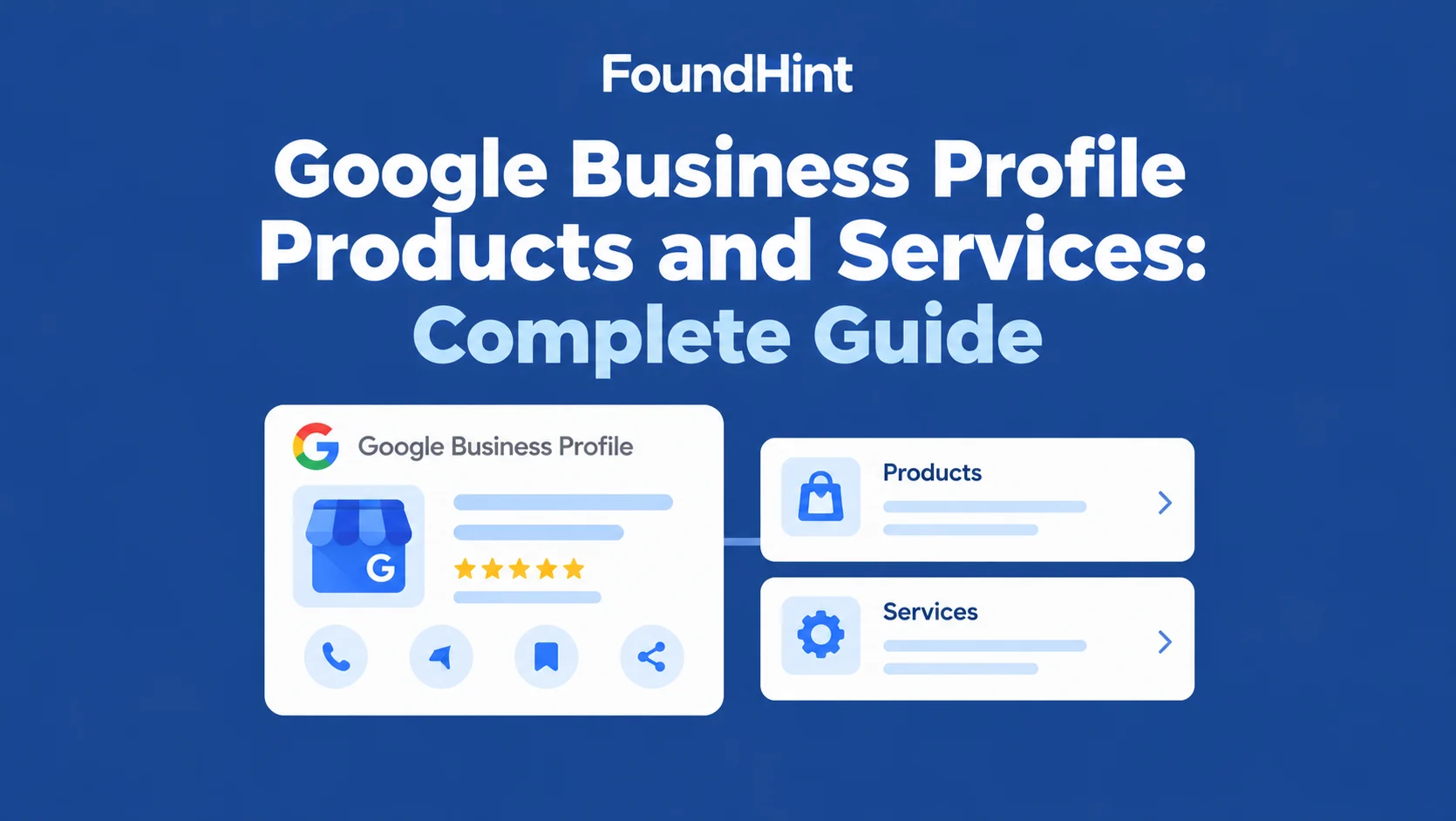
In this complete guide to Google Business Profile products and services (often still called Google My Business products and services), you’ll learn how to add, edit, and optimize every listing, how products and services relate to categories and your website, and what their real ranking impact is.
You’ll also see how the FoundHint Local SEO Plugin for WordPress lets you publish and schedule Google Business Profile posts, sync your WooCommerce products, and add your services as products, all from your WordPress dashboard.
 FoundHint Local SEO WordPress
Optimize your Google Business Profile without leaving WordPress
Connect your profile, compare it with your website and fix the gaps FoundHint finds.
- Business Profile audit and optimization
- Google Post scheduling
- Review management and replies
- Local rank tracking on a map grid
What Are Google Business Profile Products and Services?
The Google Business Profile products and services feature lets you list what your business sells and what it does, directly on your profile. Each listing can include:
- Products – items you sell, such as a thermostat, a cake, or a pair of running shoes
- Services – work you perform, such as AC repair, teeth cleaning, or a haircut
- Product/service names – clear, customer-friendly titles
- Descriptions – short explanations of what’s included
- Pricing where applicable – a fixed price, a price range, or no price
- Categories – groups that organize your offerings, such as “Cooling” or “Heating”
How customers see this information: depending on your business type and device, products and services can appear on your profile in Google Search and Google Maps, in a Products or Services tab, or as product cards customers can tap for details. Exact placement varies, and Google changes the layout from time to time.
Google Business Profile Products vs Services
| Products | Services |
|---|---|
| Physical or sellable offerings | Work or solutions provided |
| Product name | Service name |
| Product description | Service description |
| Price where applicable | Price where applicable |
| Product category | Service category |
| Example: “Smart Thermostat” | Example: “Thermostat Installation” |
Many businesses need both. An HVAC company sells air conditioners (products) and installs and repairs them (services).
Why Add Products and Services to Google Business Profile?
- Show what the business offers at a glance, without customers leaving Google
- Give customers more information before visiting, such as what’s included and typical prices
- Improve profile completeness, a sign of an active, well-maintained profile
- Help customers discover relevant offerings they didn’t know you had
- Support local search relevance by clarifying what you do
- Provide additional information alongside your category, hours, photos, and reviews
Adding products or services doesn’t guarantee higher rankings, but it gives Google and customers a clearer, more complete picture of your business.
Google Business Profile Products and Services Listing
A well-organized Google Business Profile products and services listing groups related offerings together:
Business
│
├── Products
│   ├── Product A
│   ├── Product B
│   └── Product C
│
└── Services
    ├── Service A
    ├── Service B
    └── Service C
For an HVAC company in Dallas, “Cool Breeze HVAC,” that might look like:
| Section | Category | Listings |
|---|---|---|
| Products | Cooling | Central air conditioner, Ductless mini-split |
| Products | Controls | Smart thermostat |
| Services | Cooling | AC repair, AC installation, AC tune-up |
| Services | Heating | Furnace repair, Furnace installation |
| Services | Maintenance | HVAC maintenance plan, Duct cleaning |
How to Add Products to Google Business Profile?
Google’s interface changes regularly, so the exact buttons may differ, but the workflow stays the same:
- Open the Business Profile. Search your business name on Google while signed in, or open it in Google Maps.
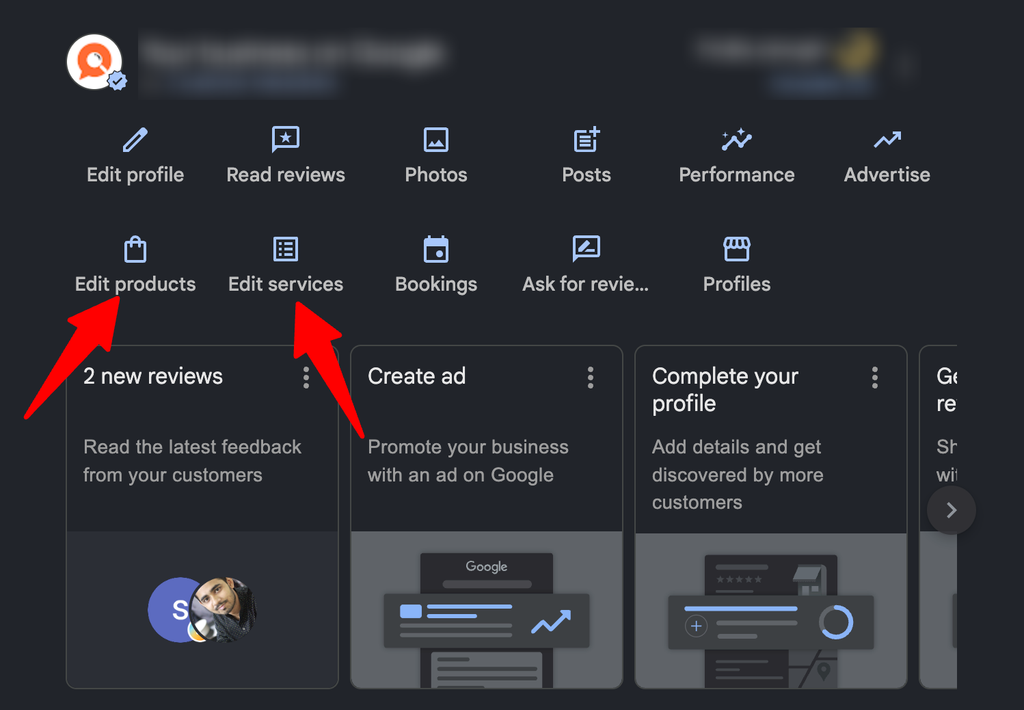
- Find the relevant product section. Choose Edit products (or Products) from the profile menu.
- Add the product. Select Add product.
- Select the appropriate category. Pick an existing product category or create a new one, such as “Cooling.”
- Add product information. Enter the product name and a short, helpful description.
- Add an image where supported. Use a real, clear photo of the product.
- Add pricing where applicable. A single price or a price range, or leave it blank.
- Save/update the profile. New products may take a short time to appear.
Some profiles also support a product button or link, such as “Buy” or “Learn more,” pointing to the matching product page on your website.
How to Add Services to Google Business Profile
- Open the Business Profile.
- Go to the services section. Choose Edit services (or Services).
- Select or add the relevant service. Google suggests predefined services based on your category; you can also add a custom service.
- Add service details. Write a short description of what the service includes.
- Add pricing where applicable. Fixed price, starting price, or no price.
- Save changes.
The services available to you depend on your primary and secondary categories. If an important service is missing from the suggestions, check that your categories are accurate. See Google Business Profile Categories: Complete Guide.
How to Change Products and Services Offered in Google Business?
How do you edit products and services on Google Business Profile? Return to the same Products or Services section and:
| Change | What to do |
|---|---|
| Adding a new offering | Select Add product or Add service |
| Editing an existing offering | Open the item and update its fields |
| Removing outdated offerings | Open the item and delete it |
| Updating prices | Edit the price field when prices change |
| Updating descriptions | Rewrite descriptions to reflect what’s currently included |
| Updating categories | Move items into clearer groups |
| Keeping information consistent with the website | Update matching product and service pages at the same time |
Review your listings at least every few months, and whenever you add, change, or discontinue an offering.
Google Business Profile Products and Services Ranking Impact
Do products and services improve Google Maps rankings? The honest answer:
Products and services can help Google and customers better understand what a business offers, but adding products or services alone does not guarantee higher local rankings.
They work as part of the bigger relevance picture:
| Signal | How products and services connect |
|---|---|
| Relevance | Clear listings describe exactly what you do and sell |
| Business category | Services build on your category; categories carry more weight |
| Services | Specific services match specific searches, such as “furnace repair” |
| Website content | Matching website pages back up your listings with detail |
| Local search intent | Shoppers see the exact offering they searched for |
| Google Business Profile completeness | A full profile looks active and trustworthy |
| Customer experience | Accurate prices and descriptions reduce wasted calls and visits |
The biggest benefit is often conversion, not ranking: customers who can see your offerings and prices are more likely to call or visit. See Google Maps Local SEO and Local SEO Ranking Factors.
How to Optimize Google Business Profile Products?
- Use accurate product names – “Nest Learning Thermostat,” not “Best Thermostat Dallas Cheap.”
- Use customer-friendly descriptions – explain what it is, who it’s for, and key features in a sentence or two.
- Use appropriate categories – group products the way customers think about them.
- Keep pricing accurate – update prices when they change, or leave them blank if they vary.
- Use high-quality images – real, well-lit photos of the actual product.
- Remove discontinued products – outdated items frustrate customers.
- Avoid keyword stuffing – no city names or repeated keywords in product titles.
- Keep information consistent with the website – the same name, price, and details as the product page.
How to Optimize Google Business Profile Services?
- Use the actual service name – “Water Heater Repair,” as customers would say it.
- Match services to what the business really provides – only list what you offer.
- Organize services logically – group related services, such as Heating, Cooling, and Maintenance.
- Use clear descriptions – what’s included, typical timing, and who it’s for.
- Keep services current – add new services and remove ones you’ve stopped offering.
- Connect services with relevant website pages – each main service should have a matching page on your site.
- Avoid adding services the business does not offer – it misleads customers and can lead to profile edits.
| Weak listing | Strong listing |
|---|---|
| “AC” – no description | “AC Repair” – “Same-day diagnosis and repair for central and ductless systems. Licensed technicians, upfront pricing.” |
| “Cleaning Dallas Best Cheap” | “Deep Home Cleaning” – “Top-to-bottom clean including kitchens, bathrooms, and baseboards.” |
| Old price from 2022 | Current price range, updated with each price change |
Products and Services + Website SEO
Your Google Business Profile listings work best when your website backs them up:
Google Business Profile
        ↓
Products & Services
        ↓
Website Service/Product Pages
        ↓
LocalBusiness Schema
        ↓
Internal Links
        ↓
Local SEO Audit
For example:
| GBP listing | Website page | What the page should include |
|---|---|---|
| Service: HVAC Repair | /services/hvac-repair/ | What’s included, process, service area, FAQs, pricing guide, booking |
| Service: Furnace Installation | /services/furnace-installation/ | Brands installed, timelines, financing, reviews |
| Product: Smart Thermostat | /shop/smart-thermostat/ | Specs, price, availability, installation option |
The website page should provide useful, detailed information about the actual service or product. The profile gives a quick summary; the page answers every question. See WordPress Site Structure for Service Businesses and LocalBusiness Schema for WordPress.
Products and Services + Google Business Profile Categories
These three fields describe different things:
- Category = what type of business you are
- Service = what the business does
- Product = what the business sells
Primary Category
HVAC Contractor

Services
├── AC Repair
├── AC Installation
├── Furnace Repair
└── HVAC Maintenance

Products
├── Air Conditioner
├── Furnace
└── Thermostat
Start with the right category, then add the services and products that fit under it. See Google Business Profile Categories: Complete Guide.
Products and Services for Multi-Location Businesses
- Location-specific services – list only what each location actually offers.
- Different offerings by location – the Dallas branch may do commercial work the Austin branch doesn’t.
- Location-specific pricing – prices can vary by market; keep each profile accurate.
- Consistency between locations – use the same names and descriptions for the same services.
- Avoiding inaccurate offerings – never copy one location’s full list onto another without checking.
- Managing multiple GBP profiles – review every location’s listings on a regular schedule.
See Multi-Location Local SEO: The Complete Guide.
Common Products and Services Mistakes
| Mistake | Why it hurts | Fix |
|---|---|---|
| Adding products the business does not sell | Misleads customers | List only real products |
| Adding services the business does not provide | Wasted calls, possible profile edits | List only real services |
| Keyword stuffing names | Looks spammy, reads poorly | Use plain, real names |
| Duplicate offerings | Clutters the listing | Merge duplicates |
| Outdated prices | Erodes trust | Update with every price change |
| Outdated services | Customers ask for things you no longer do | Remove discontinued services |
| Incorrect categories | Services don’t match your business type | Fix categories first |
| Inconsistent website information | Profile and site disagree | Update both together |
| Using products/services as a substitute for proper GBP optimization | Other key fields stay weak | Optimize the whole profile |
How to Manage GMB Posts and Products in WordPress With the FoundHint Plugin?
Keeping your Google Business Profile up to date usually means logging into Google, editing items one by one, and remembering to post regularly.
If your website runs on WordPress, the FoundHint Local SEO Plugin lets you do it from the dashboard you already use.
FoundHint Local SEO WordPress
Optimize your Google Business Profile without leaving WordPress
Connect your profile, compare it with your website and fix the gaps FoundHint finds.
- Business Profile audit and optimization
- Google Post scheduling
- Review management and replies
- Local rank tracking on a map grid
Post to Google Business Profile from WordPress
Create Google Business Profile posts (updates, offers, events, and product highlights) directly in WordPress and publish them to your profile without switching tools.
Schedule GBP posts in advance
Plan your posting calendar ahead: a weekly tip, a seasonal offer, a holiday-hours reminder. Schedule posts once and FoundHint publishes them on time, so your profile stays active even when you’re busy.
Add WooCommerce products to your Google Business Profile
Already selling on WooCommerce? FoundHint lets you add your WooCommerce products to your Google Business Profile, using the product name, description, price, and image you’ve already entered in your store. No retyping, and no mismatched details between your shop and your profile. See WooCommerce Local SEO for Stores With Physical Locations.
Add your services as products
Service businesses often have no physical products to show. FoundHint lets you add your services as products, such as “AC Repair,” “Teeth Whitening,” or “Deep Home Cleaning,” with a name, description, price, and image, so they appear as visual product cards on your profile.
How it fits together
FoundHint (WordPress)
│
├── Business Profile
├── Categories
├── Products & Services
│   ├── WooCommerce products → GBP products
│   ├── Services → GBP products
│   └── Name · Category · Description · Price · Image
├── GBP Posts
│   ├── Publish now
│   └── Schedule for later
└── Audit Pro
Audit Pro checks for products and services
FoundHint’s Audit Pro reviews your listings for completeness and consistency:
| Audit Pro check | What it flags |
|---|---|
| Products missing / services missing | Important offerings not yet listed |
| Outdated products / services | Items that no longer match your store or website |
| Empty descriptions | Listings with no helpful detail |
| Missing website service pages | GBP services without a matching page |
| Website/GBP service mismatch | Names or details that differ between site and profile |
| Duplicate services | The same offering listed twice |
| Irrelevant services / category-service mismatch | Services that don’t fit your category |
| Location-specific service mismatch | One location listing another location’s offerings |
| Inconsistent naming | Different names for the same service |
| Potential keyword stuffing | Names packed with keywords or city names |
These are optimization and completeness checks, not guaranteed ranking factors. They help you keep your Google Business Profile products and services accurate, complete, and aligned with your website.
Google Business Profile Products and Services Checklist
Products
- Products are accurate
- Product names are clear
- Categories are relevant
- Descriptions are useful
- Prices are accurate where applicable
- Images are appropriate
- Discontinued products are removed
Services
- Services are accurate
- Services match the actual business
- Service names are clear
- Descriptions are useful
- Service categories are relevant
- Website service pages exist where appropriate
- Outdated services are removed
Frequently Asked Questions
What are Google Business Profile products and services?
They’re sections of your Business Profile where you list what you sell (products) and what you do (services), with names, descriptions, categories, and optional prices.
How do I add products and services to Google Business Profile?
Open your profile, choose Edit products or Edit services, add each item with a name, category, description, and price where applicable, then save.
How do I change products and services offered in Google Business?
Return to the Products or Services section, then edit, update, or delete items. Keep your website pages updated at the same time.
Do products and services help Google Business Profile rankings?
They help Google and customers understand what you offer, which supports relevance, but they don’t guarantee higher rankings on their own.
What’s the difference between categories, services, and products?
A category is what type of business you are, a service is what you do, and a product is what you sell.
Can service businesses add products?
Yes. Many service businesses add their main services as products so they appear as visual cards with descriptions and prices. FoundHint can do this from WordPress.
Can I add WooCommerce products to Google Business Profile?
With the FoundHint Local SEO Plugin, you can add WooCommerce products to your Google Business Profile using the details already in your store.
Can I schedule Google Business Profile posts?
Yes. FoundHint lets you create and schedule Google Business Profile posts from your WordPress dashboard.
Final Thoughts
Google Business Profile products and services turn a basic listing into a clear menu of what your business offers. Use accurate names, helpful descriptions, real prices, and good images; match every listing to a page on your website; and remove anything outdated.
The FoundHint Local SEO Plugin for WordPress makes that easier to keep up: post and schedule Google Business Profile updates, add WooCommerce products and services as products, and run Audit Pro checks to keep everything complete and consistent, all from WordPress.
To keep learning, read Google Business Profile Categories: Complete Guide, Google Maps Local SEO, LocalBusiness Schema for WordPress, and Local SEO Audit.