Your competitors keep showing up in the map pack, your calls have gone quiet, and you’re not sure why.
Is it your Google Business Profile? Your website? Old listings with the wrong phone number?
Without a clear process, a local SEO audit turns into random clicking, and you end up with a messy list of “issues” and no idea which one to fix first.
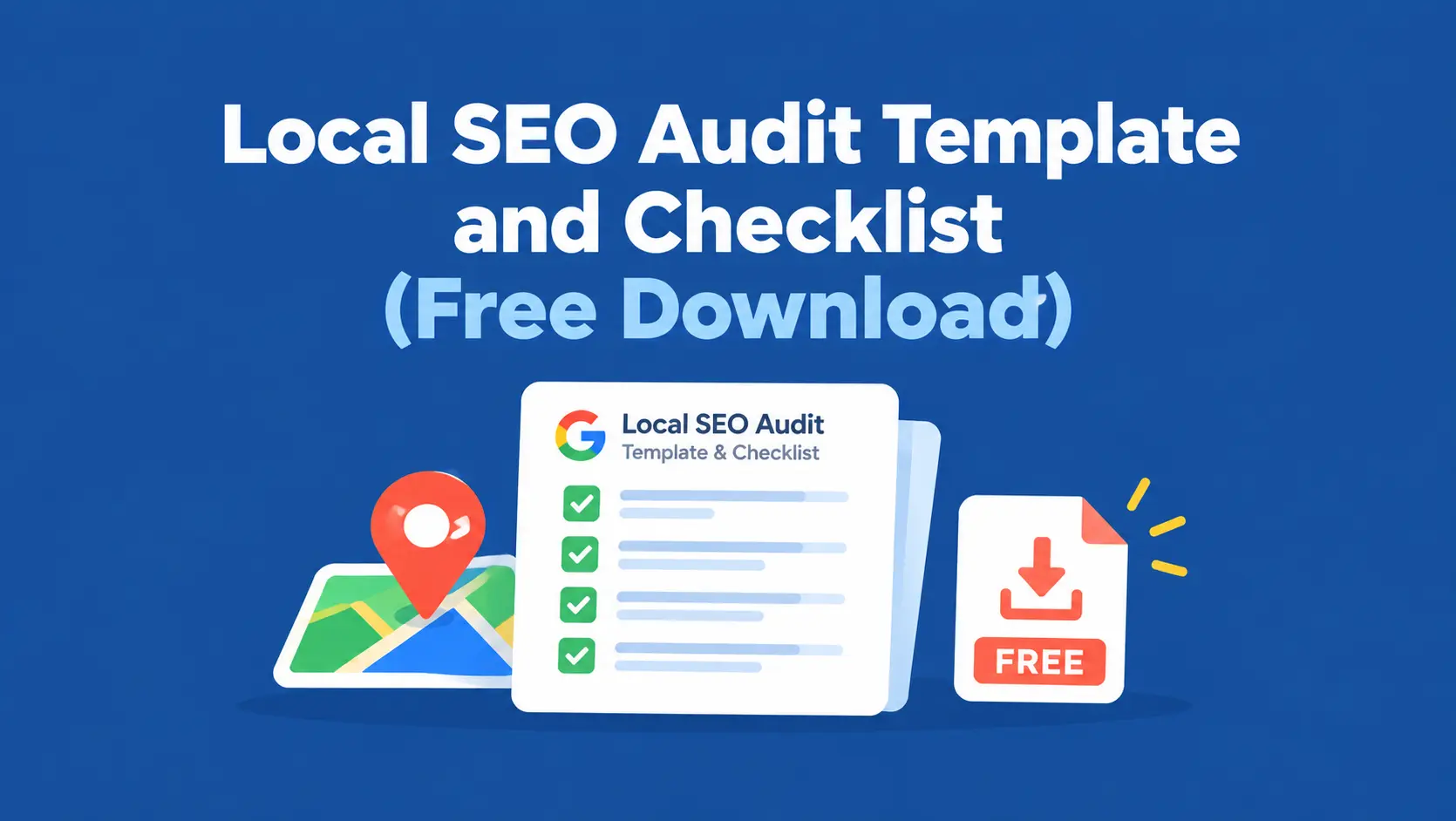
This guide fixes that. You’ll get a free local SEO audit template in Excel, plus the full checklist behind it: Google Business Profile, website and technical SEO, schema, citations, reviews, rankings, and backlinks.
You’ll also learn how to record evidence, prioritize what you find, and turn it all into a clear local SEO audit report, whether you’re auditing your own business or a client’s.
Download the Free Local SEO Audit Template (No sign-up needed)
Most local SEO audit checklists are just a list of yes or no questions. That tells you what’s wrong, but not how bad it is, who should fix it, or whether it’s been fixed. This local SEO audit spreadsheet is built to take you from finding to fix.
What’s Inside the Template
| Tab | What it’s for |
|---|---|
| How to Use | Quick instructions, status and priority definitions |
| Business Info | The “source of truth” for your business name, address, phone, website, hours, and categories, so every check compares against the same record |
| Audit Checklist | 105 checks across Google Business Profile, website, technical SEO, schema, citations, reviews, rankings, and backlinks, each with a “how to check” note |
| Citation Tracker | One row per directory listing, with NAP match checks and action notes |
| Ranking Tracker | Target keywords, landing pages, organic and Google Maps positions by location |
| Competitor Benchmark | Side-by-side comparison of your profile with your top local competitors |
| Summary | Automatic counts of passed checks, open issues, and priorities by section |
The Columns That Make It Work
Every check in the Audit Checklist tab has the same columns:
| Column | Purpose |
|---|---|
| Audit category | GBP, website, technical SEO, schema, citations, reviews, rankings, or backlinks |
| Audit check | The specific item you’re inspecting |
| How to check | Where to look or which free tool to use |
| Status | Pass, Issue found, Not applicable, or Not checked |
| Evidence / URL | A link or note that proves the finding |
| Priority | Critical, High, Medium, or Low |
| Recommended action | What needs to change |
| Owner | Who is responsible for the fix |
| Due date | Target completion date |
| Resolution status | Open, In progress, or Completed |
| Notes | Anything else worth remembering |
How to Use It
- Fill in the Business Info tab first. Every NAP and profile check compares against it.
- Work through the Audit Checklist one section at a time, setting a status and adding evidence for each row.
- Log every directory listing in the Citation Tracker and your keywords in the Ranking Tracker.
- Assign a priority, owner, and due date to every issue you find.
- Check the Summary tab to see your progress, then share the file as your local SEO audit report.
Agencies can save a blank copy and duplicate it for each client, which makes the audit repeatable across every account.
What Is a Local SEO Audit?
A local SEO audit is a structured review of everything that affects how a business shows up in local search: its Google Business Profile, website, business listings, reviews, local rankings, and links.
 FoundHint Local SEO WordPress
Optimize your Google Business Profile without leaving WordPress
Connect your profile, compare it with your website and fix the gaps FoundHint finds.
- Business Profile audit and optimization
- Google Post scheduling
- Review management and replies
- Local rank tracking on a map grid
The goal is to find what’s holding back local visibility and decide what to fix first.
How It Differs From a General SEO Audit
A general SEO audit focuses on the website: crawlability, content, keywords, and backlinks. A local SEO audit covers all of that, but adds the parts that only matter locally:
| Area | General SEO audit | Local SEO audit |
|---|---|---|
| Google Business Profile | Not included | Core focus |
| Business info (NAP) | Rarely checked | Checked everywhere it appears |
| Citations and directories | Not included | Included |
| Reviews | Not included | Volume, recency, rating, and replies |
| Rankings | Organic positions | Organic plus Google Maps positions by location |
| Content | Topic coverage | Service pages, location pages, local relevance |
| Links | Authority and volume | Local relevance and community links |
In short, local SEO audits look at five things: local visibility, business information accuracy, website relevance, technical health, and reputation.
If you want to understand why each of these matters, our guide to local SEO ranking factors breaks it down.
When Should You Do a Local SEO Audit?
- When you take on a new client or start working on a new business
- Every three to six months as routine maintenance
- After a move, phone number change, rebrand, or new location
- After a website redesign or platform change
- When calls, direction requests, or rankings drop without an obvious reason
How to Do a Local SEO Audit: The Process at a Glance
Here’s the local SEO audit process in eight steps. Each step matches a section of the checklist below and a section of the template.
- Gather access and set your baseline. Get access to the Business Profile, Search Console, GA4, and the website. Record current calls, clicks, and rankings so you can measure progress later.
- Audit the Google Business Profile. Ownership, categories, details, photos, posts, and reviews.
- Audit the website. Service and location pages, on-page SEO, contact details, and mobile experience.
- Run a technical check. Indexing, canonicals, redirects, HTTPS, sitemaps, and page speed.
- Validate schema. LocalBusiness markup, accuracy, and conflicts.
- Check citations and NAP consistency. Directories, duplicates, and missing listings.
- Review reputation, keywords, rankings, and links. Reviews, Google Maps visibility, local backlinks, and competitors.
- Prioritize and report. Score each issue, assign owners and dates, and share the report.
If you don’t have access to something yet, mark those rows as “Not checked” and come back later. A partial audit with clear gaps is far more useful than no audit at all.
Google Business Profile Audit Checklist
The GBP audit for local SEO deserves the most attention, because your profile drives map pack visibility and often more calls than your website. (You may still see this called a GMB audit for local SEO, since Google Business Profile used to be called Google My Business.)
Ownership and Verification
- The profile is verified and shows as verified in the dashboard
- You know who owns the profile, and the business (not a former employee or agency) holds owner access
- Managers have only the access they need
- There is no duplicate profile for the same location
Business Information
- The business name matches the real-world name, with no added keywords or cities
- The primary category is the most accurate description of the business
- Secondary categories are relevant and none are missing. Our guide to Business Profile categories can help
- The address is correct, or the service area is set up correctly for service-area businesses
- The phone number is a local number that’s answered during business hours
- The website link points to the right page (homepage or the matching location page), ideally with UTM tracking
- Regular hours are accurate, and special hours are set for upcoming holidays
- The business description is accurate, helpful, and free of links or promotional claims
- Opening date is set where relevant
Services, Products, and Attributes
- All core services are listed with short descriptions. See our guide to products and services
- Products are added where relevant
- Relevant attributes are set (accessibility, payment options, online appointments, and so on)
- Booking or appointment links work
Photos and Posts
- The logo and cover photo are current and clear
- There are real photos of the team, work, exterior, and interior, not stock images
- New photos have been added in the last few months
- No unwanted customer photos are misrepresenting the business
- Posts have been published recently. Our guide to Business Profile posts has ideas
Reviews and Q&A
- Review count and average rating are recorded
- Recent reviews have replies
- Questions and answers are accurate where that feature is available
Performance and Edits
- Calls, direction requests, website clicks, and searches are recorded from the Performance section
- No pending Google-suggested edits have changed your details without approval
- There are no policy warnings or suspension notices. If there are, see our guide on what to do when a Google Business Profile is suspended
Common GBP Audit Issues
The problems that show up most often are a keyword-stuffed business name, a vague or wrong primary category, missing services, outdated hours, too few real photos, unanswered reviews, and Google-suggested edits nobody noticed. Flag these as high priority when you find them.
Local SEO Website Audit Checklist
The local SEO site audit checks whether your website clearly tells Google and customers what you do, where you do it, and how to contact you.
Service and Location Pages
- Each core service has its own dedicated page
- Location or service-area pages exist only where you genuinely serve, and each contains real local information
- No duplicate location pages where only the city name changes
- Each page has a clear call to action (call, book, get a quote)
- The homepage clearly states your main service and location
On-Page SEO
- Title tags include the service and location where it fits naturally, and none are duplicated. Our guide to local SEO title tags and meta descriptions shows examples
- Meta descriptions are unique and written to earn the click
- Each page has one clear H1 that matches its topic
- URLs are short and descriptive (for example, /water-heater-repair/)
- Images have descriptive file names and alt text
- Internal links connect related service and location pages with clear anchor text
Contact Details and Conversions
- Name, address, and phone number match the Business Profile exactly
- The phone number is clickable on mobile
- Contact forms work and send to the right inbox
- A map or directions are included on the contact or location page where relevant
- Calls and form submissions are tracked as key events in GA4
Local SEO Technical Audit Checklist
The local SEO technical audit makes sure search engines can find, crawl, and index your important pages.
Indexing and Crawling
- Important service and location pages are indexed in Google Search Console
- No important pages have an accidental noindex tag
- Robots.txt doesn’t block important pages or resources
- An XML sitemap exists, is submitted in Search Console, and lists only live, indexable pages
Canonicals and Redirects
- Canonical tags point to the correct version of each page
- Old URLs redirect (301) to their closest new page
- There are no redirect chains or loops
- There are no broken internal links or 404 errors on important pages
- Only one version of the site loads (HTTPS, with or without www)
Speed and Mobile Usability
- The site uses HTTPS with a valid certificate
- Key pages pass Core Web Vitals or are close to passing in PageSpeed Insights
- The site is easy to use on a phone, with readable text and tappable buttons
- No intrusive pop-ups cover content on mobile
For WordPress sites, check whether your theme, page builder, and plugins are adding unnecessary scripts that slow pages down. Our WordPress local SEO checklist covers WordPress-specific setup.
Local Schema and Structured Data Audit
Structured data helps search engines read your business details. This local schema audit checklist takes about ten minutes with two free tools: Google’s Rich Results Test and the Schema Markup Validator.
- LocalBusiness schema (or a more specific type like Dentist, Plumber, or LegalService) is present on the homepage or contact page
- Each location page has its own markup with that location’s details
- Name, address, phone, and URL in the schema match the visible page and the Business Profile
- Opening hours in the schema match your real hours
- Logo and image URLs work
- The JSON-LD has no syntax errors in the Schema Markup Validator
- There is no duplicate or conflicting LocalBusiness markup
- Optional fields like geo coordinates, sameAs profile links, and areaServed are used where helpful
Watch for Conflicting Schema From WordPress Plugins
This is one of the most common issues on WordPress sites. An SEO plugin, a theme, and a separate schema plugin can each output their own LocalBusiness markup, sometimes with different details. Test the page, count how many LocalBusiness items appear, and turn off the duplicates so only one accurate version remains.
If you find no LocalBusiness schema at all, our guide to LocalBusiness schema for WordPress shows how to add it. Keep expectations realistic: valid schema helps understanding but doesn’t guarantee rich results or higher rankings. A missing optional property is usually low priority.
Local Citations and NAP Consistency Checklist
A local citation audit compares your business name, address, and phone number everywhere they appear online. Use the template’s Citation Tracker tab: one row per listing, with columns for each detail and whether it matches your Business Info tab.
Local Citation Audit Checklist
- Core platforms are claimed: Google Business Profile, Bing Places, Apple Business Connect, Yelp, and Facebook
- Name, address, and phone match the Business Info tab on every listing
- Website URLs point to the right page and don’t redirect to an old domain
- Hours and categories are current on major platforms
- Old addresses and old phone numbers have been searched for and corrected
- Duplicate listings on Google, Yelp, Facebook, and major directories are found and removed or merged
- Key industry directories are covered, like Avvo for lawyers or Healthgrades for doctors
- Local directories like your chamber of commerce are listed
- Listings your competitors have and you don’t are noted as opportunities
How to Find Inconsistent NAP Information
Search your phone number in quotes, then your old phone numbers and old addresses. Search your business name with your city on Google, Google Maps, and Yelp. Note every listing in the tracker, even the correct ones, so you have a complete record.
Not every difference matters. “St.” versus “Street” is fine. A wrong phone number, an old address, or a different business name is a real issue. Our guide to NAP consistency for local SEO explains how to tell the difference, and our guide to local citations covers building new ones. For directory ideas by country and industry, see our list of the best local business directories.
Reviews and Reputation Audit
Reviews affect both rankings and whether people pick up the phone. A review profile audit looks at more than your star rating.
- Volume: total Google reviews, compared with your top three local competitors
- Recency: date of the most recent review, and how many arrived in the last 90 days
- Rating: average rating on Google and other key platforms (Yelp, Facebook, industry sites)
- Responses: share of reviews with a reply, and how quickly replies are posted
- Reply quality: replies are personal, professional, and never reveal private customer details
- Recurring feedback: common praise and complaints are noted, since they point to real fixes
- Monitoring: someone gets notified about new reviews and owns replying to them
- Request process: there’s a simple, consistent way to ask happy customers for reviews, like a review link sent after each job
- Policy: no incentives, discounts, or fake reviews, and no review gating
Record your numbers in the Competitor Benchmark tab, so you can see the gap at a glance. If a competitor has 240 reviews and you have 35, that’s a clear long-term priority. Our guide to Google Business Profile reviews covers how to get more reviews and reply well.
Local Keyword and Ranking Audit
A local keyword ranking audit checks two things: are you targeting the right searches, and where do you actually show up for them?
Keyword Targeting Checklist
- Target keywords are listed for each core service, combined with your city or service area (for example, “AC repair Tucson”)
- Each target keyword maps to one clear landing page in the Ranking Tracker
- No two pages target the same keyword and intent
- Pages actually mention the service and location their keyword targets
- Search Console shows which local queries already bring impressions, especially those ranking in positions 5 to 20
Our guide to local SEO keyword research covers how to build this list.
Local Search Ranking Audit
- Organic positions are recorded for each target keyword
- Google Maps (local pack) positions are recorded, not just organic
- Rankings are checked from more than one point in your service area, since map rankings change with the searcher’s location
- The top three map competitors for your main keywords are noted
- For multi-location businesses, rankings are checked separately for each location
Traffic and Conversion Baseline
- Organic clicks and impressions from Search Console are recorded for the last three months
- Organic sessions and conversions from GA4 are recorded
- Business Profile calls, direction requests, and website clicks are recorded
Recording a baseline is what lets you show results later. A one-point rank check isn’t the full picture, so if Google Maps is a major lead source, a geo-grid check across your area gives a far more accurate view of local search visibility.
Local Backlinks and Competitor Audit
This part of the audit looks at your local authority and how you stack up against the businesses that outrank you.
Local Backlink Analysis
- Links from local sources are listed (chamber of commerce, local news, sponsors, community groups, local partners)
- Links from relevant industry sites and associations are listed
- Links point to working pages, not 404s
- No paid, spammy, or irrelevant links that look manipulative
- Relationships you already have that could become links are noted, like suppliers, events, and charities you support
Focus on relevance and quality, not an arbitrary link count. A single link from your city’s chamber of commerce is often worth more locally than dozens of random directory links. Our guide to local SEO link building has 20 practical tactics.
Competitor Benchmark
Pick the three businesses that most often appear above you in the map pack and compare them in the template’s Competitor Benchmark tab:
| Compare | Why it matters |
|---|---|
| Primary and secondary categories | Shows which categories Google associates with top results |
| Review count, rating, and recency | Reveals the size of your review gap |
| Photo count and posting activity | Indicates how active their profiles are |
| Number of service and location pages | Shows how thoroughly they cover services and areas |
| Local links and sponsorships | Highlights partnership opportunities |
| Distance from the searcher | Explains rankings you can’t fully control |
The goal isn’t to copy competitors, but to understand why they rank and find gaps you can close.
How to Complete a Local SEO Audit Report?
The checklist is where you collect findings. The local SEO audit report is where you turn them into decisions. A good report is short at the top and detailed underneath.
Finding vs Confirmed Issue
Not everything you spot is a real problem. A finding is something worth a closer look, like a tool warning that a page might be slow. A confirmed issue is a finding you’ve verified with evidence, like a PageSpeed report showing the page fails Core Web Vitals on mobile. Only confirmed issues should get a priority and an owner. Automated scans are great at surfacing findings, but they can’t confirm everything, such as whether your hours are actually correct or why you rank where you do.
What to Record for Each Issue
- Evidence: a URL, screenshot, or tool result that proves the issue.
- Priority: critical, high, medium, or low (see the next section).
- Effort: a rough estimate, like quick fix, a few hours, or a project.
- Recommended action: a specific fix, not a vague note like “improve SEO.”
- Owner and due date: who’s doing it and by when.
- Resolution status: open, in progress, or completed, updated as work happens.
Local SEO Audit Report Example
Here’s how a few rows might look for a hypothetical plumbing company in Tucson. These are illustrative examples of how to document findings, not real results.
| Category | Audit check | Status | Evidence | Priority | Recommended action | Owner |
|---|---|---|---|---|---|---|
| Technical | Service pages indexed | Issue found | /water-heater-repair/ has a noindex tag (Search Console, URL Inspection) | Critical | Remove noindex and request indexing | Web developer |
| GBP | Business name follows guidelines | Issue found | Name shows “Best Plumber Tucson AZ” | High | Change to the real business name | Owner |
| Citations | NAP matches on Yelp | Issue found | Yelp shows the old phone number | High | Update the Yelp listing | Office manager |
| Schema | No duplicate LocalBusiness markup | Issue found | Two LocalBusiness items in the Rich Results Test | Medium | Disable the theme’s schema output | Web developer |
| Reviews | Recent reviews have replies | Issue found | 9 of the last 15 reviews have no reply | Medium | Reply to all and set up notifications | Owner |
| Schema | Optional geo coordinates | Issue found | geo property missing | Low | Add coordinates when updating schema | Web developer |
What to Put at the Top of the Report
Start with a one-page summary: the five most important issues, the quick wins, the baseline numbers (calls, clicks, rankings), and the next review date. The Summary tab in the template gives you the counts automatically. Clients and owners read the summary; the checklist is the detail behind it.
Tracking Progress Over Time
Update the resolution status as fixes happen, then compare your baseline numbers at your next audit. Agencies can save each audit as a dated copy, which makes monthly progress reports simple and shows the value of the work.
Prioritize Your Local SEO Audit Findings
An audit with 40 “high priority” items is just as confusing as no audit. Not every issue deserves the same severity. Score each confirmed issue on three things:
- Impact: how much it affects visibility, leads, or customer trust
- Urgency: whether it’s actively causing harm right now
- Effort: how much time or money the fix takes
The Four Priority Levels
| Priority | What it means | Examples | When to fix |
|---|---|---|---|
| Critical | Blocks visibility or sends customers to the wrong place | Important pages set to noindex, wrong phone number on the Business Profile, suspended or unverified profile, site down or not on HTTPS | Immediately |
| High | Clearly hurts rankings or conversions | Keyword-stuffed business name, wrong primary category, inconsistent NAP on major listings, missing service pages, duplicate profiles | Within two weeks |
| Medium | Holds back performance, but not urgent | Slow mobile pages, conflicting schema, unanswered reviews, thin location pages, weak internal linking | Within one to two months |
| Low | Nice-to-have improvements | Missing optional schema properties, minor citation formatting differences, image alt text gaps | When time allows |
Blockers vs Opportunities
Separate genuine technical blockers from longer-term optimization opportunities. A blocker stops Google or customers from reaching you, like an accidental noindex on a key location page. An opportunity makes you more competitive over time, like earning more reviews or building local links. Fix blockers first, grab quick wins (high impact, low effort) next, then plan bigger projects.
If you want to see which problems come up most often, our guide to common local SEO mistakes covers 20 of them with fixes.
Tools to Perform a Local SEO Audit
You can perform a local SEO audit almost entirely with free tools. Here’s what to use for each part of the template.
| Audit area | Free tool | What it checks |
|---|---|---|
| Google Business Profile | Google Business Profile manager | Profile details, categories, reviews, photos, performance data |
| Indexing and search performance | Google Search Console | Indexed pages, noindex issues, canonicals, local queries, clicks, impressions |
| Site crawl | Screaming Frog SEO Spider (free up to 500 URLs) | Broken links, redirects, titles, meta descriptions, headings |
| Speed and mobile | PageSpeed Insights | Core Web Vitals and performance issues |
| Schema | Rich Results Test and Schema Markup Validator | LocalBusiness markup, errors, and duplicates |
| Analytics | Google Analytics 4 | Organic traffic, calls, form submissions |
| Citations | Google search operators, Moz Local’s free listing check | Existing listings and NAP mismatches |
| Rankings | Search Console, a location changer extension, a free grid check | Organic and map positions by location |
| Competitors | GMB Everywhere or PlePer (free tiers) | Competitor categories and profile details |
For a deeper look at each tool, see our guide to free local SEO tools.
Local SEO Audit Tool vs Manual Audit
A manual audit with this template is thorough and free, but it takes time, often a few hours for one location. A dedicated local SEO audit tool can automate the repetitive parts: scanning pages, tracking rankings, and checking listings. It still can’t confirm everything, like whether your hours are truly correct or whether a category fits your business. The best approach for most businesses is a manual audit once to learn the full picture, then tools to keep watch between audits.
Can AI Help With a Local SEO Audit?
Yes, as an assistant. You can paste your findings into an AI tool and ask it to group them, summarize them into an action plan, or draft the report summary. Always verify its suggestions against real evidence before recommending a fix, since AI can’t see your Business Profile, Search Console data, or rankings unless you provide them.
Local SEO Audit Checklist for Different Business Types
The core checklist works for everyone, but a few checks matter more depending on how you serve customers.
Service-Area Businesses
For plumbers, cleaners, and other businesses that travel to customers:
- The address is hidden on the Business Profile if customers aren’t served there
- Service areas match the towns and regions you actually cover
- Service-area pages contain real local details, not just a swapped town name
- Rankings are checked across the whole service area, not just near your base
Our guide to service area business SEO covers this setup in detail.
Storefronts and Brick-and-Mortar Businesses
- The map pin sits exactly on your entrance
- Exterior and interior photos help customers recognize the location
- Parking, accessibility, and payment attributes are set
- Holiday and special hours are kept up to date
Professional Services (Lawyers, Dentists, Accountants)
- Each practitioner profile follows Google’s guidelines for individual practitioners
- Practice area or treatment pages exist for each core service
- Industry directories (Avvo, Healthgrades, and similar) are claimed and accurate
- Content is accurate and trustworthy, ideally reviewed by a qualified professional
Multi-Location Businesses
- Each location has its own verified Business Profile
- Each profile links to its own location page, not the homepage
- Each location page has unique content and its own LocalBusiness schema
- Citations and rankings are tracked separately for each location
- One person or team owns accuracy for each location
Use one copy of the template per location, or add a Location column to the checklist. Our guide to multi-location local SEO covers the wider strategy.
WordPress Websites
A local SEO audit for WordPress should also check:
- SEO plugin settings (Rank Math, Yoast, or similar) aren’t set to noindex important page types
- Only one plugin or theme outputs LocalBusiness schema
- The XML sitemap from your SEO plugin includes service and location pages
- Caching and image optimization are in place for speed
- Plugins and themes are up to date, and unused ones are removed
Finished Your Checklist? Keep It Fixed With FoundHint
An audit tells you what’s wrong. The harder part is fixing it and keeping it fixed between audits. If your site runs on WordPress, FoundHint helps you handle many of the Google Business Profile, review, ranking, and citation items from this checklist right inside your dashboard.

It connects your Google Business Profile to WordPress with no API keys or Google Cloud setup.
| Audit section | How FoundHint helps |
|---|---|
| GBP business information | Edit business info, address, hours, special hours, social links, attributes, and services, then send updates to Google |
| GBP photos and posts | Add or remove photos, and create and schedule posts |
| Products and services | Sync WooCommerce products and add services to your profile |
| Reviews | Manage and reply to reviews, with personalized auto-replies |
| Rankings | The Ranking Grid shows your map rankings for target keywords across your target location |
| Citations | See directories based on your business category, where you’re listed, and where you’re missing, with full control over where you list |
| Multi-location | Manage every location’s profile from one place |
The template stays useful whether or not you use FoundHint. You’ll still check indexing, speed, and schema with the free tools above. FoundHint just makes the ongoing Business Profile, review, ranking, and citation work faster, so your next audit has fewer issues to find.
Frequently Asked Questions
How do I conduct a local SEO audit?
Start by gathering access to your Business Profile, Search Console, GA4, and website. Then work through each section of the checklist: Business Profile, website, technical SEO, schema, citations, reviews, rankings, and backlinks. Record evidence for each issue, assign priorities, and turn the results into a report with owners and due dates.
What should a local SEO audit template include?
It should cover Google Business Profile, website content, technical SEO, schema, citations, reviews, keywords, rankings, and backlinks. Each check should have columns for status, evidence, priority, recommended action, owner, due date, and resolution status, so findings turn into fixes.
Is there a local SEO audit template in Excel?
Yes. The free template on this page is an Excel file with tabs for business info, the full audit checklist, citations, rankings, competitors, and an automatic summary. You can also import it into Google Sheets.
How often should I audit my local SEO?
Every three to six months for most businesses, and right after any major change, like a move, a new phone number, a rebrand, a new location, or a website redesign. Quick monthly checks of reviews, rankings, and your Business Profile help between full audits.
What does a local SEO audit report look like?
A good report starts with a one-page summary of the top issues, quick wins, and baseline numbers. Underneath sits the full checklist, with evidence, priority, recommended action, and owner for every issue. See the example table above for how rows should look.
How do I audit a Google Business Profile?
Check ownership and verification, business name, primary and secondary categories, address or service area, phone, website link, hours, services, attributes, photos, posts, reviews, and performance data. Look for anything missing, outdated, or against Google’s guidelines.
What is the difference between a local SEO audit checklist and a report?
The checklist is the list of things you inspect. The report is what you share afterward: confirmed issues, priorities, recommended fixes, and progress tracking. This template does both in one file.
Is a free local SEO audit template enough?
For most single-location businesses, yes. A free template plus free Google tools covers everything you need to find and fix problems. Agencies and multi-location businesses may want dedicated tools for automated scans, ranking grids, and listing management to save time.
How do I use a local SEO audit template for multiple clients?
Keep a blank master copy, duplicate it for each client or location, and name each file with the client and audit date. Using the same template every time makes audits faster and easier to compare.
Which local SEO issues should I fix first?
Fix critical blockers first, like noindexed pages, a wrong phone number, or a suspended profile. Then fix high-impact issues like wrong categories or inconsistent NAP on major listings, followed by quick wins and longer-term projects.
Conclusion
A local SEO audit doesn’t have to be overwhelming. With a clear local SEO audit template, you check the right things in the right order: your Google Business Profile, website, technical health, schema, citations, reviews, rankings, and links.
More importantly, you record evidence, prioritize honestly, and assign every fix to someone, so the audit actually leads to better local visibility.
Download the free template, fill in your Business Info tab, and start with the Google Business Profile section, since that’s where most quick wins hide.
Fix critical blockers first, then work down the list, and run the audit again in three to six months to measure your progress. For the broader optimization tasks that come after your audit, our WordPress local SEO checklist is a great next step.