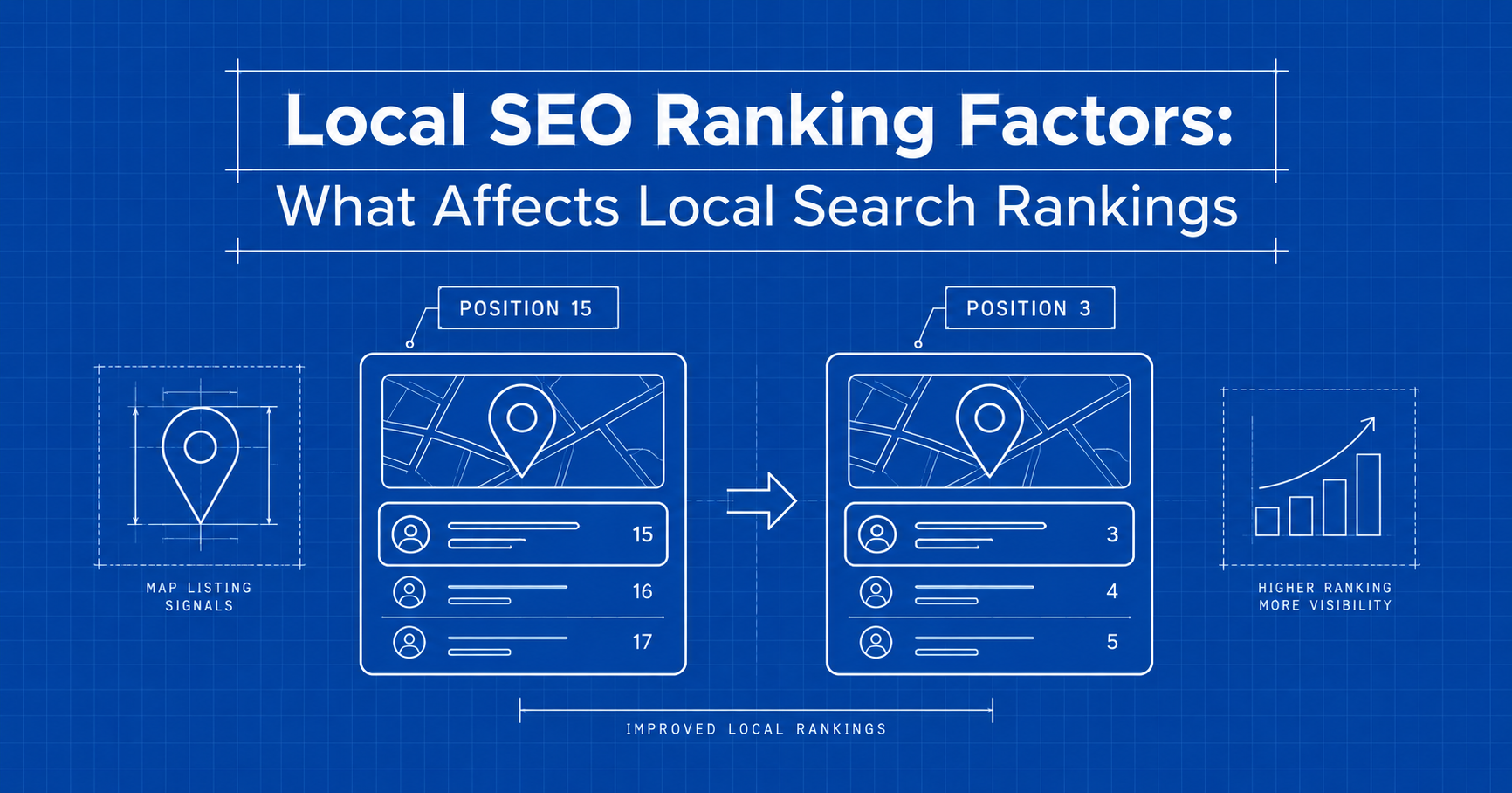
Local SEO ranking factors are the signals Google uses to decide which businesses show up when someone searches for a product or service nearby.
They shape what people see in Google Maps, in the Local Pack (the map and three business listings at the top of many searches, often called the 3-pack or map pack) and in the organic local results just below it.
 FoundHint Local SEO WordPress
Optimize your Google Business Profile without leaving WordPress
Connect your profile, compare it with your website and fix the gaps FoundHint finds.
- Business Profile audit and optimization
- Google Post scheduling
- Review management and replies
- Local rank tracking on a map grid
If you run a local business, these factors decide whether a nearby customer calls you or your competitor down the road.
Here’s the good part. Google describes local ranking in terms of three simple ideas, relevance, distance and prominence, and almost every local SEO tactic is really a way of strengthening one of them.
In this guide, you’ll learn how each local ranking factor works, how Google is likely to use it, what good looks like, and the mistakes that quietly hold businesses back.
By the end, you’ll have a clear checklist and a practical order of work for ranking higher in local search.
If you want the bigger picture first, start with our complete guide to local SEO.
What Are Local SEO Ranking Factors?
Local SEO ranking factors are the groups of signals that help Google match a local business to a searcher’s need and location.
There’s no single factor that decides your position, and Google doesn’t publish a fixed formula for its local algorithm. Instead, it weighs several kinds of information together and keeps the details confidential.
It helps to sort local ranking signals into four groups:
- Google Business Profile signals: your categories, services, business information, hours, photos and reviews.
- On-page website signals: local keywords, service pages, location pages, content quality and technical health.
- Off-page signals: local citations, backlinks, brand mentions and wider business reputation.
- Searcher context: where the person is, what they typed and the local search intent behind it.
The first three groups are mostly in your hands. The fourth isn’t, but understanding it explains why your rankings can look different from one street, device or search to the next.
Local SEO vs traditional SEO ranking factors
Traditional SEO ranking factors focus on how a web page ranks across a whole country or language. Local SEO adds a location layer on top.
Your website still needs good content, links and technical health, but local rankings also depend on your Google Business Profile, your physical address or service area, and how trusted your business is in its community.
Where Local Ranking Factors Apply
Local ranking factors affect three places in Google search results, and each one leans on slightly different signals.
| Result type | What it is | What it relies on most |
|---|---|---|
| Local Pack (map pack, 3-pack) | The map and three business listings near the top of many local searches | Google Business Profile, distance, reviews, relevance to the query |
| Google Maps and the local finder | The full list of businesses shown in Maps or after tapping “more places” | Same as the Local Pack, with the visible map area playing a big role |
| Organic local results | Standard blue-link results for searches with local intent, such as “best wedding photographer in Dhaka” | Website content, location pages, backlinks and classic SEO signals |
A complete local SEO strategy works on all three. A strong profile with a weak website might win in Maps but miss organic traffic. A strong website with an incomplete profile usually does the opposite.
The 3 Core Local Ranking Factors Google Uses
Google says local results are mainly based on relevance, distance and prominence (its help page also calls prominence “popularity”).
It also makes clear that there’s no way to request or pay for a better local ranking. Everything else in this guide is a way of improving how Google judges your business on these three.
Relevance: does the business match the search?
Relevance is how well a business matches what someone is searching for. Google says that complete, detailed business information helps it understand your business and match it to the right searches.
Google judges relevance from several places:
- Business category: the clearest statement of what your business is.
- Services and products listed on your profile.
- Website content, especially dedicated service pages and location pages.
- Business information, such as your description and attributes.
- Query match: how closely all of the above lines up with the words in the search.
Example: someone searches “emergency plumber.” Plumber A lists “Emergency plumbing” as a service, mentions 24-hour call-outs in its description and has an emergency plumbing page on its website. Plumber B just says “Plumber.” Plumber A sends much clearer relevance signals for that search, even if both are equally good at the job.
How to improve relevance: choose the most specific primary category, list every real service, write service pages that properly explain each one, and use the words your customers use rather than industry jargon.
Distance (proximity): how close is the business?
Distance, often called proximity in SEO circles, is how far each business is from the person searching or from the location named in the search. If a searcher doesn’t share their location, Google uses what it knows about where they are.
Distance depends on:
- The searcher’s location, from their device or other signals.
- The location in the query, such as “dentist in Uttara.”
- Your business address, if customers visit you.
- Your service area, if you travel to customers instead.
- “Near me” searches, which lean heavily on the searcher’s position.
Example: two equally strong dental clinics sit on opposite sides of a city. Someone searching “dentist near me” from one neighborhood will probably see the closer clinic first. Neither clinic can change that, but both can make sure they rank well in the areas closest to them.
How to work with distance: you can’t move closer to every customer, so focus on describing your real location and service area accurately, creating location pages for areas you genuinely serve, and building relevance and prominence so you can compete further out.
Prominence (popularity): how well known is the business?
Prominence is how well known and trusted a business is.
Google says it looks at information like how many websites link to your business and how many reviews you have, and that more reviews and positive ratings can help your local ranking.
Well-known places are simply more likely to show up.
Prominence comes from:
- Customer reviews and star ratings on Google and other platforms.
- Backlinks from other websites to yours.
- Brand mentions in local news, directories, blogs and community sites.
- Business reputation built up over time, online and offline.
- Overall online presence, including how strong your website is in organic search.
Example: a long-established bakery that appears in local food guides, has hundreds of reviews and is linked from a city tourism site has strong prominence. A new bakery nearby can still compete by earning reviews steadily and getting featured in local media, but it’ll take time.
How to improve prominence: build a steady flow of genuine reviews, earn coverage and links from local organizations, and keep your website strong in traditional SEO.
How the three factors work together
These factors don’t work in isolation. A business that’s slightly further away can still outrank a closer one if it’s far more relevant or more prominent for that search. That’s why the businesses that win in local search usually work on all three at once, rather than chasing one magic ranking signal.
Google Business Profile Ranking Factors
Your Google Business Profile (formerly Google My Business) is the most direct local ranking factor you control, because it’s the actual listing Google shows in Maps and the Local Pack.
Google says businesses with complete and accurate information are more likely to show up in local results, and that a verified business is more likely to appear.
Verification
Verification tells Google you’re authorized to represent the business. An unverified profile is less likely to appear and is easier for others to edit. Verify first, because everything else builds on it.
Primary category
Your primary category is the single strongest relevance signal on your profile. Pick the most specific category that describes your core business, such as “Pediatric dentist” instead of “Dentist” if that’s what you are, or “Italian restaurant” instead of “Restaurant.”
A quick tip: check which primary category your top-ranking competitors use. If they all share one that you don’t, ask yourself honestly whether it describes your business better.
Secondary categories
Secondary categories cover other genuine parts of your business, like “Teeth whitening service” for a dental clinic. Only add the ones that are true. Piling on loosely related categories can blur what your business actually does.
Business name, address and phone number
Use your real-world business name, exactly as it appears on your signage and paperwork. Google’s guidelines don’t allow extra keywords or locations in the name, and stuffing them in can get your profile suspended. Your address and phone number should match your website and citations word for word.
Services and products
List every service you offer, each with a short description. This helps you show up for more specific searches, such as “root canal treatment” rather than just “dentist.” Retail stores in eligible regions can also add in-store products, which Google says may appear in local results.
Business description
Explain what you do, who you serve and where you work, in plain, natural language. Write for customers first. Skip keyword stuffing, links and over-the-top promotional claims, since Google may reject them.
Hours and special hours
Keep your regular hours accurate and update special hours for holidays and events. Wrong opening hours lead to frustrated customers and negative reviews, and that hurts prominence.
Attributes
Attributes such as wheelchair access, parking, Wi-Fi, online appointments or women-owned help customers choose you. They can also help you match searches that include those needs.
Photos and videos
Upload real photos of your premises, team, products and finished work, and keep adding new ones. Google encourages photos and videos to show what you offer. Stock images add very little and can make a listing feel less trustworthy.
Website link
Link to the page that best matches the listing. A single-location business can link to its home page. A multi-location business should point each profile to its own location page.
Ongoing activity
Answer customer questions, reply to reviews, share updates and keep your information current. An actively managed profile is more useful to customers and far less likely to carry outdated details.
Storefront, service area and multi-location businesses
How you set up your profile depends on how you serve customers:
- Storefront businesses (shops, clinics, restaurants) show their address so customers can visit.
- Service area businesses (plumbers, cleaners, mobile mechanics) set an accurate service area and hide their address if customers don’t come to them. A huge service area won’t make you rank everywhere inside it; it simply describes where you work.
- Multi-location businesses need one verified profile per real location, each linked to its own location page with its own phone number where possible.
For the full walkthrough, see how to optimize your Google Business Profile.
Reviews and Reputation: Do Reviews Affect Local SEO?
Yes, reviews affect local SEO in two ways.
They feed prominence, and they persuade searchers to pick you over the next listing.
Google says more reviews and positive ratings can help your local ranking, and that replying to reviews shows customers you value their feedback.
The review signals that matter
- Review content: reviews that describe the actual service (“fixed our leaking boiler the same day”) give Google and customers useful context.
- Review relevance: mentions of specific services, products or neighborhoods reinforce what you do and where you do it.
- Review volume: a healthy number of reviews signals an active, established business.
- Star rating: your average rating shapes how attractive your listing looks and how many people click it.
- Review recency: a steady flow of new reviews shows you’re still trading and still serving customers well.
- Review responses: replies to both positive and negative reviews show you care, and that builds trust.
- Reviews on other platforms: industry sites, Facebook and local directories all add to your overall online reputation.
How to get more Google reviews (the right way)
- Ask at the right moment, like when a job is finished or a customer thanks you.
- Make it easy with a direct review link or a QR code from your Business Profile.
- Ask every customer, not just the ones you expect to be happy. Selective asking (sometimes called review gating) goes against Google’s policies.
- Build the request into your process with receipts, follow-up emails or an SMS after the service.
How to respond to reviews
Thank people for positive reviews and mention the service where it fits naturally.
For negative reviews, stay calm, acknowledge the problem and offer to sort it out offline. Remember that future customers read your replies just as closely as the reviews themselves.
What not to do
Never buy reviews, write fake ones, review your own business or offer discounts and gifts in exchange for reviews. These practices break Google’s policies and can lead to removed reviews or restrictions on your profile.
No single review metric guarantees a higher ranking. A business with fewer reviews can still outrank one with more if it’s closer or more relevant to the search.
Learn more about how reviews affect local SEO.
Website Ranking Factors for Local SEO (On-Page Signals)
Your website supports local rankings in two ways. It strengthens the relevance and prominence of your Business Profile, and it competes on its own in organic local results.
A thin, outdated website is one of the most common reasons a business gets stuck in local search.
Local keyword relevance
Use the words customers actually type, such as “[service] in [city]” or “[service] near [landmark].” Put them where they count most: page titles, headings, opening paragraphs and image alt text. Our guide to local keyword research shows how to find these terms.
Service pages
Give each core service its own page. A good service page explains what the service is, who it’s for, how it works, rough pricing where you can share it, common questions and a clear call to action. One page that lists every service in a sentence each gives Google very little to work with.
Location pages
If you have several branches, or you genuinely serve several areas, create a page for each one. Make every page unique: the address and map for that branch, staff or projects in that area, local testimonials, directions and area-specific details. Copying one page and just swapping the city name creates thin, near-duplicate content that rarely ranks.
Local content
Blog posts, guides and case studies tied to your area show that you’re part of the community. Think of a roofing company explaining pre-monsoon roof checks, or a wedding venue sharing a guide to local photographers.
Title tags and headings
Write title tags that combine the service, the location and your brand, for example “Emergency Plumber in Gulshan | Brand Name.” Use one clear H1 per page and logical H2s underneath it.
Internal links
Link service pages to relevant location pages and blog posts, and back again. Good internal linking helps visitors and search engines find your most important pages and understand how they connect.
NAP information on the site
Show your name, address and phone number as real text (not only inside an image), usually in the footer and on your contact page. It should match your Business Profile exactly.
Mobile experience and page speed
Local searches often happen on phones, by people who want to act fast. Your pages should load quickly, be easy to read without zooming, and make calling or getting directions a single tap.
Technical SEO
Make sure your important pages can be crawled and indexed, use HTTPS, fix broken links and redirect chains, and avoid duplicate pages competing for the same search.
Go deeper with our guide to local on-page SEO.
Local Citations and NAP Consistency
Local citations are online mentions of your business name, address and phone number, known as your NAP. They show up on business directories, map apps, social profiles and industry sites, and they help confirm that your business really exists where you say it does.
Types of citations
- Major platforms and data sources: Bing Places, Apple Business Connect, Facebook and similar services that feed maps, voice assistants and apps.
- Local directories: chamber of commerce listings, city guides and community business directories.
- Industry directories: platforms built for your field, such as legal, medical, hospitality or trade directories.
- Unstructured citations: mentions of your business in news articles, blog posts or event pages.
Why NAP consistency matters
Local Inconsistent details, like an old address, a former phone number or a slightly different business name, create conflicting information across the web. That can send customers to the wrong place and weaken confidence in your business data.
How to run a simple citation clean-up
- Write down your official NAP exactly as it should appear everywhere.
- Search for your business name, old addresses and old phone numbers to find existing listings.
- Claim or correct the most important listings first: major platforms and your top industry directories.
- Remove or merge duplicate listings where the platform allows it.
- Add new listings only on reputable, relevant sites.
Accuracy on a few dozen trusted sites usually matters more than hundreds of low-quality listings.
See how to build accurate local citations.
Local Links and Mentions: Do Backlinks Help Local SEO?
Yes. Links and mentions from other websites build prominence, one of Google’s three core local ranking factors. Google specifically names the number of websites linking to a business as part of how it judges prominence.
The best link sources for local businesses
- Local publications: news sites, city blogs and local magazines.
- Community websites: schools, charities, sports clubs and events you sponsor or support.
- Industry organizations: trade associations, professional bodies and certification programs.
- Local partnerships: suppliers, complementary businesses and venues you work with.
- Brand mentions: references to your business, even without a link, that build recognition.
Practical ways to earn local backlinks
- Sponsor a local event, team or charity drive that lists its sponsors online.
- Offer expert comments to local journalists on topics in your field.
- Publish genuinely useful local resources, like a neighborhood guide or a seasonal checklist, that others want to reference.
- Host workshops or community events and get them listed on local event pages.
- Ask partners and suppliers to list you as a recommended local business.
A handful of relevant local links usually does more than dozens of unrelated ones. Stay away from buying links or joining link schemes, which break Google’s spam policies.
For more tactics, read our guide to local link building.
Local Business Schema (Structured Data)
Local business schema is structured data that describes your business in a format search engines read easily. It helps Google understand your business information. It isn’t a guaranteed ranking boost, so treat it as support rather than a shortcut.
Common schema.org properties include:
- @type: LocalBusiness, or a more specific type such as Dentist, Plumber or Restaurant.
- Organization details: name, logo, website and social profiles (sameAs).
- Address and geographic coordinates.
- Telephone number.
- Opening hours.
- Services and area served.
Here’s a simplified example:
{
  "@context": "https://schema.org",
  "@type": "Dentist",
  "name": "Example Dental Clinic",
  "url": "https://example.com/",
  "telephone": "+880-1XXX-XXXXXX",
  "address": {
    "@type": "PostalAddress",
    "streetAddress": "House 00, Road 00",
    "addressLocality": "Dhaka",
    "postalCode": "1230",
    "addressCountry": "BD"
  },
  "openingHours": "Sa-Th 09:00-20:00",
  "areaServed": "Uttara, Dhaka"
}
Your structured data should match what visitors see on the page and what your Business Profile says. Test it with Google’s Rich Results Test before you publish.
Learn how to add LocalBusiness schema.
Google Maps Ranking Factors: How to Rank Higher on Google Maps
Google Maps rankings rely on the same three core factors: relevance, distance and prominence. Because Maps results are built around Business Profiles, profile quality carries a lot of weight here, and the area showing on the map strongly influences which businesses appear.
The main signals behind Google Maps visibility:
- Profile completeness and accuracy: verified, detailed and up to date.
- Categories: the right primary category and relevant secondary ones.
- Reviews: genuine, recent reviews with thoughtful replies.
- Business information: consistent NAP across the web.
- Website relevance: a linked website with strong service and location pages.
- Local authority: links and mentions from trusted local sources.
How to rank higher on Google Maps: start with your profile, because it is the listing itself. Then strengthen the website it links to and build prominence through reviews and local links. Keep in mind that Maps results shift as people move around and pan the map, so you can rank first in one part of a city and lower a few kilometers away.
Local Pack ranking factors vs Google Maps
The Local Pack and Google Maps draw on the same ranking signals, but they’re shown differently. The Local Pack only shows three businesses inside the normal search results, so competition for those spots is tight.
Maps shows a longer list that changes as the map moves. If you rank well in Maps for an area, you have a real chance of appearing in the 3-pack for searches made nearby.
Learn more in our guide to Google Maps SEO.
Engagement and User Behavior Signals
How people interact with your listing (calls, direction requests, website clicks and messages) shows whether customers find it useful.
Google doesn’t publish whether or how it uses these behavioral signals for ranking, so treat them as a measure of listing quality, not a lever to game.
What you can do is make your listing more appealing to click: accurate hours, strong photos, a good rating, clear services and quick replies to messages.
These improvements help customers choose you, whatever their direct effect on rankings.
Local SEO Factors You Can Control
Most local SEO factors are in your hands. Use this checklist to see where you stand today.
Google Business Profile
- Profile verified
- Most specific primary category chosen
- Only relevant secondary categories
- Accurate name, address, phone and website
- All services listed with descriptions
- Current hours, including special hours
- Attributes filled in
- Recent, real photos
- Reviews requested and answered
Website
- Local keywords in titles, headings and content
- A page for each core service
- Unique location pages for each branch or genuine service area
- Local content connected to your community
- NAP shown as text and matching your profile
- Fast, mobile-friendly pages
- Technical SEO issues fixed
- LocalBusiness structured data added
Off-page
- Listings on major platforms and key directories
- NAP consistent everywhere, duplicates removed
- Links from relevant local and industry sites
- Mentions in local media and community sites
- Reviews on other important platforms
Local SEO Factors You Cannot Fully Control
Some local ranking factors sit outside your control. Knowing them helps you set realistic expectations and judge your progress fairly.
- Searcher’s location: you can’t change where someone is standing when they search.
- Competitor activity: other businesses are working on their local SEO too.
- Google’s ranking systems: Google keeps the details confidential to keep results fair.
- Algorithm updates: changes can shift rankings without anything changing on your side.
- Search personalization: results can vary by device, search history and context.
- Market competition: busy city centers packed with similar businesses are harder to rank in than smaller towns.
Put your energy into the factors you control, and measure progress over months rather than days.
Common Local SEO Mistakes That Hurt Rankings
- Choosing a vague primary category when a more specific one fits.
- Adding keywords to the business name, which breaks Google’s guidelines.
- Inconsistent NAP after moving or changing phone numbers.
- Duplicate Business Profiles for the same location.
- Using a virtual office or PO box as a storefront address, which Google doesn’t allow.
- Copy-paste location pages with only the city name changed.
- Ignoring reviews, especially the negative ones.
- Buying reviews or links, which risks penalties.
- Outdated opening hours, particularly around holidays.
- A slow, clunky mobile website.
How to Improve Your Local SEO Rankings? (Step by Step)
The most reliable way to improve local SEO rankings is to fix the foundations first, then build authority on top. Follow this order:
- Optimize your Google Business Profile. Verify it, choose the right categories, list your services and complete every field.
- Make your website locally relevant. Build service pages and location pages that match how customers search.
- Build accurate citations. Correct your NAP on major and local directories and clean up duplicates.
- Earn genuine customer reviews. Ask every customer, make it easy, and reply to every review.
- Build relevant local authority. Earn links and mentions from local media, organizations and partners.
- Fix technical SEO issues. Improve speed, mobile usability, crawling and indexing.
- Monitor local visibility. Track rankings and profile performance, then repeat the cycle.
FoundHint Local SEO WordPress
Optimize your Google Business Profile without leaving WordPress
Connect your profile, compare it with your website and fix the gaps FoundHint finds.
- Business Profile audit and optimization
- Google Post scheduling
- Review management and replies
- Local rank tracking on a map grid
Not sure where to begin? Run a local SEO audit to spot your biggest gaps first.
How to Measure and Track Local Rankings?
Local rankings change with the searcher’s location, so one quick search from your office tells you very little. Combine a few sources instead:
- Google Business Profile performance: searches, profile views, calls, direction requests and website clicks.
- Google Search Console: organic clicks, impressions, CTR and average position for local keywords and location pages.
- Grid-based rank tracking: tools that check your Maps position from many points across your area, so you can see where you’re strong and where you’re weak.
- Website analytics: calls, form submissions and bookings from organic and profile traffic.
- Review tracking: volume, average rating and recency over time.
Review these numbers monthly. Look for trends rather than daily swings, and connect any changes back to the work you did.
Local SEO Ranking Factors and AI Search
AI search tools, including Google’s AI Overviews and other generative search assistants, are answering more local questions like “best family dentist near me” with a short summary and a few named businesses.
The good news is that the foundations of local SEO still apply, because these systems lean on the same kinds of information: business listings, websites, reviews and mentions.
To support your local business AI visibility:
- Keep structured business information consistent across your Business Profile, website, schema and citations, so AI systems can recognize your business as one clear entity.
- Answer real customer questions on your service and location pages in plain, direct language.
- Earn reviews and mentions that describe your services and area, since generative search often summarizes what other people say about a business.
- Practice entity-based SEO by describing who you are, what you do and where you operate the same way everywhere.
AI search optimization builds on good local SEO rather than replacing it. Learn more in our guide to AI search for local businesses.
Local SEO Ranking Factors Checklist
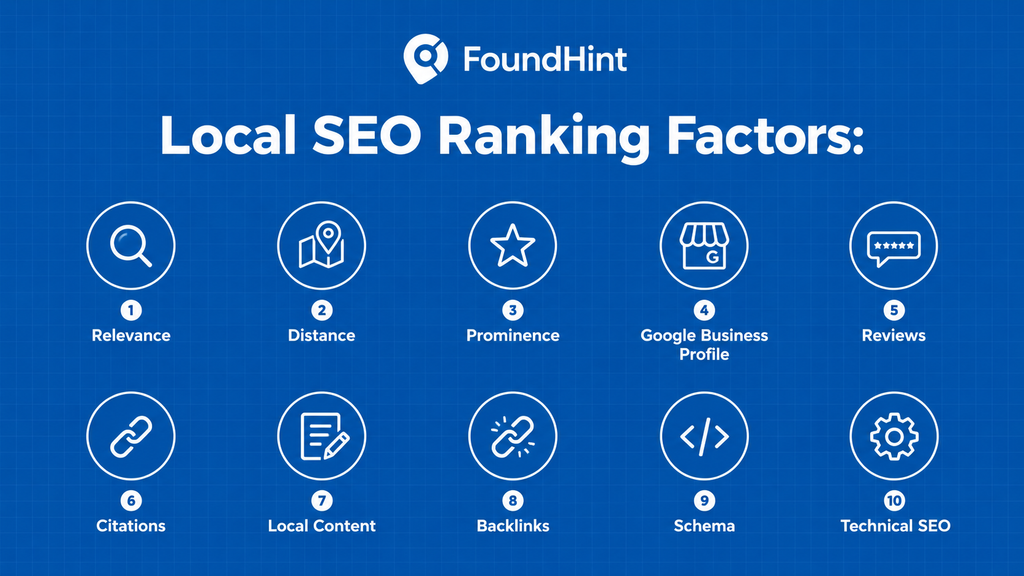
Here’s a quick summary of every local SEO ranking factor covered in this guide, and which core factor it supports.
| Area | Factors | Core factor it supports |
|---|---|---|
| Relevance | Category, services, content | Relevance |
| Distance | Searcher and business location, service area | Distance |
| Prominence | Reviews, links, mentions | Prominence |
| Google Business Profile | Verification, categories, information, services, photos | Relevance, prominence |
| Website | Content, service pages, location pages, technical SEO | Relevance, prominence |
| Reviews | Relevance, quantity, quality, recency, responses | Prominence |
| Citations | Accuracy, consistency | Relevance, prominence |
| Links | Local and relevant backlinks | Prominence |
| Schema | Structured business information | Relevance (understanding) |
| Technical | Mobile, speed, crawlability, indexability | Supports all three |
Frequently Asked Questions
What are the main local SEO ranking factors?
The main local SEO ranking factors are relevance, distance and prominence. In practice, they’re shaped by your Google Business Profile, reviews, website content, local citations, backlinks and the searcher’s location. No single factor decides rankings on its own.
What are Google’s local ranking factors?
Google says local results are mainly based on relevance (how well a business matches the search), distance (how far it is from the searcher) and prominence (how well known it is). Google keeps the detailed workings confidential and doesn’t sell better local rankings.
How does Google rank local businesses?
Google first finds businesses that match the search, then weighs how close each one is to the searcher or the searched location, and how well known and trusted each one is. Your Business Profile, website, reviews, citations and links all feed into those judgments.
Does Google Business Profile affect local SEO?
Yes. Your Google Business Profile is one of the most important local SEO factors, especially for Google Maps and the Local Pack. A verified, complete and accurate profile with the right categories is more likely to appear for relevant local searches.
Do reviews affect local SEO rankings?
Yes. Google states that more reviews and positive ratings can help local ranking. Review content, recency and your replies also build trust with customers. Reviews work alongside other factors, though, so they don’t guarantee a top position.
Do citations help local SEO?
Yes. Local citations help confirm your business name, address and phone number across the web. Accurate, consistent citations on trusted directories support your business information, while conflicting details can confuse both customers and search engines.
Do backlinks matter for local SEO?
Yes. Google lists links from other websites as part of prominence. Links from local news sites, community organizations and industry bodies are especially valuable because they’re relevant to your business and your area.
Does website SEO affect Google Maps rankings?
Yes, indirectly. Your website supports relevance and prominence through service pages, location pages, local content and the links it earns. A strong website linked from your Business Profile helps Google understand what you offer and where.
How can I rank higher on Google Maps?
Verify and complete your Google Business Profile, choose the most accurate primary category, list your services, keep hours current and add real photos. Then earn and reply to genuine reviews, keep your NAP consistent, and link your profile to a strong, locally relevant website.
Is proximity the biggest local ranking factor?
Proximity matters a lot, but it isn’t the only factor. Google can show a business that’s farther away if it’s more relevant or more prominent for the search. That’s why improving relevance and prominence still pays off when you can’t change your location.
How long does it take to improve local SEO rankings?
It depends on your market and starting point. Fixing profile errors and categories can show results fairly quickly, while reviews, links and content build authority over several months. Treat local SEO as ongoing work and track progress month by month.
What affects Google Maps rankings?
Google Maps rankings are affected by relevance, distance and prominence. Key signals include your business categories, profile completeness, reviews, consistent NAP information, website relevance and local authority from links and mentions.
Final Thoughts on Local SEO Ranking Factors
Local SEO ranking factors reward businesses that are relevant to the search, accurately listed across the web and genuinely trusted in their community.
You can’t control where customers are standing when they search, but you can control almost everything that tells Google who you are, what you do and why people choose you.
Start with your Google Business Profile, back it up with a strong local website, keep your business information consistent, and grow your reputation steadily through reviews and local links.
To see how all of this fits into a complete strategy, read What Is Local SEO? The Complete Guide.
FoundHint Local SEO WordPress
Optimize your Google Business Profile without leaving WordPress
Connect your profile, compare it with your website and fix the gaps FoundHint finds.
- Business Profile audit and optimization
- Google Post scheduling
- Review management and replies
- Local rank tracking on a map grid