Most service business websites don’t fail because of bad design. They fail because visitors and search engines can’t work out what the business offers, where it works, and which page to visit next.
A plumber with one long “Services” page, a cleaning company with fifteen menu items, or an electrician whose service pages live at /?page_id=482 all have the same problem: weak site structure.
Good WordPress site structure for service businesses does five things:
- Helps visitors find services fast. A customer with a burst pipe should reach your emergency plumbing page in one or two clicks.
- Helps Google discover important pages. Clear hierarchy and internal links make your service and location pages easy to crawl and index.
- Shows how pages relate. Service pages, location pages, and blog posts connect in a logical way.
- Makes URLs and menus meaningful. /services/roof-repair/ tells people and search engines exactly what the page is about.
- Supports local SEO. A clear structure helps search engines connect your business, your services, and the areas you serve.
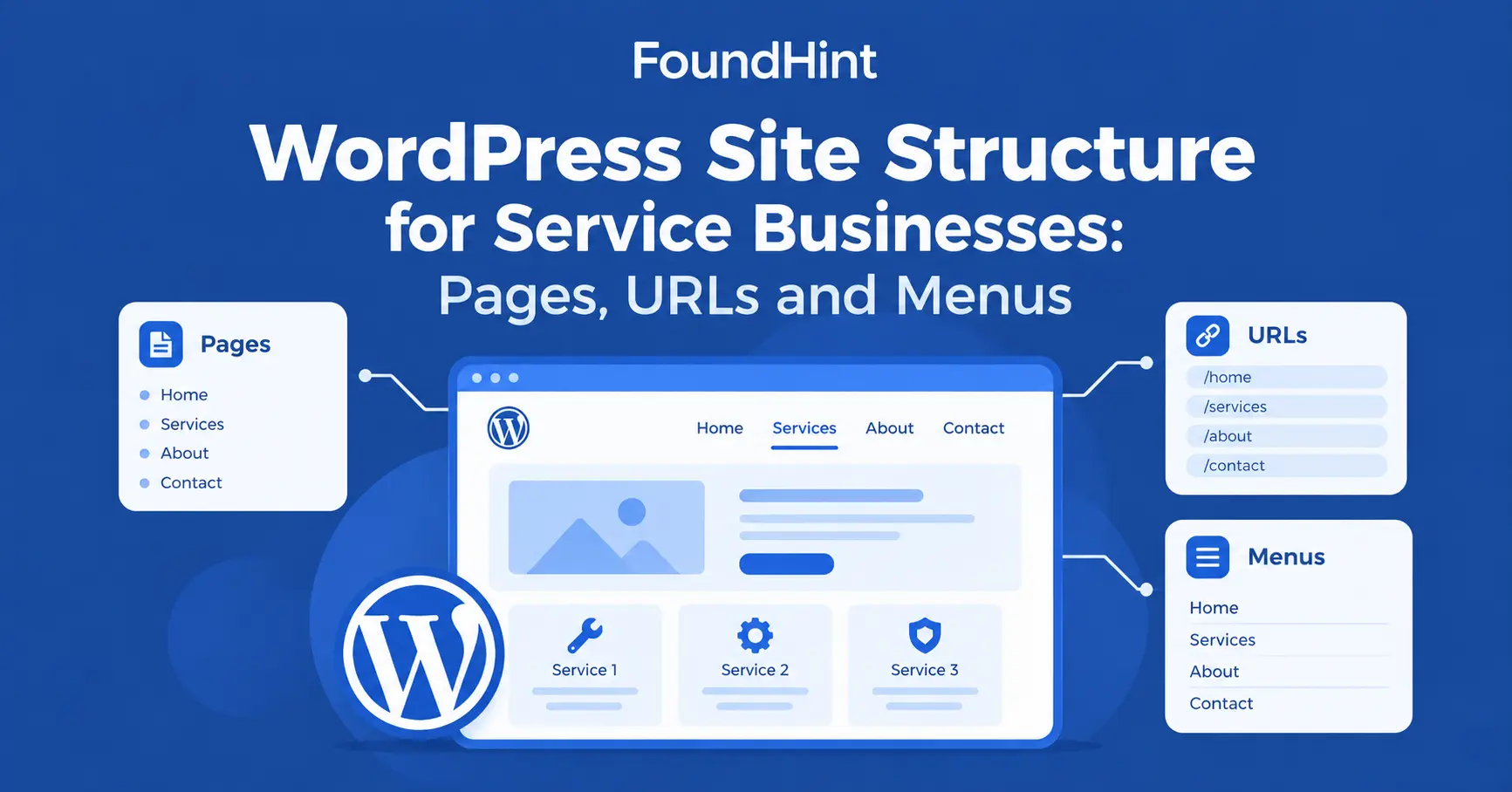
In this guide, you’ll get a ready-to-use website architecture for a local service business, including the pages to create, the URL structure to use, how to organize WordPress menus, and how to link everything together.
What Is Website Structure?
Website structure (also called site structure, site architecture, or information architecture) is the way your pages are organized and connected. It is the relationship between your:
- Homepage
- Service pages
- Location pages
- About page
- Contact page
- Blog and supporting content
- Navigation menus
- Internal links
- URLs
For a service business, the simplest way to picture a good page hierarchy is a tree:
Homepage
│
├── Services
│   ├── Service 1
│   ├── Service 2
│   └── Service 3
│
├── Locations
│   ├── City 1
│   ├── City 2
│   └── City 3
│
├── About
├── Contact
└── Blog
The homepage sits at the top. Services and locations are the main branches. Every important page is only a few clicks from the homepage, and every page has a clear parent.
That clarity is what makes a site easy for both people and search engine crawling.
Essential WordPress Pages for Service Businesses
How many pages should a service business website have? There’s no magic number, but most local service businesses need these seven page types.
Build them first, then expand.
1. Homepage
Your homepage is the hub of the site. Within a few seconds, a visitor should understand:
- Who you are
- What you offer (your primary services)
- Where you operate (your main location and service areas)
- Why customers should choose you (experience, reviews, guarantees)
- How to contact you (phone, button, form)
Link from the homepage to every main service page so they are one click away.
2. Services Page
If you offer more than a few services, create a central services page that briefly introduces each one and links to its dedicated page.
Example URL: /services/
3. Individual Service Pages
Should every service have its own page? Every important service should. A dedicated page lets you explain the service in depth and target the searches people actually make.
Example URLs:
- /services/plumbing/
- /services/drain-cleaning/
- /services/water-heater-repair/
Small add-on tasks can be grouped on a related service page rather than given thin pages of their own.
4. About Page
The About page builds trust. Explain your business background, years of experience, team, qualifications, and the service areas you cover.
Real photos of your team work much better than stock images.
5. Contact Page
Make this page complete and easy to reach from every page. Include:
- Phone number (click-to-call on mobile)
- Address (as text, not only in an image)
- Business hours
- Contact form
- Embedded map
- Service area
6. Location Pages
Location pages are useful for businesses that genuinely serve multiple cities or areas, or have more than one branch.
Example URLs:
- /locations/
- /locations/austin/
- /locations/dallas/
Avoid creating thin or duplicate city pages just to target keywords. If you can’t write something genuinely useful and different about a location, don’t create the page yet.
7. Blog
Use the blog for supporting informational content that answers customer questions and links back to your services.
Example URLs:
- /blog/
- /blog/how-often-should-you-clean-your-drains/
- /blog/signs-you-need-water-heater-repair/
Recommended Service Business Site Architecture
Here is a complete website architecture for a local service business. You can copy this structure as a starting point and replace the placeholders with your real services, cities, and articles.
/
├── services/
│   ├── service-a/
│   ├── service-b/
│   └── service-c/
│
├── locations/
│   ├── city-a/
│   ├── city-b/
│   └── city-c/
│
├── about/
├── contact/
│
└── blog/
    ├── article-a/
    ├── article-b/
    └── article-c/
For a roofing company in Texas, such as “Lone Star Roofing,” that might look like this:
| Section | Example pages |
|---|---|
| Services | /services/roof-repair/, /services/roof-waterproofing/, /services/gutter-installation/ |
| Locations | /locations/austin/, /locations/round-rock/, /locations/cedar-park/ |
| Company | /about/, /contact/, /reviews/ |
| Blog | /blog/signs-you-need-roof-repair/, /blog/how-to-prepare-your-roof-for-storm-season/ |
Why this works:
- Every important page is within two or three clicks of the homepage.
- Each URL shows where the page sits in the hierarchy.
- Services and locations each have a clear parent page that links to all children.
- The blog has its own section but links into services, rather than floating separately.
How to build this in WordPress
- Use Pages, not Posts, for services and locations. Pages support parent–child relationships; posts are best for the blog.
- Create the parent pages first (Services, Locations), then create each child page and set its Parent under Page Attributes in the editor.
- Set permalinks to “Post name” under Settings → Permalinks, so WordPress generates clean URLs like /services/roof-repair/.
- If you want the blog at /blog/, create a page called Blog and set it as your Posts page under Settings → Reading, and set your permalink structure to /blog/%postname%/ if you want posts nested under /blog/.
How to Structure Service Pages?
A strong service page answers every question a customer has before they call. Each important service page should answer:
- What is the service?
- Who needs it?
- What does the service include?
- Where is it available?
- Why choose your business?
- How does the process work?
- How much does it typically cost?
- What questions do customers usually ask?
- How can someone request the service?
Use this recommended service page structure as a template:
Service Page
│
├── Service introduction
├── Benefits
├── What's included
├── Process
├── Service area
├── FAQs
├── Reviews / trust signals
└── Contact / CTA
Example: Water Heater Repair page
| Section | What to write |
|---|---|
| H1 + introduction | “Water Heater Repair in Austin, TX” + one paragraph on who you help and how fast you respond |
| Benefits | Same-day visits, licensed technicians, upfront pricing |
| What’s included | Diagnosis, part replacement, safety check, cleanup |
| Process | 1. Call or book online → 2. Technician visit → 3. Quote → 4. Repair → 5. Follow-up |
| Service area | Areas covered, with links to relevant location pages |
| FAQs | “How long does repair take?” “Should I repair or replace?” |
| Reviews / trust signals | Customer reviews, certifications, warranty, years in business |
| Contact / CTA | Click-to-call button, booking form, text-message link |
Tips for SEO service page structure:
- Use one clear H1 that names the service (and location, if natural).
- Use H2s for each section so both readers and Google can scan the page.
- Add a call to action near the top and again at the bottom.
- Write original content for each service. Don’t copy the same template text across pages.
URL Structure for Service Businesses
Your URL structure (WordPress calls it the permalink structure) should be:
- Short – remove unnecessary words.
- Descriptive – the slug says what the page is about.
- Readable – lowercase words separated by hyphens.
- Consistent – the same pattern across similar pages.
- Hierarchical where useful – child pages sit under their parent.
| Good URL | Poor URL | Why |
|---|---|---|
| /services/roof-repair/ | /page?id=123 | Descriptive vs meaningless |
| /services/roof-repair/ | /2026/10/04/roof-repair/ | Evergreen service pages don’t need dates |
| /locations/austin/ | /best-cheap-roof-repair-austin-roofer-austin/ | Clean vs keyword-stuffed |
| /services/drain-cleaning/ | /services/drain-cleaning-2/ | Avoid duplicate slugs left by deleted or copied pages |
Avoid unnecessary dates. If your WordPress permalinks include the date, every service page looks outdated after a year. Use /services/roof-repair/ instead of /2026/10/04/roof-repair/.
Don’t change URLs unnecessarily. If you must change a URL on a live site, add a 301 redirect from the old URL to the new one so you keep visitors and links.
Service + Location URL Structure
This is where many local service businesses get confused. What URL structure is best for local SEO?
For most businesses with genuine location-specific pages, keep services and locations as separate sections:
/services/
/services/roof-repair/

/locations/
/locations/austin/
Then link between them: the Roof Repair page lists the areas you serve, and the Austin page lists the services available there.
Where the site architecture genuinely requires combined service-location pages, such as a multi-location business with different teams, pricing, or offerings in each city, you can use:
/austin/roof-repair/
/dallas/roof-repair/| Approach | Best for | Watch out for |
|---|---|---|
| Separate /services/ and /locations/ | Single-location businesses and most small service-area businesses | Location pages need real local content |
| Combined /city/service/ | Multi-location businesses with genuinely different content per city | Creating many near-duplicate pages |
Important: There is no universal requirement to put every service and location combination into the URL. The content should determine the architecture. Only create a combined page when you have unique, useful information for that service in that place.
WordPress Menu Structure
Your main menu is the most visible part of your site structure. A good WordPress menu structure for a business website helps visitors decide where to go in seconds.
| Multi-location or larger business | Smaller single-location business |
|---|---|
| Home | Home |
| Services (dropdown) | Services (dropdown) |
| Locations (dropdown) | About |
| About | Reviews |
| Blog | Blog |
| Contact | Contact |
Many businesses also add a highlighted “Call Now” or “Book a Service” button at the end of the menu.
Menu principles
- Keep the primary menu simple. Five to seven top-level items is usually enough.
- Prioritize important pages. Your main services should be easy to reach from every page.
- Use descriptive labels. “Drain Cleaning” is clearer than “Solutions” or “What We Do.”
- Don’t put every page in the main menu. Use the footer for secondary pages like privacy policy and careers.
- Use dropdowns carefully. One dropdown level is usually enough; avoid menus that go three levels deep.
- Make important service pages easy to reach. If you have many services, a Services dropdown or a services overview page works better than listing them all at the top.
- Test mobile navigation. Most local visitors use phones, so check that the menu opens easily and the phone number stays visible.
How to organize WordPress menus
- Go to Appearance → Menus (or Appearance → Editor → Navigation in block themes).
- Create a Primary Menu with your top-level pages.
- Drag service pages slightly to the right under “Services” to create a dropdown.
- Create a separate Footer Menu for secondary links, plus your address, phone, and hours.
- Assign each menu to the right location in your theme.
Internal Linking Structure
Menus only cover your top pages. Internal links inside your content do the rest of the work: they guide visitors toward a booking and help search engines understand which pages matter most.
The main path for a service business looks like this:
Homepage → Services → Individual Service → Location → ContactBlog content supports that path from the side:
Blog Article → Service Page → Location Page → ContactHow to link service pages together
| From | Link to | Example anchor text |
|---|---|---|
| Homepage | Each main service page | “emergency plumbing services” |
| Services overview | Every individual service | “drain cleaning” |
| Service page | Related services | “We also offer water heater repair” |
| Service page | Location pages where it’s offered | “drain cleaning in South Austin” |
| Location page | Services available there | “our plumbing services in Austin” |
| Blog post | The most relevant service | “book a professional drain cleaning” |
| Every page | Contact page | “get a free quote” |
Use descriptive anchor text rather than generic links like “click here” or “read more.” The words in the link tell readers and search engines what the next page is about.
How to prevent orphan pages in WordPress?
An orphan page has no internal links pointing to it, so visitors and crawlers struggle to find it. To prevent orphan pages:
- Link every new service or location page from its parent page.
- Add new pages to a relevant menu, footer, or overview page.
- Link to new pages from at least one or two related pages or blog posts.
- Review your site regularly for pages with no incoming internal links.
FoundHint tip: Spotting orphan pages and missing links by hand gets harder as your site grows. The FoundHint Local SEO Plugin helps you audit how your service and location pages connect, so gaps in your internal linking are easier to find and fix.
 FoundHint Local SEO WordPress
Optimize your Google Business Profile without leaving WordPress
Connect your profile, compare it with your website and fix the gaps FoundHint finds.
- Business Profile audit and optimization
- Google Post scheduling
- Review management and replies
- Local rank tracking on a map grid
Local SEO Site Structure
For a local service business, site structure is part of local SEO. A well-structured site makes it easier for Google to connect your business with your services and the areas you serve.
The important local elements to build into your structure are:
| Element | Where it belongs in your structure |
|---|---|
| Business name, address, phone (NAP information) | Header or footer on every page, plus the contact page |
| Service areas | Homepage, service pages, and location pages |
| Service pages | Under /services/, linked from the homepage and menu |
| Location pages | Under /locations/, linked from relevant service pages |
| Local content | Blog posts and location pages that cover local topics |
| Google Business Profile | Links to your homepage or main location page; details match your site |
| LocalBusiness schema | Homepage or location pages, matching your visible details |
| Internal links | Between services, locations, blog posts, and contact |
| Local keywords | Titles, H1s, and copy on service and location pages, used naturally |
Important: Site structure helps search engines understand the relationships between your business, services, locations, and content. It does not guarantee higher rankings by itself.
It works together with relevance, reviews, your Google Business Profile, and other Local SEO Ranking Factors.
For page-level details, see Local On-Page SEO and Local Business Schema.
The Homepage → Service → Location Model
This is the practical framework most local service businesses can use. The homepage leads to services, and each service links to the locations where it is genuinely offered.
Homepage
   │
   ├── Service A
   │      ├── Location A
   │      └── Location B
   │
   ├── Service B
   │      ├── Location A
   │      └── Location B
   │
   └── Service C
Notice that Service C has no location pages. That’s intentional. Not every service needs to be split by location.
When to create a service + location page?
Create one only if you can answer yes to at least one of these:
- Do you have a real team, office, or branch in that location?
- Is pricing, availability, or the service itself different there?
- Do you have local projects, photos, reviews, or case studies from that area?
- Do customers there have different needs (building types, regulations, climate)?
If every answer is no, a single strong service page that lists your service areas is usually the better choice.
Example: Bright Spark Electric in Austin, Texas
| Page | Unique content that justifies it |
|---|---|
| /services/electrical-wiring/ | Full service details, process, pricing guide, FAQs |
| /locations/south-austin/ | Main office address, local team, home rewiring projects in South Austin |
| /locations/round-rock/ | Second branch, response times, local reviews from Round Rock |
| /south-austin/generator-installation/ | Only exists because the South Austin team handles standby generator installs that the Round Rock team doesn’t |
The rule is simple: location-service combinations should only exist when they provide real, useful, unique information.
Blog Structure for Service Businesses
Don’t treat the blog as a disconnected section. A blog that only posts company news does little for local SEO. A blog organized around customer questions brings in visitors and sends them to your service pages.
Organize your WordPress blog with a few clear categories:
Blog
│
├── Service Education
├── Maintenance Guides
├── Local Guides
├── Problem/Solution Content
└── Buying Guides| Blog category | Example article | Links to |
|---|---|---|
| Service Education | “What Does a Drain Cleaning Service Include?” | Drain Cleaning service page |
| Maintenance Guides | “How Often Should You Clean Your Drains?” | Drain Cleaning service page |
| Local Guides | “How to Prepare Your Roof for Storm Season in Austin” | Roof Repair + Austin location page |
| Problem/Solution | “5 Signs You Need Roof Repair” | Roof Repair service page |
| Buying Guides | “Repair or Replace? Choosing a Water Heater” | Water Heater Repair service page |
How to connect blog posts to service pages?
- Link to the most relevant service page in the first few paragraphs and again near the end.
- Use descriptive anchor text such as “our roof repair service in Austin.”
- End each post with a clear call to action, such as “Book an inspection.”
- Keep WordPress categories few and meaningful. Avoid creating dozens of categories and tags that produce thin archive pages.
Should blog posts link to service pages? Yes. Every helpful article is a chance to guide a reader from research to booking.
Common WordPress Structure Mistakes
These are the website architecture mistakes we see most often on local service business sites, and how to fix each one.
| Mistake | Fix |
|---|---|
| Too many menu items | Keep 5–7 top-level items; move the rest to the footer |
| Important pages buried too deeply | Keep key pages within 2–3 clicks of the homepage |
| Generic URLs (/page-2/, /?p=123) | Set permalinks to “Post name” and write descriptive slugs |
| Date-based URLs for evergreen pages | Remove dates from the permalink structure and redirect old URLs |
| Duplicate service pages | Merge overlapping pages into one strong page and redirect |
| Thin location pages | Add real local details or remove the page |
| Orphan pages | Link each page from its parent and related content |
| Poor internal linking | Connect services, locations, blog, and contact deliberately |
| No dedicated service pages | Give each main service its own page |
| No clear contact page | Create one with phone, address, hours, form, and map |
| Blog disconnected from services | Link every relevant post to a service page |
| Too many dropdown levels | Use one dropdown level at most |
| Keyword-stuffed URLs | Use short slugs like /services/roof-repair/ |
| Changing URLs unnecessarily | Keep stable URLs; use 301 redirects if a change is essential |
| Confusing navigation | Use plain labels and test the menu with a real customer |
FoundHint tip: Many of these problems only show up after a site has grown for a while. Running a regular audit with the FoundHint Local SEO Plugin helps you catch thin location pages, orphan pages, and inconsistent business information before they hurt your local visibility.
FoundHint Local SEO WordPress
Optimize your Google Business Profile without leaving WordPress
Connect your profile, compare it with your website and fix the gaps FoundHint finds.
- Business Profile audit and optimization
- Google Post scheduling
- Review management and replies
- Local rank tracking on a map grid
WordPress Site Structure Checklist
Use this quick checklist to review your service business website structure.
- Homepage clearly explains the business
- Main services have dedicated pages
- Important locations have useful pages
- URLs are descriptive
- Navigation is simple
- Services are easy to find
- Contact page is accessible
- Internal links connect related pages
- Blog content supports service pages
- No important pages are orphaned
- Duplicate location pages are avoided
- XML sitemap is working
- Important pages are indexable
- Mobile navigation works properly
For a wider review of your site, work through the WordPress Local SEO Checklist and run a full Local SEO Audit.
Frequently Asked Questions
How should I structure a WordPress website for a service business?
Use a simple hierarchy: a homepage that links to a services section, individual service pages, location pages (if you serve several areas), an about page, a contact page, and a blog. Connect them with clear menus and descriptive internal links.
What pages should a service business website have?
At minimum: homepage, services overview, individual service pages, about, contact, and blog. Add location pages if you genuinely serve multiple cities or have more than one branch.
How many service pages should a local business have?
One for each main service customers search for and you want to rank for. Group small, related tasks on a single page instead of creating many thin pages.
Should every service have its own page?
Every important service should. A dedicated page lets you explain the service fully, answer questions, and target specific searches.
Should a local business have location pages?
Only if they add genuine value, such as a real branch, local team, or different services or prices in that area. A single-location business can usually list its service areas instead.
How do service pages and location pages work together?
Service pages explain what you do; location pages explain where you do it. Link each service page to the locations where it’s offered, and each location page to the services available there.
What URL structure is best for local SEO?
Short, descriptive, consistent URLs such as /services/roof-repair/ and /locations/austin/. Use combined URLs like /austin/roof-repair/ only when the page has unique content for that service in that location.
How deep should WordPress pages be?
Keep important pages within two or three clicks of the homepage. Deeper pages are harder for visitors and search engines to reach.
Should service pages be in the main menu?
Yes, your main services should be easy to reach, usually through a Services dropdown. If you have many services, link to a services overview page instead of listing them all.
How do I make a WordPress website easier for Google to understand?
Use a clear page hierarchy, descriptive URLs, simple navigation, strong internal links, an XML sitemap, consistent business information, and LocalBusiness schema.
Final Thoughts
The best website structure for a local business is the one a customer can understand at a glance: a clear homepage, a page for each main service, useful location pages where they make sense, simple menus, clean URLs, and internal links that lead naturally to contact.
Start with the architecture in this guide, build it with WordPress pages and parent–child relationships, and expand only when you have something genuinely useful to add.
When your structure is in place, use the FoundHint Local SEO Plugin to audit your service and location pages, check your business information and schema, and keep your local SEO in good shape as your site grows.
To keep learning, read What Is Local SEO? The Complete Guide, the WordPress Local SEO Checklist, and Local SEO Ranking Factors.