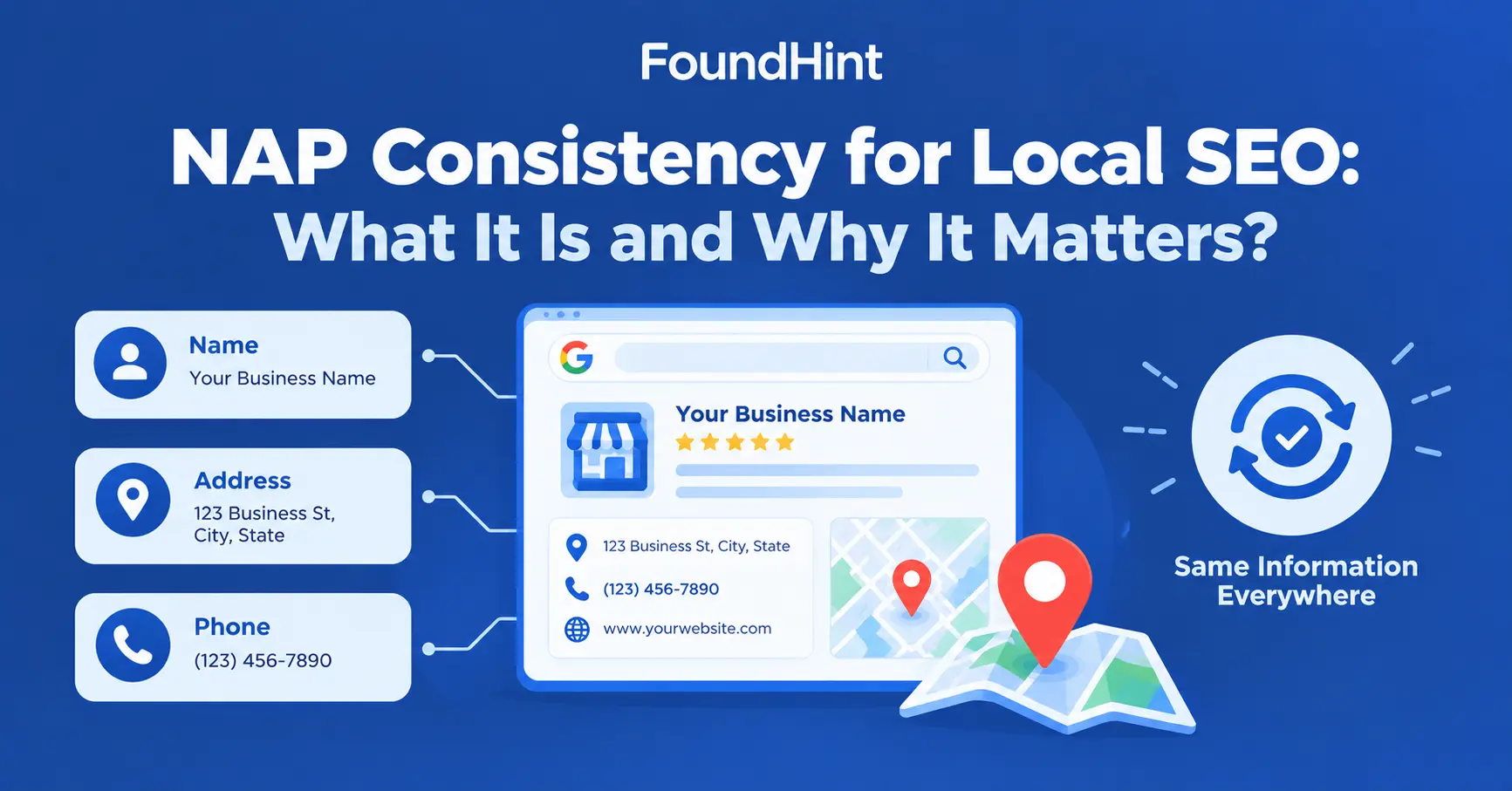
NAP consistency for Local SEO means keeping your business Name, Address, and Phone number accurate and consistent across your website, Google Business Profile, directories, citations, and other online business profiles.
It sounds simple, but most businesses have at least one listing with an old phone number, a previous address, or a slightly different business name. These small errors add up. A customer calls a disconnected number.
A delivery driver goes to your old office. A search engine sees three versions of your business and isn’t sure which is right.
In this guide, you’ll learn what NAP consistency is in local SEO, why it matters, where your NAP should appear, how to check and fix inconsistencies, and how the FoundHint Local SEO Plugin for WordPress, with its built-in local citation check, helps you keep your business information accurate everywhere.
 FoundHint Local SEO WordPress
Optimize your Google Business Profile without leaving WordPress
Connect your profile, compare it with your website and fix the gaps FoundHint finds.
- Business Profile audit and optimization
- Google Post scheduling
- Review management and replies
- Local rank tracking on a map grid
What Is NAP Consistency in Local SEO?
In local SEO, NAP consistency is the practice of making sure your business name, business address, and phone number are the same, and correct, everywhere your business appears online.
The NAP consistency local SEO definition is simple: one business, one set of accurate details, used everywhere.
What Does NAP Stand For?
- N = Name – your official business name
- A = Address – your physical business location
- P = Phone – your main local phone number
Many local SEO professionals also add W for Website (NAP+W), because your website URL should be consistent too.
Here’s a consistent example for a plumbing company in Phoenix, Arizona:
ABC Plumbing, 123 Main Street, Phoenix, AZ 85004, (602) 555-0134
Now imagine the same business appears like this across the web:
| Source | Name | Address | Phone |
|---|---|---|---|
| Website | ABC Plumbing | 123 Main Street, Phoenix, AZ 85004 | (602) 555-0134 |
| Directory A | ABC Plumbing & Drain LLC | 45 Oak Avenue, Phoenix, AZ 85012 | (602) 555-0134 |
| Directory B | ABC Plumbers Phoenix | 123 Main Street, Phoenix, AZ 85004 | (602) 555-0199 |
Is that one business or three? Customers and search engines have to guess. That’s the problem NAP consistency solves.
Why Is NAP Consistency Important for Local SEO?
Why does NAP consistency matter for local SEO? Because consistent business information helps maintain a clear and reliable representation of your business across online sources.
The importance of consistent NAP in local SEO comes from three things:
- Accuracy for customers – people use your listings to call, visit, and find you.
- Clarity for search engines – matching details across many sources make it easier to understand which business is which.
- Trust – accurate, up-to-date information signals an established, reliable business.
One important nuance: NAP consistency isn’t a standalone Google ranking factor with a fixed weight. It’s part of the bigger picture of local search accuracy, business identity, and citation consistency.
Think of it as a foundation that supports everything else in local SEO, not a switch that boosts rankings on its own.
How NAP Consistency Affects Local Search?
Indirectly. Consistent business information is an important part of maintaining a reliable local search presence, and it supports the signals that do influence local rankings, such as relevance, distance, and prominence.
Helps Keep Business Information Accurate
When your details match everywhere, customers see the right address, the right phone number, and the right hours, no matter where they find you.
Supports Consistent Business Identity
Matching name, address, and phone help search engines connect mentions across the web to one clear business entity, rather than splitting them between several possible businesses.
Reduces Conflicting Business Information
Conflicting details, such as two addresses or two phone numbers, create doubt. Removing them reduces confusion about where you are and how to reach you.
Supports Citation Management
A single, accurate NAP makes it much easier to build, audit, and fix local citations, because every listing is checked against the same source of truth.
Helps Customers Find and Contact the Business
The most direct impact is on customers. Accurate NAP means fewer missed calls, fewer wasted trips, and fewer people choosing a competitor because your listing looked unreliable.
For more on what influences local rankings, see Local SEO Ranking Factors: What Affects Local Search Rankings?
Where Should Your NAP Information Be Consistent?
Your NAP should match everywhere your business appears. Start with the places you control, then work outward.
Your Website
Check every place your NAP appears on your business website:
- Header – phone number, often click-to-call
- Footer – full name, address, and phone on every page
- Contact page – complete details with map and hours
- About page – business name and location
- Location pages – each location’s own details
- LocalBusiness schema – structured data that matches the visible information (see LocalBusiness Schema for WordPress)
Google Business Profile
Your profile’s business name, address, phone, and website should match your website exactly.
Local Directories
City and regional business directories, such as your local chamber of commerce directory.
Local Citation Sites
Major platforms like Yelp, Better Business Bureau, Yellow Pages, Apple Business Connect, and Bing Places.
Industry Directories
Niche sites such as Avvo for lawyers, Healthgrades for doctors, or Angi and Houzz for home services.
Social Profiles
Facebook, Instagram, LinkedIn, and Nextdoor business pages.
Review Platforms
TripAdvisor, Trustpilot, and industry review sites.
Other Business Profiles
Data aggregators, maps apps, booking platforms, and partner or supplier websites.
NAP Consistency and Local Citations
NAP is the core of every local citation. Here’s how they connect:
Business Information
        ↓
NAP
        ↓
Citations & Directories
        ↓
Consistent Business Identity
        ↓
Local Search Presence| Element | Role |
|---|---|
| NAP | Your core business details |
| Citations | Any mention of your NAP on another website |
| Directories | Platforms where structured business listings live |
| Google Business Profile | Google’s own listing, powering Maps and the Local Pack |
| Website information | Your own source of truth, including schema |
NAP consistency local SEO citations work is really about making sure every one of these elements tells the same story.
For a full guide to building and cleaning up citations, read Local Citations for Local SEO: The Complete Guide.
What Counts as a NAP Inconsistency?
Not every difference is a problem. Here are practical examples, from minor formatting to serious conflicts.
Example 1: Business Name
| Website | Directory | Severity |
|---|---|---|
| ABC Plumbing Services | ABC Plumbing | Low to medium – pick one official name and use it everywhere |
| ABC Plumbing | ABC Plumbing & Drain Experts Phoenix | Higher – extra keywords make it look like a different business |
Example 2: Address
| Website | Directory | Severity |
|---|---|---|
| 123 Main Street | 123 Main St. | Low – a standard abbreviation |
| 123 Main Street, Suite 200 | 123 Main Street | Medium – missing suite can confuse visitors |
| 123 Main Street | 45 Oak Avenue (old office) | High – conflicting locations |
Example 3: Phone
| Website | Directory | Severity |
|---|---|---|
| (602) 555-0134 | 602-555-0134 | Low – just formatting |
| (602) 555-0134 | (602) 555-0199 (old number) | High – customers can’t reach you |
The important nuance: not every formatting difference is a meaningful inconsistency. “St.” vs “Street” or dashes vs brackets are normally understood as the same details.
Focus your energy on accuracy and on removing conflicting business information, such as old addresses, old phone numbers, and different business names. Those are the inconsistencies that matter.
How to Check NAP Consistency?
A NAP consistency audit (also called a local SEO NAP audit) follows ten steps.
Step 1: Establish Your Correct Business Information
Create the canonical version of your:
- Business name
- Address
- Phone
- Website URL
Save it in one master document. Every check compares against this.
Step 2: Check Your Website
Review the header, footer, contact page, location pages, and LocalBusiness schema.
Step 3: Check Google Business Profile
Confirm your profile’s name, address, phone, and website match your master record.
Step 4: Find Existing Citations
Search your business name, current phone number, and any old phone numbers or addresses to uncover listings you’ve forgotten.
Step 5: Check Major Directories
Review Yelp, BBB, Yellow Pages, Apple Business Connect, Bing Places, and Facebook.
Step 6: Check Industry-Specific Directories
Review the top directories in your field, such as Avvo, Healthgrades, or Angi.
Step 7: Find Duplicate Listings
Look for two or more listings for the same location on one platform.
Step 8: Record Incorrect Listings
Log the platform, URL, what’s wrong, and what it should say.
Step 9: Update or Remove Incorrect Information
Claim each listing, correct the details, and merge or remove duplicates where the platform allows.
Step 10: Monitor Changes
Re-check regularly. Directories and data sources can overwrite or reintroduce old information.
Check your NAP faster with FoundHint: Doing these ten steps by hand means searching platform after platform.
The FoundHint Local SEO Plugin includes a local citation check that compares your saved business information against your citations and highlights NAP that doesn’t match, so you can see what needs fixing in one place, right inside WordPress.
FoundHint Local SEO WordPress
Optimize your Google Business Profile without leaving WordPress
Connect your profile, compare it with your website and fix the gaps FoundHint finds.
- Business Profile audit and optimization
- Google Post scheduling
- Review management and replies
- Local rank tracking on a map grid
How to Create Consistent NAP Citations?
How do you create consistent NAP citations for local SEO? Follow this process:
- Create a master business information record with your official name, address, phone, website, hours, and categories.
- Confirm the correct information with the business owner, especially after moves or rebrands.
- Use the same core information across important profiles, copying and pasting from the master record rather than retyping.
- Identify existing incorrect citations by searching current and old details.
- Correct important listings first: Google Business Profile, major directories, and top industry sites.
- Find duplicates and merge or remove them.
- Monitor changes with a regular audit schedule.
NAP Consistency for Google Business Profile
Your Google Business Profile is usually the most visible version of your NAP, so it deserves extra care.
Google’s guidelines for Business Profiles ask businesses to represent themselves as they’re consistently known in the real world. In practice, that means:
- Business name – your real-world name, as on your signage and website, without added keywords or locations
- Address – your accurate physical address, or service areas if you don’t serve customers at your location
- Phone – a number that connects directly to your business
- Website – the page that best represents this business or location
The information on your Business Profile should accurately represent your business and match the information used on your website and other listings. If you change something in one place, update the others too. See Google Business Profile Optimization for the full process.
NAP Consistency for Multi-Location Businesses
For a multi-location business, NAP consistency means each location has its own accurate business information, used consistently for that location.
Texas Auto Pros
│
├── Austin
│   ├── Name: Texas Auto Pros - Austin
│   ├── Address: 4500 S Lamar Blvd, Austin, TX 78745
│   └── Phone: (512) 555-0110
│
├── Round Rock
│   ├── Name: Texas Auto Pros - Round Rock
│   ├── Address: 2100 N Mays St, Round Rock, TX 78664
│   └── Phone: (512) 555-0199
│
└── San Antonio
    ├── Name: Texas Auto Pros - San Antonio
    ├── Address: 800 Broadway St, San Antonio, TX 78215
    └── Phone: (210) 555-0176
Best practices for multi-location NAP:
- Give each location its own location page with that location’s NAP and LocalBusiness schema.
- Link each location’s directory listings to its own location page, not just the homepage.
- Use one consistent naming pattern, such as “Brand – City,” across all platforms.
- Don’t accidentally apply one location’s address or phone number to every location, a common mistake when copying listings or website templates.
NAP Consistency for Service-Area Businesses
Service-area businesses, such as plumbers, electricians, cleaners, and contractors, serve customers across several cities without a customer-facing office in each one.
For these businesses:
- Use your real business address (hidden from public view where platforms allow) and list the areas you serve.
- Keep one consistent business name and main phone number.
- Show the same service areas on your website, Google Business Profile, and directories.
- Never create fake addresses or fake local listings to target extra cities. This misrepresents your business, violates platform guidelines, and can lead to suspended listings.
To reach customers in more cities, create genuinely useful service-area content on your website instead. See WordPress Site Structure for Service Businesses.
NAP Consistency Best Practices
Follow these NAP consistency local SEO best practices:
- Use accurate business information everywhere.
- Keep your primary business name consistent.
- Keep address information accurate, including suite numbers.
- Keep phone numbers accurate and current.
- Use the correct website URL (https, with or without www, consistently).
- Maintain accurate Google Business Profile information.
- Audit important citations regularly.
- Fix incorrect listings as soon as you find them.
- Remove or resolve duplicate listings where appropriate.
- Maintain separate information for each legitimate location.
- Keep your website and structured data aligned with visible business information.
- Monitor changes over time, especially after a move, new phone number, or rebrand.
Common NAP Consistency Mistakes
Using Different Business Names
“ABC Plumbing,” “ABC Plumbing LLC,” and “ABC Plumbers Phoenix” on different sites make one business look like three. Pick one official name.
Using an Old Address
After a move, the old address often lives on in directories for years. Search your old address to find and update these listings.
Using an Old Phone Number
Old or disconnected numbers lead to lost customers. Search your previous numbers to uncover outdated listings.
Creating Duplicate Listings
Creating a new listing instead of claiming an existing one leaves two versions of your business on the same platform.
Creating Fake Location Listings
Virtual offices or fake addresses in extra cities violate platform guidelines and can get your listings removed.
Forgetting Old Directories
Listings you created years ago, or that were auto-generated, keep showing outdated information until someone fixes them.
Mixing Multiple Business Locations
Using your main office phone on every branch listing, or one branch’s address on another’s page, confuses customers and search engines.
Having Conflicting Website and Profile Information
If your website footer, contact page, LocalBusiness schema, and Google Business Profile don’t match, start fixing there. These are the sources you control directly.
Keep Your NAP Consistent With FoundHint for WordPress
Checking NAP across your website, Google Business Profile, and dozens of directories by hand is slow, and it’s easy to miss the one listing with your old phone number. The FoundHint Local SEO Plugin for WordPress makes NAP consistency part of a simple, repeatable workflow.
FoundHint Local SEO WordPress
Optimize your Google Business Profile without leaving WordPress
Connect your profile, compare it with your website and fix the gaps FoundHint finds.
- Business Profile audit and optimization
- Google Post scheduling
- Review management and replies
- Local rank tracking on a map grid
One source of truth for your business information
Save your business name, address, phone, website, hours, and service areas once in FoundHint. That master record becomes the reference point for your website, your LocalBusiness schema, and your citation checks. For multi-location businesses, each location gets its own record.
Local citation check
FoundHint’s local citation check compares your saved business information against your local citations and highlights where things don’t match:
| NAP problem | What FoundHint’s local citation check shows |
|---|---|
| Different business name on a directory | Flags the name variation |
| Old address still listed | Highlights the address mismatch |
| Old or wrong phone number | Highlights the phone mismatch |
| Missing listings on important platforms | Shows citation gaps to fill |
| Problems returning after updates | Lets you re-run the check and track progress |
How the workflow fits together
Master business information (FoundHint)
        ↓
Website NAP + LocalBusiness schema
        ↓
Local citation check
        ↓
Mismatches highlighted
        ↓
Fix listings → Re-check
Because your website details, structured data, and citation checks all work from the same business information, FoundHint helps you keep NAP consistent across everything, without spreadsheets or manual searching.
NAP Consistency Checklist
- Business name is accurate
- Address is accurate
- Phone number is accurate
- Website URL is correct
- Google Business Profile is accurate
- Website contact information is accurate
- Location pages use correct information
- LocalBusiness schema matches visible information
- Major citations are accurate
- Industry directories are accurate
- Duplicate listings have been identified
- Old business information has been updated
- Multiple locations have separate information
- Service-area information is represented accurately
- NAP information is periodically audited (tip: run the FoundHint local citation check every quarter)
Frequently Asked Questions
What is NAP consistency in local SEO?
NAP consistency is keeping your business name, address, and phone number accurate and the same across your website, Google Business Profile, directories, citations, and other online profiles.
What does NAP stand for in local SEO?
NAP stands for Name, Address, and Phone number. Some marketers use NAP+W to include your website URL.
Why is NAP consistency important for local SEO?
It helps customers reach you, helps search engines connect your listings to one business, and supports a reliable local search presence.
Does NAP consistency matter for local SEO?
Yes. Accurate, consistent business information is a foundation of local SEO, especially for citations and Google Business Profile.
How does NAP consistency impact local SEO rankings?
Indirectly. It supports business identity, citation accuracy, and trust, which in turn support the signals that influence local rankings. It doesn’t guarantee higher rankings by itself.
Is NAP consistency a local SEO ranking factor?
It isn’t a standalone ranking factor with a fixed weight. It’s best understood as part of local search accuracy and citation consistency.
How do I create consistent NAP citations?
Create a master business record, use it for every listing, fix incorrect citations, merge duplicates, and audit regularly.
How many directories do I need for NAP consistency?
There’s no fixed number. Focus on Google Business Profile, major directories, your key industry directories, and important local sources, and keep them all accurate.
How do I check my NAP consistency?
Compare your website, Google Business Profile, and directory listings against your master business information, or use a tool such as the FoundHint local citation check.
Does NAP consistency matter for Google Business Profile?
Yes. Your Business Profile should accurately represent your business and match your website and other listings.
Final Thoughts
NAP consistency is one of the simplest parts of local SEO, and one of the easiest to neglect. Set one accurate version of your business name, address, and phone number, use it everywhere, fix the old and duplicate listings, and check again regularly.
The FoundHint Local SEO Plugin for WordPress makes that easier: manage your business information in one place, keep your website and LocalBusiness schema aligned, and use the local citation check to find and fix NAP mismatches across your citations.
To keep learning, read What Is Local SEO? The Complete Guide, Why Local SEO Matters, Local Citations for Local SEO: The Complete Guide, LocalBusiness Schema for WordPress: Complete Guide, and the WordPress Local SEO Checklist.