A franchise has two SEO challenges at once:
- Build visibility for the overall franchise brand, so people searching the brand name or its services find the franchise website.
- Help every individual franchise location appear in its local market, so a customer in Dallas finds the Dallas location, not the headquarters or a branch three states away.
That combination is what makes franchise SEO different from ordinary local SEO. A single-location bakery optimizes one Google Business Profile and one website.
A franchise with 50 locations has to manage 50 profiles, 50 location pages, 50 sets of citations and reviews, and still keep one consistent brand.
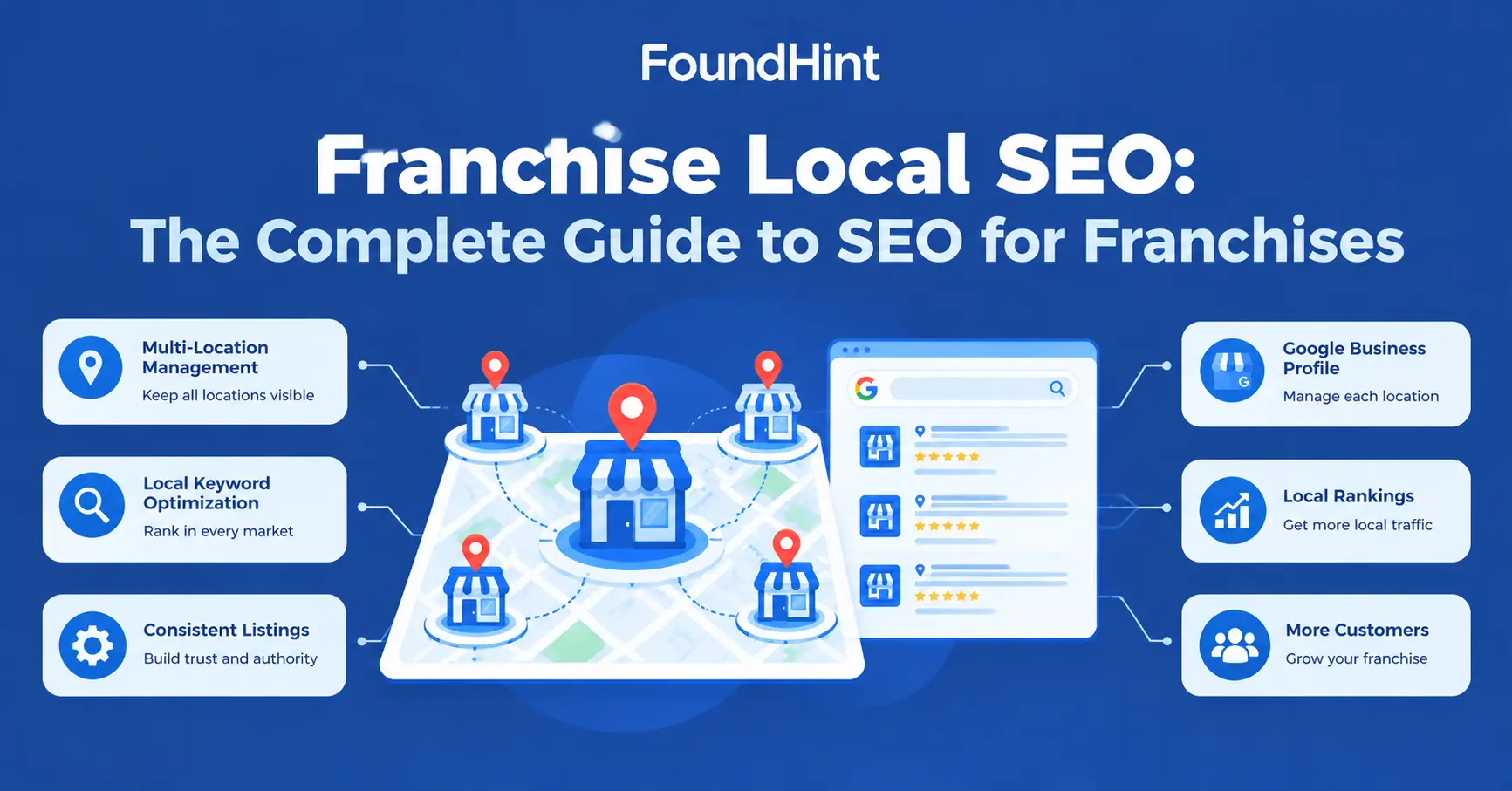
In this complete guide to franchise local SEO, you’ll learn how to structure a franchise website, optimize franchise location pages, manage Google Business Profiles and citations at scale, launch new locations, overcome common local SEO challenges for franchises, and report on performance across every location.
You’ll also see how the FoundHint Local SEO Plugin for WordPress helps franchisors and franchisees manage multi-location local SEO from one place.
 FoundHint Local SEO WordPress
Optimize your Google Business Profile without leaving WordPress
Connect your profile, compare it with your website and fix the gaps FoundHint finds.
- Business Profile audit and optimization
- Google Post scheduling
- Review management and replies
- Local rank tracking on a map grid
What Is Franchise SEO?
Franchise SEO is the process of improving search visibility for a franchise brand and its individual locations.
SEO for franchise businesses covers the brand website, brand searches, national service pages, and the local presence of every franchise location.
Franchise Brand
       ↓
Franchise SEO
       ↓
Individual Locations
       ↓
Local SEO
       ↓
Local Customers
SEO for franchise websites usually includes technical SEO, brand and service content, and a scalable structure for location pages. Franchise SEO marketing then connects that national presence to each local market.
What Is Franchise Local SEO?
Franchise local SEO focuses on making each legitimate franchise location discoverable for relevant local searches. It’s the location-level part of franchise SEO.
For each location, franchise local SEO covers:
- Google Search – ranking for service + city searches
- Google Maps – appearing when nearby customers search in Maps
- Local Pack – earning a spot in the map results at the top of Google
- Google Business Profile – one accurate, verified profile per location
- Location pages – a useful page on the franchise website for each location
- Local keywords – the searches customers use in that market
- Local citations – accurate listings on directories for each location
- Reviews – customer feedback for each location
- Local links – mentions from local news, partners, and community sites
- Local content – information relevant to each location’s area
Why Is Local SEO Important for Franchises?
A strong national franchise website alone isn’t enough. Here’s why local SEO for franchises matters.
Customers Search Locally
Most franchise customers don’t search for the brand. They search for what they need, where they are:
- “dentist near me”
- “pizza near me”
- “plumbing service in Dallas”
- “fitness center in Chicago”
If the local franchise location isn’t optimized for those searches, a local competitor gets the customer.
Each Location Has Its Own Local Competition
The Dallas location competes with Dallas businesses; the Chicago location competes with Chicago businesses. Each market needs its own local relevance and reputation.
Local Search Intent Varies by Market
Customers in Phoenix may search “AC repair” in summer while customers in Minneapolis search “furnace repair” in winter. Local keyword priorities differ by location.
Franchisees Need Location-Level Visibility
Franchisees invest in their territory. Local SEO for franchisees gives each owner visibility in the market they actually serve.
Strong Brand SEO Does Not Automatically Optimize Every Location
A high-authority brand domain helps, but it doesn’t replace an accurate Google Business Profile, local citations, reviews, and a useful location page for each franchise location.
Franchise SEO vs Local SEO
| Franchise SEO | Local SEO |
|---|---|
| Brand + location strategy | Geographic visibility |
| Can target national and local searches | Primarily local intent |
| Multiple locations | Can focus on one or multiple locations |
| Centralized strategy | Location-level optimization |
| Brand consistency | Local relevance |
These aren’t competing strategies. Franchise businesses generally need both: a centralized franchise SEO strategy for the brand, and local SEO for each franchise location. See Local SEO vs SEO for more on the difference.
How to Structure a Franchise Website for SEO
A clear website architecture is the foundation of SEO for franchise websites. Here’s a recommended structure:
/
├── services/
│   ├── service-a/
│   └── service-b/
│
├── locations/
│   ├── new-york/
│   │   ├── service-a/
│   │   └── service-b/
│   │
│   ├── chicago/
│   │   ├── service-a/
│   │   └── service-b/
│   │
│   └── dallas/
│       ├── service-a/
│       └── service-b/
│
├── about/
├── contact/
└── blog/
For example, a home cleaning franchise called “SparkClean” might use:
| Page type | Example URL | Purpose |
|---|---|---|
| Brand service page | /services/deep-cleaning/ | National explanation of the service |
| Locations hub | /locations/ | Store locator linking to every location |
| Location page | /locations/dallas/ | Dallas address, team, hours, services, reviews |
| Location service page | /locations/dallas/move-out-cleaning/ | Only if Dallas offers unique details for this service |
Don’t automatically create every service × location combination. Fifty locations and ten services could mean 500 thin, near-identical pages. Only create pages that provide unique, useful content and genuinely serve searcher needs.
For more on building service and location structures in WordPress, see WordPress Site Structure for Service Businesses.
Should Franchises Have Separate URLs for Local SEO?
Yes, when each location represents a real business location and the page provides useful location-specific information.
A typical structure looks like this:
example.com/locations/
example.com/locations/dallas/
example.com/locations/chicago/
example.com/locations/new-york/
Each location page should include genuinely useful information:
| Element | Example for SparkClean Dallas |
|---|---|
| Location name | SparkClean Dallas |
| Address | 2200 Ross Ave, Dallas, TX 75201 |
| Phone | (214) 555-0182 |
| Opening hours | Mon–Sat 7 AM–7 PM |
| Services | Deep cleaning, move-out cleaning, office cleaning |
| Location-specific description | Local team, years in Dallas, neighborhoods served |
| Directions | Parking and landmark notes |
| Local photos | Real team and job photos |
| Google Business Profile connection | Link to the Dallas profile; profile links back to this page |
| Reviews | Dallas customer reviews where appropriate |
| Service area | Uptown, Highland Park, Plano, Richardson |
| Local FAQs | “Do you clean high-rise apartments in Uptown?” |
| Relevant internal links | Brand service pages, nearby locations, contact |
Avoid creating dozens of near-identical location pages with only the city name changed. A separate URL only helps when the page behind it is genuinely different and useful.
Subfolders (example.com/locations/dallas/) are usually the simplest choice because every location benefits from the main domain. Separate domains or subdomains for each franchisee make management, branding, and SEO much harder.
How to Optimize Franchise Location Pages?
Franchise location pages are where franchise local SEO optimization happens on the website. Use this framework for every location.
Use a Clear Location URL
Keep a consistent pattern, such as /locations/dallas/ or /locations/chicago-lincoln-park/ for cities with several branches.
Create a Unique Title
Combine the service, city, and brand:
Plumbing Services in Dallas | Brand Name
Write a unique meta description and H1 for each location, too.
Write Unique Local Content
Use a shared template for layout, but write each location’s description, team introduction, service-area notes, and FAQs individually. Mention local landmarks, neighborhoods, and the problems customers in that area face.
Include Accurate NAP Information
Show the location’s own name, address, and phone number, never the headquarters’ details.
Add LocalBusiness Schema
Add LocalBusiness schema for that specific location, with its own @id, address, phone, and hours, linked to the brand with parentOrganization. See LocalBusiness Schema for WordPress.
Link to the Location’s Google Business Profile
Link to the location’s profile from the page, and set the profile’s website field to the location page, not the homepage.
Add Relevant Local Images
Use real photos of the local team, storefront, vehicles, or completed work. Avoid reusing the same stock photos on every location page.
Include Location-Specific Services
List the services this location actually offers. If one franchisee doesn’t provide a service, don’t list it.
Add Directions and Contact Information
Include an embedded map, parking or access notes, a click-to-call phone number, and a contact or booking form.
Connect the Page With the Main Franchise Website
Link each location page from the locations hub, relevant service pages, and nearby locations, and link back to brand service pages. This builds a clear internal linking structure across the franchise site.
Google Business Profile for Franchise Locations
Each legitimate franchise location should have its own verified Google Business Profile, and each profile needs careful management:
| Profile element | Franchise best practice |
|---|---|
| Business name | Real-world brand name used consistently (e.g. “SparkClean”), without added keywords |
| Primary category | Same accurate category across locations offering the same core service |
| Address | The location’s real address, or service areas for service-area franchisees |
| Phone | A local number for that location |
| Website | The location page URL, not the homepage |
| Hours | Location-specific hours, including holidays |
| Services | Only services that location offers |
| Photos | Real local photos for that location |
| Reviews | Responded to promptly, in the brand’s voice |
| Attributes | Accurate details like accessibility or payment options |
| Location-specific landing page | Linked from the profile and back to it |
Centralized vs location-level management
| Centralized (franchisor) | Location-level (franchisee) |
|---|---|
| Owns or co-manages every profile through a business group | Supplies local photos, updates, and offers |
| Sets naming, category, and description standards | Keeps hours and holiday changes current |
| Monitors for duplicates and unauthorized edits | Responds to local reviews within brand guidelines |
| Approves major changes | Shares local news and events |
The best setups combine both: the franchisor controls brand standards and access, while franchisees keep each profile accurate and active. See Google Business Profile Optimization.
Franchise Local Keyword Strategy
How do you integrate local keywords into a franchise SEO plan? Build keyword groups at different levels:
| Keyword level | Example | Where to target it |
|---|---|---|
| Brand | SparkClean | Homepage, brand pages |
| Service | deep cleaning service | National service pages |
| Location | cleaning service Dallas | Dallas location page |
| Local intent | house cleaner near me | Location pages + Google Business Profiles |
| Location + service | move-out cleaning Dallas | Location page, or a location service page if justified |
Research keywords for each market, because demand differs between cities. Don’t create pages for every imaginable keyword combination. Build pages around actual search intent and useful content. See Local Keyword Research.
Local Citations for Franchises
Every franchise location needs its own accurate citations across:
- Business directories – Yelp, BBB, Yellow Pages, Apple Business Connect, Bing Places
- Industry directories – such as Angi for home services or Healthgrades for medical franchises
- Local directories – each city’s chamber of commerce and local business listings
- Franchise directories – franchise association and brand store-locator listings
- Google Business Profile – the most important listing for each location
For franchises, citation management becomes more complicated because there may be dozens or hundreds of locations. Common problems include duplicate listings, citations still showing a previous franchisee’s phone number, and directories mixing up nearby locations. Each listing should be location-specific: that location’s own NAP, hours, and location page URL.
See Local Citations for Local SEO: The Complete Guide.
NAP Consistency for Franchise Locations
Each franchise location needs its own accurate:
- Name – a consistent naming pattern, e.g. “SparkClean Dallas” or “SparkClean” with the city in the address
- Address – the real address of that location
- Phone – that location’s local phone number
Never accidentally use the headquarters information for individual franchise locations. It’s one of the most common franchise NAP mistakes, often caused by copying website templates or listings from one location to another.
When a franchise location changes owner, phone number, or address, update its website page, Google Business Profile, and citations together. See NAP Consistency for Local SEO: What It Is and Why It Matters.
Reviews and Reputation Management for Franchises
Reviews are location-specific. A five-star Chicago location doesn’t help a struggling Dallas location, and one bad location can affect how people see the whole brand.
| Area | What to do |
|---|---|
| Location-level reviews | Ask happy customers of each location for honest reviews |
| Review responses | Respond to every review, positive or negative, quickly and professionally |
| Review monitoring | Track new reviews across every location in one place |
| Customer feedback | Share common feedback with franchisees to improve service |
| Brand reputation | Set response guidelines and tone for all locations |
| Location reputation | Let local teams respond with specific, personal details |
The franchise brand can maintain centralized standards, while individual locations handle location-specific responses and follow-up. See Local SEO Reviews.
Local Content Strategy for Franchises
Avoid publishing thousands of duplicate city pages. Instead, develop useful content that only a local location could write:
| Content type | Example |
|---|---|
| Local services | “Post-construction cleaning for new homes in Frisco” |
| Local customer questions | “How often should you deep clean in Phoenix’s dusty summers?” |
| Location-specific information | Parking, access, neighborhoods served, local team bios |
| Community involvement | Volunteer days, charity partnerships |
| Local events | Workshops, open houses, seasonal promotions |
| Local sponsorships | Youth sports teams, school fundraisers, 5K races |
| Service areas | Clear explanations of the suburbs each location covers |
| Helpful guides | Seasonal checklists tailored to local climate or regulations |
How local events and sponsorships boost franchise SEO
Local events and sponsorships create real-world reasons for local websites to mention and link to a franchise location: a sponsor list on a team site, a community calendar listing, or local news coverage.
These local links and unstructured citations strengthen the location’s local prominence, while giving the franchisee photos and stories for their location page and Google Business Profile.
Franchise SEO for New Locations
How do you jumpstart local SEO for new franchise locations? Use a repeatable launch process:
New Franchise Location
        ↓
Create Location Page
        ↓
Set Up Google Business Profile
        ↓
Add Accurate Business Information
        ↓
Add LocalBusiness Schema
        ↓
Build Relevant Citations
        ↓
Collect Reviews
        ↓
Create Local Content
        ↓
Monitor Local Search Performance| Launch phase | Tasks |
|---|---|
| Before opening | Confirm address and phone; create the location page; claim or create the Google Business Profile |
| Opening week | Add LocalBusiness schema; submit core citations; link the location page from the locations hub |
| First 30 days | Ask first customers for reviews; publish local photos; add industry and local citations |
| First 90 days | Publish local content; pursue local sponsorships; review local search performance |
A documented launch checklist means every new franchise location starts with accurate, consistent local SEO from day one.
How to Manage Local SEO Across Multiple Franchise Locations?
Local SEO for multiple locations works best when responsibilities are split clearly between the brand and each location. This applies to franchises, multi-unit franchise operations, and other multi-location brands.
| Centralized management (franchisor) | Location-level management (franchisee) |
|---|---|
| Brand standards for names, categories, and descriptions | Google Business Profile updates, photos, and posts |
| Location page templates and SEO rules | Review requests and responses |
| Business information governance (one master record per location) | Local content and community stories |
| LocalBusiness schema setup | Local citations and directory updates |
| Reporting across all locations | Local links from sponsorships and partners |
| Duplicate and error monitoring | Tracking local performance in their market |
The key is business information governance: one approved, up-to-date record for every location, used by the website, schema, Google Business Profile, and citations. Without it, multi-location SEO for brands quickly drifts into inconsistent data.
Franchise Local SEO Challenges
These are the most common local SEO challenges for franchises, and how to solve them:
| Challenge | Solution |
|---|---|
| Duplicate location pages | Merge thin pages; keep one strong page per real location |
| Duplicate content | Write unique descriptions, FAQs, and photos for each location |
| Inconsistent NAP | Maintain one master record per location |
| Incorrect business information | Audit website, profiles, and citations regularly |
| Duplicate Google listings | Monitor and request merges or removals |
| Managing many locations | Use centralized tools and clear roles |
| Maintaining brand consistency | Set naming, design, and response guidelines |
| Local keyword targeting | Research keywords per market, not just nationally |
| Review management | Monitor reviews across every location in one place |
| Citation management | Run regular location-level citation checks |
| Reporting across locations | Use a centralized view of each location’s local SEO health |
| New location launches | Follow a documented SEO launch checklist |
Franchise Local SEO Strategy
Put everything together with this 10-step framework of franchise local SEO strategies:
- Build the location architecture – a clear /locations/ structure on one domain.
- Create location pages – one useful, unique page per real location.
- Optimize Google Business Profiles – one verified, accurate profile per location.
- Standardize business information – one master record per location.
- Build relevant citations – major, industry, and local directories for each location.
- Develop local content – local guides, community stories, and FAQs.
- Manage reviews – consistent requests and responses across all locations.
- Build local authority – sponsorships, partnerships, and local news.
- Monitor each location – track visibility and issues location by location.
- Report centralized performance – one view of how every location is doing.
Franchise SEO Reporting
Centralized franchise performance reports for local SEO help franchisors spot struggling locations and help franchisees see what’s working. Track these metrics for each location, and in aggregate:
| Metric | What it shows |
|---|---|
| Organic traffic | Visits to each location page from search |
| Local rankings | Position for key local searches in each market |
| Google Maps visibility | How often each location appears in Maps |
| GBP performance | Profile views and interactions |
| Calls | Phone calls from search and profiles |
| Website visits | Clicks from profiles to location pages |
| Directions | Direction requests to each location |
| Reviews | Volume, rating, and response rate |
| Citation consistency | How accurate each location’s listings are |
| Location page performance | Engagement and conversions on each page |
| Technical SEO | Indexing, speed, and errors on location pages |
| Local SEO audit score | Overall local SEO health of each location |
The best franchise local SEO reporting tools give you a centralized dashboard where you can compare locations side by side and drill into problems for each one.
Manage Franchise Local SEO in WordPress With FoundHint
Managing local SEO for 5, 50, or 500 franchise locations by hand means juggling spreadsheets, logins, and directory checks for every location. If your franchise website runs on WordPress, the FoundHint Local SEO Plugin brings that work into one place.
FoundHint follows the same path this guide describes:
Franchise → Multiple Locations → Location Pages → Business Information → Citations & NAP → Schema → Centralized Audit| Franchise challenge | How FoundHint helps |
|---|---|
| Keeping every location’s details accurate | Multi-location business information management: one master record per location |
| Headquarters NAP leaking onto location pages | Location-specific name, address, phone, and hours for each page |
| Hand-coding schema for every location | LocalBusiness schema generated from each location’s saved details |
| Inconsistent citations across dozens of locations | Local citation check to highlight NAP mismatches and missing listings per location |
| Service-area franchisees | Location-specific service-area information |
| Spotting problems before they spread | Local SEO audit to find issues across location pages |
| Knowing which locations need attention | A centralized view of local SEO issues across every location |
For franchisors, FoundHint supports business information governance and consistent brand standards. For franchisees, it makes it easier to keep their own location accurate and visible.
And because everything runs inside WordPress, your location pages, schema, and citation checks all work from the same business data.
Franchise Local SEO Checklist
- Franchise website has clear location architecture
- Every legitimate location has a dedicated page
- Location URLs are clean and descriptive
- Location pages have unique, useful content
- Google Business Profiles are correctly configured
- Business information is accurate
- NAP is consistent
- Location citations are accurate
- Duplicate listings are identified
- LocalBusiness schema is implemented correctly
- Location pages are internally linked
- Reviews are monitored
- Local content is created
- New locations have an SEO launch process
- Location-level performance is tracked
- Centralized reporting is available
Frequently Asked Questions
What is franchise SEO?
Franchise SEO is the process of improving search visibility for a franchise brand and its individual locations, combining brand-level SEO with local SEO for each location.
How does local SEO work for franchises?
The franchisor sets up the website structure, brand standards, and business information governance, while each location is optimized with its own page, profile, citations, reviews, and local content.
Why is local SEO important for franchises?
Customers search locally, each location faces its own competition, and strong brand SEO doesn’t automatically make every location visible in its market.
Should franchises have separate URLs for local SEO?
Yes, when each location is a real business location and the page provides useful, location-specific information, usually in a subfolder such as /locations/dallas/.
How do you optimize franchise location pages?
Use a clear URL, unique title and content, accurate NAP, LocalBusiness schema, a link to the location’s Google Business Profile, local images, location-specific services, directions, and internal links.
How do you do local SEO for multiple locations?
Create a master record and page for each location, set up a Google Business Profile for each, build location-specific citations, manage reviews per location, and track each location’s performance.
How do franchises manage Google Business Profiles?
Most franchisors manage profiles centrally through a business group with brand standards, while franchisees update local details, photos, and review responses.
How do you handle SEO for new franchise locations?
Follow a launch process: location page, Google Business Profile, accurate business information, LocalBusiness schema, citations, reviews, local content, and performance monitoring.
How do you manage NAP consistency for franchises?
Give every location its own name, address, and phone in a master record, never use headquarters details for locations, and audit citations regularly.
What are the biggest local SEO challenges for franchises?
Duplicate pages and listings, inconsistent NAP, managing many locations, maintaining brand consistency, review and citation management, and reporting across locations.
How can franchises manage SEO across multiple locations?
Split responsibilities between centralized brand management and location-level execution, use one master record per location, and use tools that centralize audits and reporting.
Final Thoughts
Franchise local SEO is about balance: one strong brand, and many locations that each need to win their own local market. Build a clear location architecture, give every real location a useful page and an accurate Google Business Profile, keep NAP and citations consistent, manage reviews, and track performance location by location.
If your franchise runs on WordPress, the FoundHint Local SEO Plugin helps you manage location-specific business information, generate LocalBusiness schema, run local citation checks, and audit local SEO across every franchise location, all from one dashboard.
To keep learning, read What Is Local SEO? The Complete Guide, NAP Consistency for Local SEO, Local Citations for Local SEO, LocalBusiness Schema for WordPress, and Local SEO Audit.
FoundHint Local SEO WordPress
Optimize your Google Business Profile without leaving WordPress
Connect your profile, compare it with your website and fix the gaps FoundHint finds.
- Business Profile audit and optimization
- Google Post scheduling
- Review management and replies
- Local rank tracking on a map grid