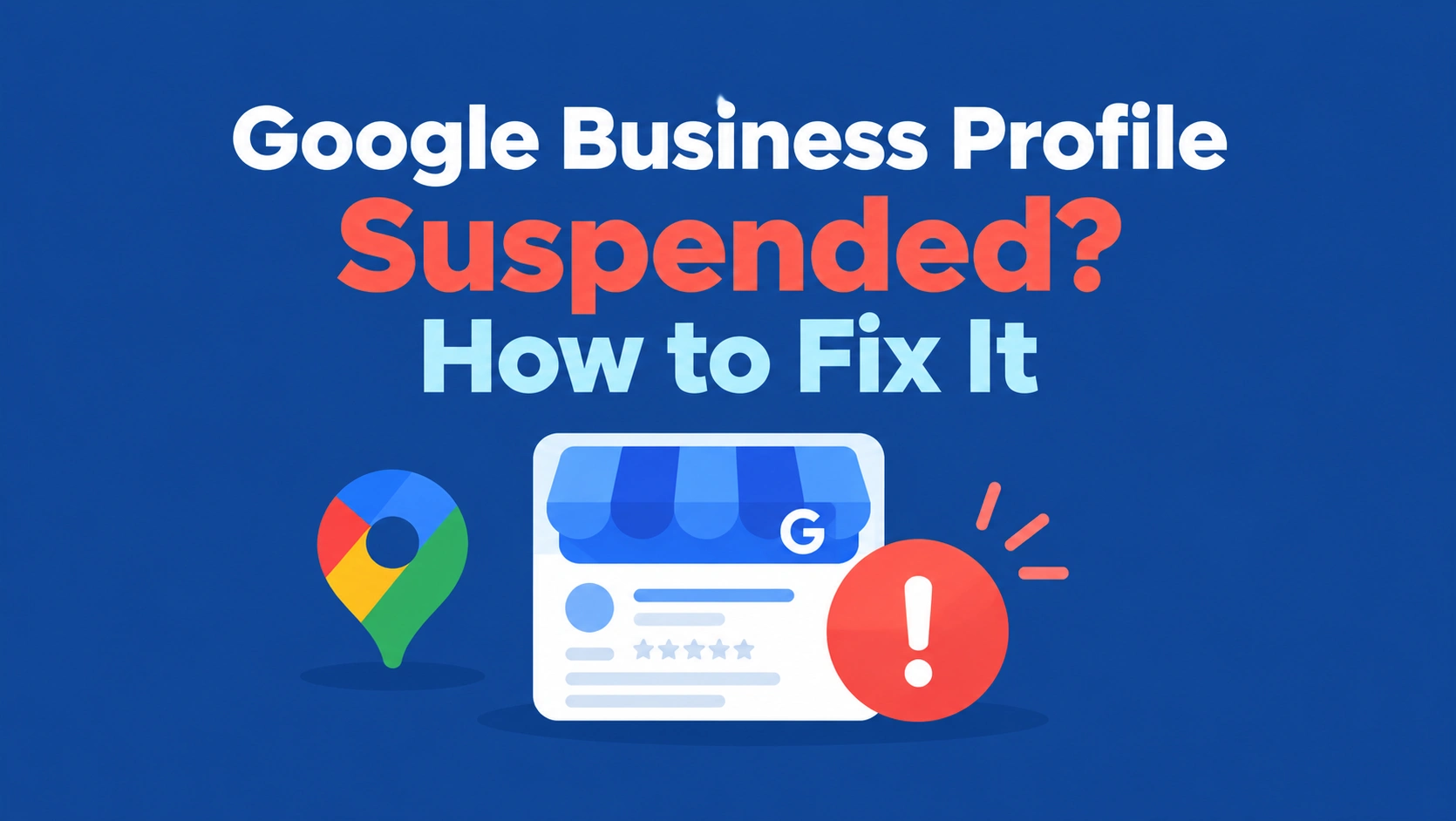
A Google Business Profile suspended usually means Google thinks something on it breaks its guidelines or can’t be verified.
To fix it, read the suspension notice, find the policy issue (often the business name, address, or eligibility), correct it, gather documents that prove your business is real, and submit one appeal through Google’s official appeals tool.
Don’t create a new profile while you wait. Reinstatement isn’t guaranteed, but a clean, well-documented appeal gives you the best chance.
You open Google Maps and your business is gone. Or you get that email: your Google Business Profile has been suspended.
Calls slow down, customers can’t find you, and the first instinct is to panic, start editing things, or make a brand-new profile. Please don’t do that yet.
In this guide, you’ll learn exactly why profiles get suspended, how to fix the most common issues step by step, which documents help your appeal, what to do if the appeal isn’t approved, and how to keep it from happening again.
 FoundHint Local SEO WordPress
Optimize your Google Business Profile without leaving WordPress
Connect your profile, compare it with your website and fix the gaps FoundHint finds.
- Business Profile audit and optimization
- Google Post scheduling
- Review management and replies
- Local rank tracking on a map grid
What Does a Google Business Profile Suspension Mean?
A suspension means Google has restricted your Business Profile, usually because it believes the profile doesn’t follow its guidelines or the business information can’t be trusted.
Google says it may suspend or disable profiles that don’t follow its rules.
What happens when a profile is suspended?
Depending on the restriction, your profile may disappear from Google Search and Google Maps, or stay visible while you lose the ability to manage it.
Either way, you can’t edit details, reply to reviews, or post updates the normal way until the issue is resolved.
Suspended vs. disabled vs. unverified profiles
| Status | What it usually means |
|---|---|
| Suspended | Google restricted the profile over a possible policy or eligibility issue. You can usually appeal. |
| Disabled | A more serious restriction, often for repeated or severe violations. Appeals may still be possible, but are harder. |
| Unverified | The profile simply hasn’t completed verification. It’s not a penalty; you just need to verify. |
If your Google account itself has been restricted, every profile it manages is suspended, and you can’t create or claim other profiles until the account restriction is lifted.
How a suspension affects Google Search and Maps
A suspended profile may stop appearing in the local pack and on Google Maps, which can cut off calls, direction requests, and walk-in customers almost overnight.
Your reviews and photos aren’t usually deleted, but customers may not see them until the profile is reinstated.
How to check your profile and appeal status
Sign in to the Google account that manages the profile and open your Business Profile, or go straight to Google’s appeals tool.
It shows the decision date, the reason, the policy involved, whether the decision can be appealed, and the current status: Eligible for appeal, Submitted, Approved, Not approved, or Can’t be appealed.
Why Was My Google Business Profile Suspended?
Google doesn’t always explain the exact reason in detail, and no single edit automatically triggers a suspension. But most cases trace back to one of these ten issues.
1. Your Business Information Is Misleading
The issue: something on your profile doesn’t match the real business: wrong hours, services you don’t offer, a website that belongs to someone else, or claims Google can’t confirm.
What to inspect: every field on your profile against your real business, website, and signage.
How to fix it: correct anything inaccurate and remove anything you can’t back up.
2. Your Business Name Contains Extra Keywords
The issue: this is one of the most common causes. “ABC Plumbing” is fine. “ABC Plumbing Emergency Plumber Dallas 24/7” breaks Google’s guidelines.
What to inspect: does your profile name exactly match your real-world name on signage, invoices, and registration documents?
How to fix it: change it back to your real business name, with no extra keywords, locations, or slogans.
3. Your Address or Service Area Violates Guidelines
The issue: using a P.O. box, a virtual office, a coworking desk you don’t actually staff, or a home address shown publicly when customers never visit.
What to inspect: is your address a real location where you operate? If you’re a service area business that travels to customers, is your address hidden?
How to fix it: use a real, staffed address, or hide it and set accurate service areas.
4. Your Business Is Not Eligible for a Profile
The issue: some businesses aren’t eligible, such as online-only stores with no in-person contact, rental or for-sale properties, or businesses that aren’t yet open.
What to inspect: does your business meet customers in person, either at a location or at their location, during stated hours?
How to fix it: if you’re genuinely ineligible, an appeal is unlikely to succeed. If Google misjudged it, your appeal should clearly show in-person customer contact.
5. Your Profile Has Ownership or Account Issues
The issue: disputes over who owns the profile, an ex-employee or agency with access, or several accounts managing the same business.
What to inspect: Business Profile settings, then People and access. Remove anyone who shouldn’t be there.
How to fix it: make sure the rightful owner controls the profile and that only trusted users have access.
6. You Made Significant Changes to Business Details
The issue: big changes such as a new name, address, or category, especially several at once, can trigger a review. That doesn’t mean edits are forbidden, just that Google may want to re-confirm your business.
What to inspect: what changed right before the suspension?
How to fix it: make sure every change reflects reality and can be supported with documents.
7. Your Profile Contains Prohibited Content
The issue: photos, posts, or descriptions with prohibited or misleading content, phone numbers in the wrong places, or links to unrelated sites. Even Google Business Profile posts have their own content rules worth knowing.
What to inspect: your description, posts, photos, and products or services.
How to fix it: remove anything that breaks Google’s content policies.
8. Your Profile May Be Involved in Review Manipulation
The issue: buying reviews, offering incentives for them, review swaps, or reviews from employees can put a profile at risk.
What to inspect: your review history and how you ask for reviews.
How to fix it: stop any practice that breaks Google’s review policies and rely only on genuine customer feedback.
9. Your Business Information Cannot Be Verified
The issue: Google can’t confirm the business exists at the address or under the name you’ve listed, often because of inconsistent details across the web.
What to inspect: your website, directories, and documents. Do they all show the same name, address, and phone number?
How to fix it: make your business details match everywhere. Keeping your name, address, and phone number consistent across your website and directories makes it much easier for Google to confirm you’re real.
10. Your Google Account Has Been Restricted
The issue: if the Google account that manages your profile is restricted, every profile it manages is suspended too.
What to inspect: your Google account’s status on the My accounts page.
How to fix it: resolve the account restriction first, then appeal the profile.
How to Fix a Suspended Google Business Profile?
Here’s how to fix a suspended Google Business Profile, in the order that gives your appeal the best chance.
Step 1: Read the Suspension Notice
Start with what Google actually told you. Check the email and the appeals tool for the reason and the policy involved. That tells you where to focus, so you’re not guessing.
Step 2: Review Google’s Business Profile Guidelines
Read Google’s guidelines for representing your business on Google, especially the sections on business names, addresses, service areas, and eligibility. Most suspensions come down to one of these.
Step 3: Check Your Business Name, Address, and Category
- Name: your real-world business name, nothing added
- Address: a real location where you serve customers, or hidden if you travel to them
- Category: the one that genuinely describes your core business. A mismatched category can look misleading, so it’s worth choosing your business categories carefully.
Step 4: Confirm Your Business Is Eligible
Make sure your business makes in-person contact with customers during its stated hours, either at your location or theirs. If it’s online-only, an appeal is unlikely to work.
Step 5: Correct Any Policy Violations
Fix every genuine issue you’ve found before you appeal. An appeal that arrives with the same keyword-stuffed name or the same virtual office address is very unlikely to succeed.
Step 6: Gather Supporting Documents
Collect documents that show your business is real, eligible, and matches the details on your profile. More on this below.
Step 7: Submit an Appeal Through Google’s Official Tool
Use Google’s Business Profile appeals tool. Not a forum post, not a new profile, and not a third-party service promising to “reinstate” you. You can only submit one appeal per decision, so make it count.
Step 8: Monitor the Appeal Decision
Google emails you the decision. According to Google, appeal reviews can take up to 5 business days. Don’t submit multiple appeals for the same issue while you wait.
For the full official process, see Google’s help article on fixing suspended or disabled profiles.
Documents That Can Help Support Your Appeal
What counts as good evidence depends on your case, but Google suggests documents like:
- Business registration or license
- Tax certificates, where applicable
- Utility bills (electricity, phone, water, or internet) showing your business name and address
- Other reliable evidence that shows the business is genuine and eligible, such as a lease, photos of your storefront signage, or branded vehicles and equipment for service businesses
The key rule: the business name and address on your documents should match the profile you’re appealing. A utility bill in your personal name at a different address won’t help.
Prepare everything before you start the appeal so you’re not scrambling halfway through.
How to Appeal a Suspended Google Business Profile?
The Google Business Profile suspended appeal process runs through one official tool. Here’s how it works.
How to Open the Official Appeals Tool
Open Google’s Business Profile appeals tool and make sure you’re signed in to the Google account that manages the suspended profile. If you see the wrong account, switch before going further.
How to Select the Suspended Profile
Choose the profile you want to appeal and click Continue. Then select the decision you’re appealing. The tool shows the decision date, the reason, the policy involved, and whether it can be appealed.
How to Attach Supporting Evidence
Upload your documents with Choose file, then use the text box to explain clearly and briefly why the profile should be reinstated. Mention what you fixed. For example: “We removed extra keywords from the business name so it now matches our registered name, ABC Plumbing LLC, shown on the attached license.”
Check the box confirming you’re ready, then click Submit appeal. Remember, each decision can only be appealed once, so double-check everything first.
How to Check Your Appeal Status
Return to the appeals tool to see the status, and watch your email for Google’s decision. Google says reviews can take up to 5 business days. Avoid submitting duplicate appeals while you wait.
Managing 10 or more suspended locations? Google offers a bulk appeal option, which requires a spreadsheet listing each location’s Business Profile ID along with matching documents.
What to Do if Your Google Business Profile Appeal Is Not Approved
If your Google Business Profile suspended appeal is not approved, take a breath and work through this:
- Review the decision and the policy involved. Re-read exactly what Google flagged.
- Identify unresolved issues. Is there still an eligibility problem, a mismatched name, or a document that didn’t match your profile?
- Check whether an additional review is available. Google says that only if your reinstatement request is denied, it may be able to do an additional review through its contact form. Availability depends on the case.
- Submit new, relevant evidence when appropriate. Repeating the same appeal with the same documents rarely changes the outcome. Include evidence you didn’t provide the first time.
- Don’t create another profile for the same business. Google explicitly warns against this, and it can make things worse.
Businesses in the UK and EEA may have additional redress options under local rules.
How to Fix Specific Google Business Profile Suspension Issues?
The right fix depends on the actual policy or account restriction involved. These are the most common situations, but none of them come with a guaranteed outcome.
Suspended for Deceptive Content
A Google Business Profile suspended for deceptive content usually points to something on the profile that Google believes misleads customers: a fake address, a name that implies you’re something you’re not, reviews that look manipulated, or claims you can’t support.
Remove or correct the deceptive element, then appeal with documents that prove the real details.
Suspended for Misleading Business Information
If your Google Business Profile was suspended for misleading information, compare every field with reality: name, address, phone, hours, website, categories, and services.
Fix anything inaccurate, especially keyword-stuffed names or categories that don’t fit, and appeal with matching documents.
Suspended After Changing Your Address
Address changes can trigger a review because Google needs to confirm the new location. Make sure the new address is real and staffed, update your website and listings to match, and appeal with documents showing your business at the new address, such as a lease or utility bill.
Suspended After Verification
Sometimes a profile is suspended soon after verifying. That often means something didn’t line up during review, such as an address that looks residential for a storefront category or a name that doesn’t match signage. Check those details and appeal with clear evidence.
Suspended for Ownership Conflicts
If more than one person or account claims the business, or a former employee or agency created the profile, sort out who the rightful owner is. Remove users who shouldn’t have access, and appeal from the owner’s account with ownership documents.
Suspended for Service-Area Business Issues
Service area businesses get suspended most often for showing an address customers can’t visit, using a virtual office, or listing service areas they don’t really cover.
Hide the address if customers don’t come to you, set realistic service areas, and appeal with business registration and proof of operations, like branded vehicles or equipment.
Suspended Due to Suspicious Activity
Unusual activity, such as lots of edits in a short time, logins from unfamiliar locations, or sudden bursts of reviews, can lead to a suspension. Secure the account, remove unknown users, stop any review practices that break the rules, and appeal.
Suspended Because Your Google Account Is Restricted
If your account is restricted, every profile it manages is suspended. Fix the account restriction first through the My accounts page, then appeal each affected profile.
What to Do if Google Keeps Suspending Your Business Profile
If your Google Business Profile keeps getting suspended, something underneath hasn’t been fixed. Work through these:
- Look for a recurring policy issue. Is the same name, address, or category problem coming back after reinstatement?
- Make sure your business details are accurate and consistent on your profile, your website, and the directories customers use. If old listings still show a different name or address, it’s worth taking time to audit your local citations.
- Review eligibility and location information one more time, especially if you’re a service area business.
- Avoid repeated, unnecessary edits. Constantly tweaking your name, categories, or address can invite more reviews.
- Check for an account-level restriction that might be affecting all your profiles.
- Keep records of every appeal, decision, and document you submit.
How to Avoid Future Google Business Profile Suspensions?
- Follow Google’s guidelines for representing your business
- Use your real-world business name, exactly as it appears on signage and documents
- Keep your address and service-area details accurate
- Select categories that genuinely describe your business
- Avoid duplicate profiles for the same location
- Follow review and content policies
- Limit profile access to people you trust, and remove old employees or agencies
- Keep business documents (license, registration, utility bills) easy to find in case Google asks
Google Business Profile Suspension Checklist
- Suspension notice reviewed
- Applicable policy checked
- Business eligibility confirmed
- Business name and location details reviewed and corrected
- Supporting documents collected, with matching name and address
- Appeal submitted through the official tool
- Appeal status monitored
- No duplicate profile created while the appeal is pending
How FoundHint Helps You Maintain Accurate Business Information?
Let’s be clear upfront: FoundHint isn’t a suspension recovery service, and no tool can guarantee reinstatement. Only Google decides that through its appeals process.
What FoundHint, our Local SEO plugin for WordPress, does help with is the thing that prevents many suspensions in the first place: keeping your business information accurate, consistent, and under your control.
- Manage your Google Business Profile from WordPress. Once your profile is active, you can review and update your business information, address and location, hours, social links, attributes, services, and photos in one place, then send the changes to Google. Having everything on one screen makes it easier to spot a stray keyword in your name or an outdated detail before it becomes a problem.
- Check your citations. FoundHint’s citation feature shows you a directory list based on your business category, which platforms you’re already listed on, which ones are missing, and which listings show an old address, phone number, or business name. Inconsistent details across the web are one of the reasons Google struggles to verify businesses.
- Control who manages your profile. Working from your own WordPress dashboard helps you keep profile management in the hands of people you trust.
- Manage multiple locations. If you run several branches, you can keep each location’s details separate and accurate, which reduces the mix-ups that often lead to suspensions.
- Stay active the right way. Create and schedule compliant posts and reply to reviews from WordPress, so your profile stays useful without risky shortcuts.
Think of FoundHint as everyday maintenance. It won’t fix a suspension for you, but it makes it much easier to keep your profile clean, consistent, and compliant once it’s back.
Frequently Asked Questions
Why was my Google Business Profile suspended?
Usually because Google believes something breaks its guidelines or can’t be verified. The most common causes are keywords in the business name, an ineligible or fake address, a service area business showing its address, an ineligible business type, ownership problems, misleading information, prohibited content, review manipulation, or a restricted Google account.
How do I fix a suspended Google Business Profile?
Read the suspension notice, find the policy issue, correct it, gather documents that match your profile details, and submit one appeal through Google’s official appeals tool. Then wait for Google’s decision by email.
How long does a Google Business Profile appeal take?
Google says appeal reviews and decisions can take up to 5 business days, though some cases take longer.
Can I appeal a suspended Google Business Profile?
Yes, in most cases. The appeals tool shows whether a decision is eligible for appeal. Each decision can only be appealed once.
What if my Google Business Profile appeal is not approved?
Review the decision, fix anything still unresolved, and check whether Google offers an additional review for your case. Include new evidence you didn’t submit the first time. Don’t create a new profile.
Can I create a new profile while my appeal is pending?
No. Google explicitly says not to create a new Business Profile for the same business. It can complicate your case and lead to further restrictions.
Can changing my business address lead to a suspension?
It can trigger a review, especially if the new address can’t be verified or doesn’t look like a real, staffed location. Make sure the new address is genuine and that your website and listings match it.
How do I find the ID of a suspended Google Business Profile?
Your Business Profile ID usually appears in your profile’s settings under Business Profile settings, then Advanced settings, if you can still access them. If you manage locations through Business Profile Manager, the ID is also shown in the location list. You’ll need it for bulk appeals covering 10 or more locations.
Can Google suspend a profile without an obvious reason?
It can feel that way. Google doesn’t always explain every detail, and automated systems sometimes flag profiles that look risky. Start with the reason shown in the appeals tool, then check name, address, eligibility, and ownership.
How can I prevent my profile from being suspended again?
Use your real business name, keep your address and service areas accurate, choose relevant categories, avoid duplicates, follow review and content policies, limit access to trusted users, and keep your business information consistent everywhere.
Conclusion
A suspended Google Business Profile is stressful, but it’s usually fixable when you approach it calmly. Read the notice, find the policy issue, fix what’s genuinely wrong, gather documents that match your profile, and submit one clear appeal through Google’s official tool.
Then wait, and resist the urge to create a new profile.
Once you’re reinstated, the real work is keeping it that way: a real business name, an accurate address or service area, relevant categories, consistent details across the web, and honest reviews.
Get those right and you’re not just avoiding suspensions, you’re also strengthening the signals that help you rank. If your profile is back but visibility still feels low, it’s worth checking the common reasons local SEO stops working and how the wider local SEO ranking factors fit together.