You’re putting time and money into local SEO, but when someone asks “is it working?”, it’s hard to give a straight answer.
Rankings go up and down depending on where you search, Google Business Profile shows a dozen numbers, and Analytics adds a dozen more.
Without knowing which metrics actually matter, you end up either drowning in data or flying blind.
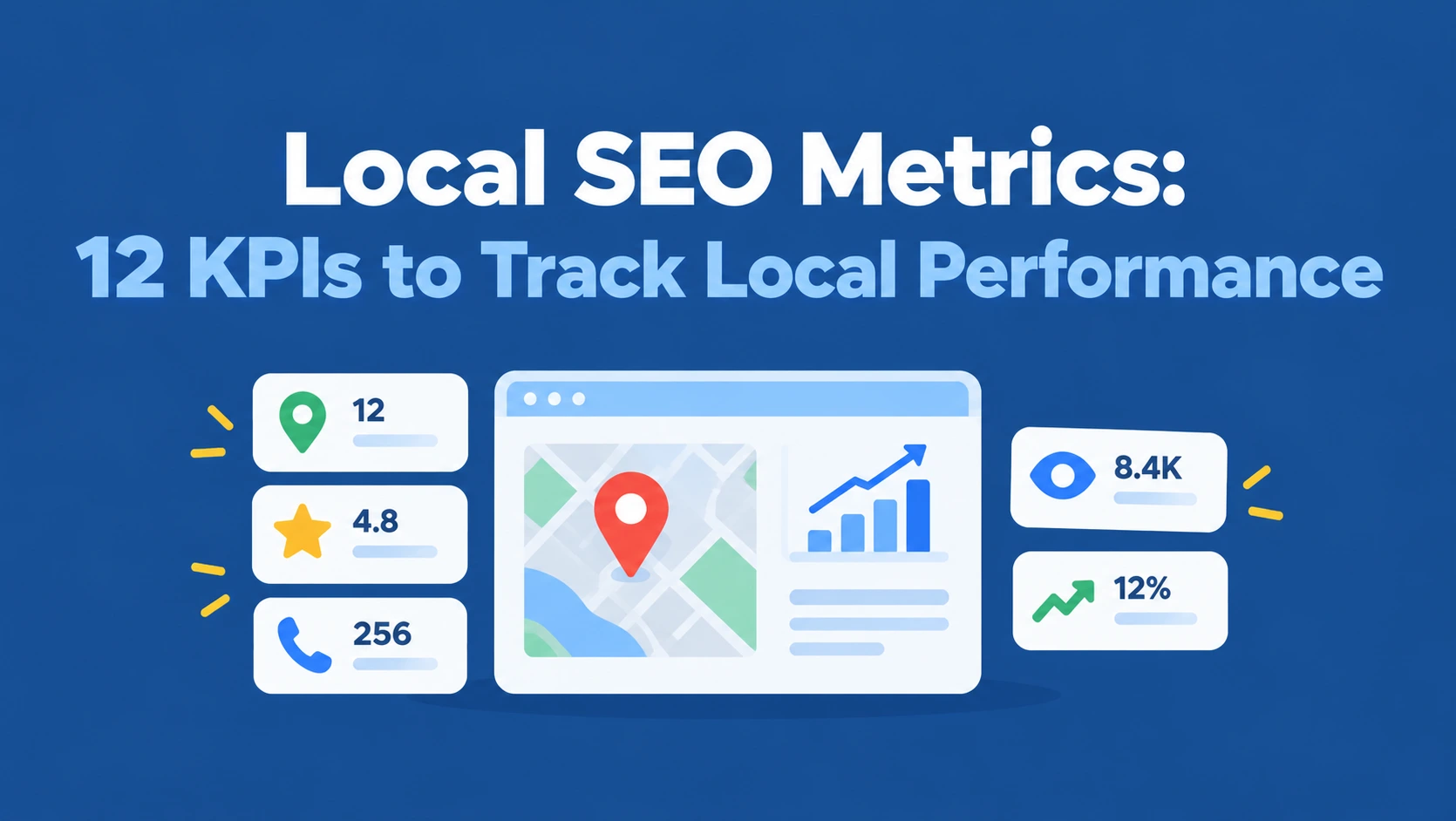
This guide shows you exactly which metrics for local SEO to track.
You’ll get 12 KPIs grouped by visibility, engagement, conversions, trust, and ROI, with what each one tells you, where to find it, and what to do when it drops.
You’ll also see the metrics that matter most for HVAC companies, plumbers, roofers, restoration companies, and ecommerce stores, a simple monthly reporting template, the best tools for tracking local SEO metrics, and how to measure your visibility in AI search.
 FoundHint Local SEO WordPress
Optimize your Google Business Profile without leaving WordPress
Connect your GBP profile, compare it with your website and fix the gaps FoundHint finds.
- Business Profile audit and optimization
- Google Post scheduling
- Review management and replies
- Local rank tracking on a map grid
The 12 Local SEO KPIs at a Glance
These are the local SEO metrics you should always track.
They follow the customer’s path: first they see you, then they engage, then they contact or buy.
| # | KPI | Stage | Where to find it | How often |
|---|---|---|---|---|
| 1 | Map pack and Google Maps rankings | Visibility | Ranking grid tool | Weekly or monthly |
| 2 | Organic rankings for local keywords | Visibility | Google Search Console, rank tracker | Monthly |
| 3 | Business Profile views and searches | Visibility | Business Profile performance | Monthly |
| 4 | Phone calls from your Business Profile | Engagement | Business Profile performance, call tracking | Monthly |
| 5 | Direction requests | Engagement | Business Profile performance | Monthly |
| 6 | Website clicks from your Business Profile | Engagement | Business Profile performance, GA4 with UTM tags | Monthly |
| 7 | Organic clicks and CTR on local pages | Engagement | Google Search Console | Monthly |
| 8 | Leads and conversions from local search | Conversion | GA4, call tracking, CRM | Monthly |
| 9 | Review count, rating, recency, and response rate | Trust | Business Profile | Weekly |
| 10 | Citation accuracy (NAP consistency) | Trust | Citation tool or spreadsheet | Quarterly |
| 11 | Local backlinks | Authority | Search Console Links, backlink tools | Quarterly |
| 12 | Revenue, cost per lead, and ROI | Business results | CRM, accounting, GA4 | Monthly or quarterly |
Business Profile Optimization vs Local SEO Performance Metrics
It helps to separate two kinds of numbers. Optimization metrics measure the work you’ve done, like profile completeness, posts published, or photos added.
Performance metrics measure results, like rankings, calls, and leads. Both matter, but only performance metrics tell you whether local SEO is paying off.
The 12 KPIs above are all performance metrics.
Visibility KPIs: Are Local Customers Seeing You?
1. Map Pack and Google Maps Rankings
What it is: where your Business Profile appears in the local pack and on Google Maps for your target keywords.
Why it matters: most local clicks and calls come from the map results. But map rankings change with the searcher’s location, so a single rank check from your office is misleading.
How to track it: use a ranking grid that checks your position from many points across your service area and shows the results as a map. Track your main service keywords, not just your business name.
What a drop means: check for profile edits, category changes, new competitors, or a slowdown in reviews.
Our breakdown of local SEO ranking factors explains what drives these rankings.
2. Organic Rankings for Local Keywords
What it is: where your website pages rank in the regular search results for local searches like “water heater repair Tucson.”
Why it matters: many searchers scroll past the map pack, and some local searches don’t show a map at all.
How to track it: in Google Search Console, filter the Performance report by queries that include your city, neighborhoods, or “near me.” Watch the average position for your key service and location pages. Pay special attention to keywords in positions 5 to 20, since those are the closest to page one.
What a drop means: check indexing, recent site changes, and whether a competitor has published a better page.
Our guide to local SEO keyword research helps you choose which keywords to track.
3. Business Profile Views and Searches
What it is: how many people viewed your Google Business Profile, and which searches triggered it. The Performance section shows views by platform (Search or Maps, mobile or desktop) and the search terms that led to your profile.
Why it matters: it shows whether your profile is being seen and whether it’s matching the right searches. If most searches are for your business name, people already know you. If many are for services, you’re winning new customers through discovery.
How to track it: check the Performance section of your Business Profile monthly and note views and top search terms.
What a drop means: could be seasonality, a ranking drop, or a profile issue.
Check your profile status and recent edits. If your listing seems to have vanished, see our guide on what to do when your business isn’t showing up on Google Maps.
Engagement KPIs: Are They Taking Action?
4. Phone Calls From Your Business Profile
What it is: calls made by tapping the call button on your Business Profile.
Why it matters: for service businesses like plumbers, HVAC companies, and restoration companies, calls are often the most valuable action of all.
How to track it: Business Profile performance shows call counts. For more detail (call duration, missed calls, which calls became jobs), use a call tracking number set as your primary number, with your main number as an additional number so your NAP stays consistent.
What a drop means: check your hours, phone number accuracy, and whether rankings dropped.
5. Direction Requests
What it is: how many people asked Google Maps for directions to your business.
Why it matters: for storefronts, restaurants, clinics, and retailers, direction requests are a strong sign of a planned visit.
How to track it: Business Profile performance. Service-area businesses that hide their address won’t see much here, which is normal.
What a drop means: check your address and map pin, and your hours, especially holiday hours.
6. Website Clicks From Your Business Profile
What it is: how many people clicked through from your Business Profile to your website.
Why it matters: these visitors arrive with high intent, and what happens next shows whether your website converts them.
How to track it: add UTM parameters to your Business Profile website link so GA4 can show these sessions separately, along with the leads and sales they produce.
Our guide to UTM tracking for Google Business Profile shows how.
7. Organic Clicks and CTR on Local Pages
What it is: clicks, impressions, and click-through rate for your service and location pages in Google Search Console.
Why it matters: high impressions with low CTR means you’re showing up but not getting chosen. That’s often a title tag or meta description problem.
How to track it: filter Search Console by page, then compare clicks, impressions, and CTR month over month. Improve titles and descriptions on pages with low CTR.
Our guide to local SEO title tags and meta descriptions has examples.
Conversion, Trust, and ROI KPIs: Is It Paying Off?
8. Leads and Conversions From Local Search
What it is: form submissions, booked appointments, quote requests, calls, and purchases that came from local search (map listing and organic).
Why it matters: this is where visibility turns into business. A page that ranks but never produces leads isn’t doing its job.
How to track it: set up key events in GA4 for forms, click-to-call taps, and bookings. Use call tracking for phone leads, and record the source of each lead in your CRM. Calculate your conversion rate: leads divided by visits from local search.
9. Reviews: Count, Rating, Recency, and Response Rate
What it is: your total Google reviews, average rating, how many new reviews you get each month (review velocity), and the share you reply to.
Why it matters: reviews affect both rankings and whether people choose you. A steady flow of fresh reviews often matters as much as the total.
How to track it: record these numbers monthly and compare them with your top three competitors.
Our guide to Google Business Profile reviews covers how to earn more and reply well.
10. Citation Accuracy and NAP Consistency
What it is: the share of your business listings with the correct name, address, phone, and website.
Why it matters: inconsistent listings confuse customers and make your details harder for Google to trust.
How to track it: list your key citations in a spreadsheet or citation tool and note how many are accurate. Aim for every major listing to match exactly.
Our guide to NAP consistency explains what to fix first.
11. Local Backlinks
What it is: links to your website from local and relevant sources, like your chamber of commerce, local news, sponsors, and partners.
Why it matters: links build prominence, one of Google’s three main local ranking factors.
How to track it: check the Links report in Google Search Console or a backlink tool quarterly. Count relevant new local links rather than chasing big totals.
Our guide to local SEO link building has ideas.
12. Revenue, Cost per Lead, and ROI
What it is: the money local SEO brings in compared with what you spend on it.
Why it matters: it’s the number business owners care about most, and the clearest answer to “is local SEO working?”
How to track it: connect leads to sales in your CRM, then use these simple formulas:
| Metric | Formula | Example |
|---|---|---|
| Cost per lead | Monthly local SEO cost / leads from local search | $1,500 / 30 leads = $50 per lead |
| Lead to customer rate | Customers / leads | 12 / 30 = 40% |
| Revenue from local SEO | Customers x average sale value | 12 x $400 = $4,800 |
| ROI | (Revenue minus cost) / cost | ($4,800 minus $1,500) / $1,500 = 220% |
The example numbers are illustrative. Use your own costs and sales data, and remember that local SEO results usually build over several months, so measure ROI over a quarter or longer.
Bonus: AI and LLM Visibility Metrics for Local SEO
More people now ask AI assistants and AI search features for local recommendations, like “best plumber in Phoenix” or “dentist near me open Saturday.” There’s no standard dashboard for this yet, but you can track it simply:
- Manual prompt checks: once a month, ask a few AI tools your main service questions for your city and note whether your business is mentioned.
- Mention accuracy: check whether the details AI tools give about you (hours, services, location) are correct.
- Referral traffic: look in GA4 for visits referred from AI tools and chat assistants.
- Branded search trends: rising searches for your business name can reflect word of mouth, including AI recommendations.
The same things that help local SEO tend to help here too: an accurate Business Profile, consistent listings, strong reviews, and clear, helpful pages about your services and location.
Local SEO Metrics by Industry
Every business should track all 12 KPIs, but some matter more depending on how customers buy.
| Industry | Most important metrics | Why |
|---|---|---|
| HVAC companies | Calls, map rankings across the service area, seasonal Business Profile views, leads by service type | Demand spikes in summer and winter; most jobs start with a phone call |
| Plumbers | Calls (especially after-hours), map rankings for emergency keywords, cost per lead | Urgent searches lead straight to calls |
| Roofing businesses | Quote requests, lead to customer rate, revenue per job, rankings after storms | High-value jobs mean a few leads can deliver strong ROI |
| Restoration companies | Emergency calls, response-related reviews, rankings for water and fire damage keywords | Customers need help immediately and judge you on speed |
| Restaurants and retailers | Direction requests, Business Profile views, website clicks, reviews | Most customers visit in person |
| Professional services (law, dental, medical) | Booked consultations, form leads, reviews and rating | Trust and reputation drive decisions |
| Ecommerce with local pickup | Local pickup orders, store page traffic, revenue from Business Profile traffic | Online and in-store sales work together. See our guide to local SEO for ecommerce |
Service-area businesses should rely more on calls, leads, and map rankings than direction requests, since customers don’t visit their address. Our guide to service area business SEO explains the setup.
How to Analyze and Report Local SEO Metrics
Set a Baseline First
Before making changes, record where you are today: rankings across your area, Business Profile views, calls, direction requests, website clicks, organic clicks, leads, and reviews. Without a baseline, you can’t prove progress.
Compare the Right Periods
Local businesses are often seasonal. An HVAC company will always see more calls in July than April. Compare each month with the same month last year where you can, as well as with the previous month.
Look at Trends, Not Single Numbers
One bad week rarely means anything. Look at three-month trends and connect changes to events, like a new service page, a category change, a review push, or a new competitor.
Read the Metrics Together
| What you see | What it probably means | What to do |
|---|---|---|
| Rankings up, calls flat | You’re visible but not convincing | Improve photos, reviews, and profile details |
| Views up, website clicks flat | Profile works but the link isn’t compelling | Check the link, offers, and posts |
| Website clicks up, leads flat | Your website isn’t converting | Improve calls to action, speed, and trust signals |
| Impressions high, CTR low | You show up but don’t get chosen | Rewrite title tags and meta descriptions |
| Everything down | A bigger issue | Check profile status, edits, and indexing |
A Simple Monthly Local SEO Report
Keep your local SEO reporting metrics to one page:
- Summary: three sentences on what changed and why
- Visibility: map ranking grid snapshot, organic local rankings, Business Profile views
- Engagement: calls, direction requests, website clicks, organic clicks and CTR
- Results: leads, customers, revenue, and cost per lead
- Reputation: new reviews, rating, and response rate
- Work completed: posts published, pages improved, citations fixed
- Next month’s priorities: two or three actions based on the data
Agencies can build this as a free Looker Studio dashboard connected to Search Console and GA4, then add Business Profile numbers each month. Our guide to free local SEO tools covers the setup, and our local SEO audit template helps when the numbers point to a deeper problem.
Best Tools for Tracking Local SEO Metrics
| Tool | What it tracks | Cost |
|---|---|---|
| Google Business Profile performance | Views, searches, calls, direction requests, website clicks, bookings | Free |
| Google Search Console | Organic clicks, impressions, CTR, average position for local queries | Free |
| Google Analytics 4 | Website sessions, conversions, and revenue from local traffic | Free |
| Looker Studio | Combined dashboards and client reports | Free |
| Ranking grid tools | Map rankings across a geographic grid | Free trials, mostly paid |
| Call tracking (for example CallRail) | Call volume, duration, and source | Paid |
| BrightLocal, Semrush Local, Whitespark, Moz Local | Rankings, citations, reviews, and reporting in one place | Paid |
| Your CRM | Leads, customers, and revenue by source | Varies |
For most small businesses, the free Google tools plus a ranking grid and basic call tracking cover the essentials. Agencies and multi-location brands usually add a paid platform for automated reporting.
Track and Improve Your Local KPIs With FoundHint
Tracking metrics is only useful if you can act on them quickly. FoundHint, a local SEO plugin for WordPress, puts several of these KPIs, and the levers that move them, in your WordPress dashboard.
It connects your Google Business Profile to WordPress with no API keys or Google Cloud setup.
| KPI | How FoundHint helps |
|---|---|
| 1. Map rankings | The Ranking Grid shows your rankings on a map for your target keywords across your target location |
| 3 to 6. Business Profile views and actions | Keep your profile accurate and active: edit business info, hours, special hours, attributes, and services, publish and schedule posts, and manage photos |
| 9. Reviews | Manage and reply to reviews, with auto-reply templates for 5, 4, 3, 2, and 1 star reviews, to keep your response rate high |
| 10. Citation accuracy | The citation feature shows directories based on your business category, where you’re listed, and where you’re missing |
| Multi-location reporting | Manage every location’s profile from one place |
When a metric drops, you can fix the cause, like outdated hours, unanswered reviews, or missing listings, without leaving WordPress.
Frequently Asked Questions
What are the key metrics for local SEO success?
The key metrics are map pack rankings, organic rankings for local keywords, Business Profile views, calls, direction requests, website clicks, organic clicks and CTR, leads and conversions, reviews, citation accuracy, local backlinks, and ROI.
Which local SEO metric matters most?
Leads and revenue from local search matter most, because they show whether local SEO is growing the business. Rankings and views are useful early signals, but they don’t pay the bills on their own.
How often should I track local SEO metrics?
Check reviews weekly, most visibility and engagement metrics monthly, and citations, backlinks, and ROI quarterly. Compare against the same month last year to account for seasonality.
How do I measure local SEO ROI?
Track leads from local search, connect them to sales in your CRM, and compare revenue with what you spend on local SEO. ROI is revenue minus cost, divided by cost. Measure over at least a quarter, since results build over time.
What are the best tools for tracking local SEO metrics?
Start with free tools: Google Business Profile performance, Google Search Console, Google Analytics 4, and Looker Studio. Add a ranking grid tool and call tracking, and consider a paid platform like BrightLocal or Semrush Local if you manage many locations or clients.
What local SEO metrics should HVAC companies and plumbers track?
Calls (especially emergency and after-hours calls), map rankings across the service area, cost per lead, lead to customer rate, and reviews. Seasonal comparisons matter a lot for HVAC.
What’s the difference between Business Profile optimization and local SEO performance metrics?
Optimization metrics measure the work you do, like posts published and profile completeness. Performance metrics measure results, like rankings, calls, leads, and revenue.
Can I track my visibility in AI search?
Partly. Run monthly checks in AI tools for your main services and city, check whether the details they give are accurate, and look for AI referral traffic in GA4.
Conclusion
The right metrics for local SEO follow your customer’s journey: are people seeing you, are they taking action, and is it turning into revenue? Track map and organic rankings, Business Profile views, calls, direction requests, website clicks, organic CTR, leads, reviews, citations, local links, and ROI, and you’ll have a clear, honest picture of how your local performance is changing.
Set a baseline, compare the right time periods, read the numbers together, and keep your monthly report to one page. Most importantly, use what the data tells you to decide what to do next.
Metrics that never lead to action are just numbers; metrics that guide your next move are what make local SEO grow.