You’ve worked hard for those five-star Google reviews, but they’re sitting on your Business Profile while your website visitors never see them.
So you search for a Google reviews plugin for WordPress and hit a wall of options, each promising “unlimited reviews” and “beautiful widgets.” Then you install one and find it shows only a handful of reviews, adds a branded badge, or slows your pages down.
This guide cuts through that. We compare the best Google reviews plugins for WordPress side by side: what the free versions actually include, how many reviews each one can show, whether you need a Google API key, and which paid features are worth it.
You’ll also learn why so many plugins stop at a few reviews, how to add a Google reviews widget to WordPress step by step, what review stars can and can’t do for SEO, and which plugin fits your type of business.
 FoundHint Local SEO WordPress
Optimize your Google Business Profile without leaving WordPress
Connect your profile, compare it with your website and fix the gaps FoundHint finds.
- Business Profile audit and optimization
- Google Post scheduling
- Review management and replies
- Local rank tracking on a map grid
Best Google Reviews Plugins for WordPress: Quick Picks
Short on time? Here’s the quick answer.
- Best for managing and auto-replying to Google reviews: FoundHint (Local SEO plugin for WordPress)
- Best overall free Google reviews widget: Widgets for Google Reviews by Trustindex
- Best lightweight, no-frills option: Rich Showcase for Google Reviews by RichPlugins
- Best for polished design and multiple platforms: Reviews Feed by Smash Balloon
- Best all-in-one (reviews, social feeds, chat): WP Social Ninja
- Best for sliders and storing reviews locally: WP Google Review Slider
- Best no-plugin embed option: Elfsight Google Reviews widget
Comparison Table
Free limits and features change often, so treat this as a snapshot and check each plugin’s current listing before installing.
Install counts are from WordPress.org at the time of writing.
| Plugin | Active installs | Free Google reviews shown | API key needed? | Other platforms | Best for |
|---|---|---|---|---|---|
| FoundHint (Local SEO plugin for WordPress) | See plugin listing | Manages the reviews on your Google Business Profile: read, reply, and auto-reply by star rating | No (connects to Google, no API or Google Cloud setup) | Google Business Profile | Managing and replying to every Google review |
| Widgets for Google Reviews (Trustindex) | 1+ million | Up to 10 | No (uses your Google Place URL) | Paid: Facebook, Yelp, Tripadvisor, and more | Most small businesses |
| Rich Showcase for Google Reviews (RichPlugins) | 100,000+ | Up to 10 at setup, more over time with an API key | Only for automatic updates | Paid bundle adds Facebook and Yelp | Speed-focused sites |
| Reviews Feed (Smash Balloon) | 100,000+ | Up to 10 without a key | Optional (enables daily updates) | Free: Yelp. Pro: Facebook, Tripadvisor, Trustpilot, WooCommerce | Design and multi-source feeds |
| WP Social Ninja | 30,000+ | Configurable | Connects via account authorization | Free: Airbnb. Pro: Facebook, Yelp, Tripadvisor, Booking.com, WooCommerce | Sites that also need social feeds and chat |
| WP Google Review Slider | 30,000+ | Around 40 to 50 via its crawl method | Optional | Pro: 90+ review sites | Sliders and service-area businesses |
| Elfsight Google Reviews | Not a WordPress.org plugin (embed widget) | Depends on plan | No | Separate widgets for other platforms | Non-technical users and any site builder |
How We Compared These Plugins?
Many “best Google reviews plugin” lists are written by the companies that make one of the plugins, which makes their rankings hard to trust. We don’t sell a review display widget, so we compared every option on the same criteria:
| Criteria | What we looked at |
|---|---|
| Free version limits | How many Google reviews the free plan shows, and whether it adds branding |
| Setup | Whether you need a Google API key, a Google Cloud account, or just your business URL |
| Review syncing | Whether new reviews appear automatically, and how often |
| Design options | Layouts (slider, grid, list, badge), customization, and how well it fits common themes |
| Performance | Whether reviews are stored in WordPress or loaded from Google on every page view, and support for lazy loading |
| Moderation | Filtering by star rating, hiding reviews, and showing owner replies |
| Multi-location support | Showing reviews from several Google Business Profiles |
| Other platforms | Facebook, Yelp, Tripadvisor, Trustpilot, and WooCommerce reviews |
| Maintenance and trust | Active installs, ratings, and how recently the plugin was updated |
One tip before you choose: speed impact depends heavily on your theme and hosting. Run PageSpeed Insights on the same page before and after installing a plugin, and you’ll know for sure how it affects your site.
What to Look for in a Google Reviews Plugin
Why Many Plugins Show Only 5 or 10 Reviews
This is the question behind most frustrated support tickets. Google’s Places API, which many plugins use to fetch reviews, returns only a small number of reviews per place (up to five) in each request. Plugins work around this in different ways:
- Collect over time: fetch five reviews regularly and save new ones in your database, so the total grows over time.
- Initial import: pull a larger batch (often 10, sometimes more) once during setup without your own API key.
- Crawl or vendor servers: some plugins or services fetch reviews through their own systems, which can return more reviews but means relying on that vendor.
- Business Profile connection: tools that connect to your Google Business Profile as the owner can access your own reviews more fully.
So when a plugin promises “all your reviews,” check how it gets them and whether that depends on a paid plan.
Other Features That Matter
- Local storage and caching: plugins that save reviews in your WordPress database load faster and keep working if a Google connection fails.
- Lazy loading: widgets below the fold shouldn’t slow down your first screen.
- Filtering and moderation: hide reviews by star rating, hide empty reviews, and show your replies.
- Layouts: sliders and carousels for homepages, grids for testimonial pages, and small badges for headers or footers.
- Multi-location support: essential if you have several Business Profiles.
- Branding: many free widgets add a vendor link or logo. Check whether you can remove it.
- Privacy: if you serve visitors in regions with strict privacy laws, prefer plugins that store reviewer images locally and offer name anonymization.
- Support and updates: a plugin updated in the last few months is far safer than one abandoned for a year.
A Quick Word on Google’s Policies
Only display real Google reviews, and don’t edit their wording. It’s fine to filter which reviews appear on a page, but never ask for or buy reviews in exchange for discounts or gifts, since that breaks Google’s review policies.
The Best Google Reviews Plugins for WordPress, Reviewed
1. FoundHint: Best for Managing and Auto-Replying to Google Reviews

Most plugins on this list help you show reviews. FoundHint, a local SEO plugin for WordPress, helps with the part that actually affects your reputation and local rankings: managing your Google reviews and replying to every single one.
It connects your Google Business Profile (formerly Google My Business) to WordPress with no API key or Google Cloud setup. If you haven’t done that yet, here’s how to connect your Google Business Profile to WordPress.
Review management features:
- Manage Google My Business reviews in WordPress: see your reviews and reply to them from your dashboard, without logging into Google separately.
- Auto review reply: set up automatic replies so every customer gets a timely response, even on busy days.
- Pre-made templates by star rating: choose a separate reply template for 5-star, 4-star, 3-star, 2-star, and 1-star reviews, so a happy customer gets a warm thank-you and an unhappy one gets an apology and an invitation to talk.
- Personalized replies: edit the templates to match your brand voice, so replies never sound robotic.
- Multiple locations: manage reviews for every location from one place.
Example reply templates you can adapt:
| Star rating | Template idea |
|---|---|
| 5 stars | “Thank you so much for the wonderful review! We’re thrilled you had a great experience and can’t wait to see you again.” |
| 4 stars | “Thanks for the great feedback! We’re glad you enjoyed your visit. If there’s anything we could do to make it a 5-star experience next time, we’d love to hear it.” |
| 3 stars | “Thank you for your honest feedback. We’re glad parts of your experience went well, and we’d like to do better. Please reach out so we can learn more.” |
| 2 stars | “We’re sorry your experience didn’t meet expectations. Your feedback matters to us. Please contact us directly so we can make this right.” |
| 1 star | “We’re truly sorry to hear about your experience. This isn’t the standard we aim for. Please contact our team directly so we can understand what happened and fix it.” |
For negative reviews, a quick, polite auto-reply shows you’re listening, and you can always follow up with a more personal response. Our guide to Google Business Profile reviews has more reply examples.
Beyond reviews: FoundHint also manages your Business Profile details, hours and special hours, posts and scheduled posts, photos, WooCommerce products and services, a Ranking Grid for Google Maps rankings, and a citation feature that shows where your business is listed and where it’s missing.
| Pros | Cons |
|---|---|
| Reply to Google reviews without leaving WordPress | Built for managing your profile and reviews; pair it with a display widget below if you want a review slider on your pages |
| Star-rating auto-reply templates save hours every month | Requires a Google Business Profile |
| No API or Google Cloud setup | |
| Full local SEO toolkit in the same plugin |
Best for: local businesses and agencies that want every Google review answered quickly, plus Business Profile management, all inside WordPress.
FoundHint Local SEO WordPress
Optimize your Google Business Profile without leaving WordPress
Connect your profile, compare it with your website and fix the gaps FoundHint finds.
- Business Profile audit and optimization
- Google Post scheduling
- Review management and replies
- Local rank tracking on a map grid
2. Widgets for Google Reviews (Trustindex): Best Overall Free Option
With over a million active installs, Widgets for Google Reviews is the most popular WordPress Google reviews widget, and it’s easy to see why. You paste your Google Place URL, choose a layout, and drop the shortcode or block onto any page. No Google Cloud project or API key is mentioned in setup.
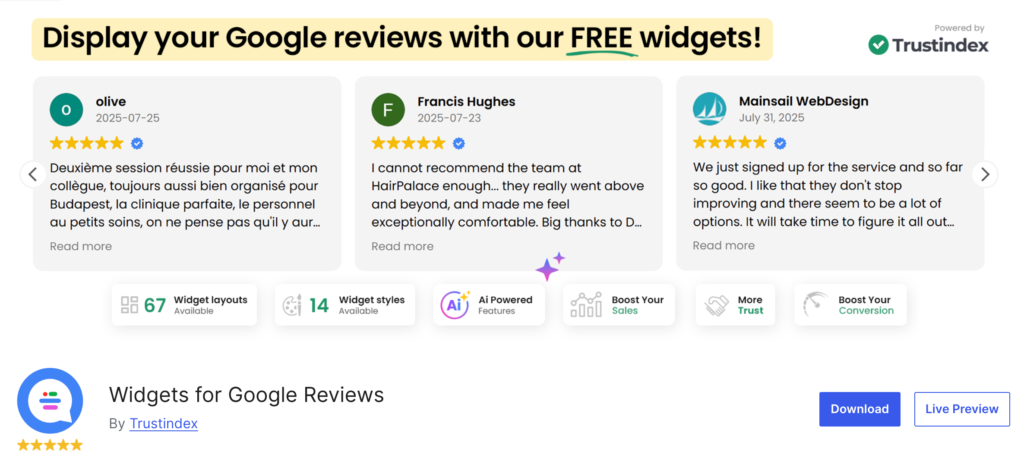
Free version: up to 10 Google reviews in one widget, 40+ layouts and 25+ styles, rating filters, hiding reviews, owner replies, reviewer name anonymization, lazy loading, and reviews stored in your WordPress database. It works with most page builders and supports multisite.
Paid (Trustindex): reviews from many other platforms like Facebook, Yelp, Tripadvisor, and Amazon, unlimited widgets, multiple businesses, review photos, tagging, automated review invitations, and statistics.
| Pros | Cons |
|---|---|
| Huge layout library, even on the free plan | Free plan limited to 10 reviews and one widget |
| No API setup | Multi-platform and multi-business features are paid |
| Stores reviews locally and supports lazy loading | Free widgets may include Trustindex branding |
Best for: small businesses that want an attractive Google reviews widget on WordPress for free, in minutes.
3. Rich Showcase for Google Reviews (RichPlugins): Best Lightweight Option
Formerly known as Plugin for Google Reviews, this is a simple, fast, Google-only plugin from RichPlugins with over 100,000 active installs. It’s popular with developers and anyone who wants reviews without a heavy plugin.
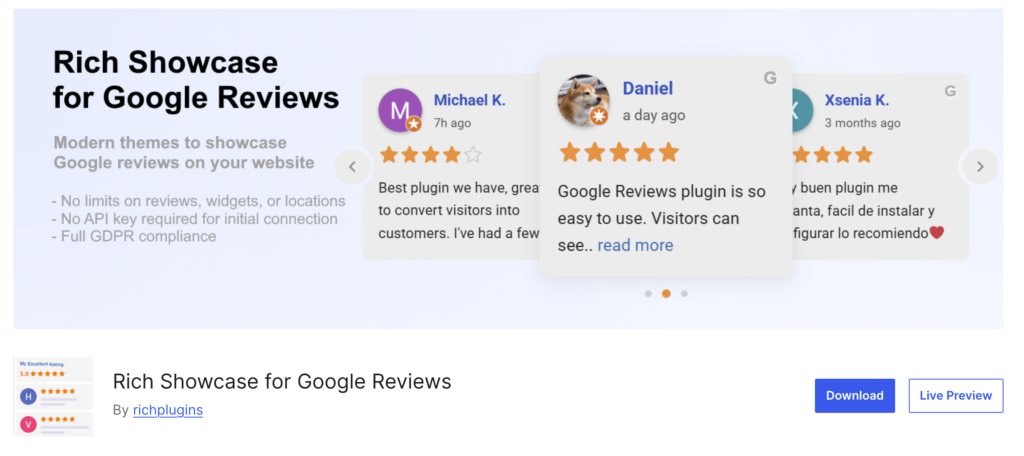
Free version: slider, grid, list, and rating layouts, a rating badge, block, shortcode, and classic widget support, multiple business places, review hiding, and many languages. Without an API key, it shows up to 10 reviews from initial setup. With your own free Google API key, it fetches new reviews automatically (five per request) and keeps them over time, so your collection grows.
Paid: RichPlugins sells a separate Business Reviews Bundle that adds Facebook and Yelp reviews and merged ratings.
| Pros | Cons |
|---|---|
| Lightweight and actively updated | Designs are simpler than Trustindex or Smash Balloon |
| No limit on locations or widgets | Automatic updates need a Google API key |
| Reviews build up over time with a key | API setup takes a few extra minutes |
Best for: speed-focused sites, developers, and multi-location businesses that don’t mind a quick API key setup.
4. Reviews Feed (Smash Balloon): Best for Design and Multiple Platforms
Smash Balloon is known for its Instagram and Facebook feed plugins, and Reviews Feed brings the same polished approach to reviews. It has 100,000+ active installs and a visual customizer that makes feeds easy to match to your theme.

Free version: Google and Yelp reviews, multiple accounts in one feed or several, responsive layouts, custom colors, columns and spacing, an overall rating header, expandable long reviews, and optional translation of Google reviews. Without an API key, you can show up to 10 of the latest reviews after verifying your email. A free API key enables daily automatic updates.
Pro: adds Facebook, Trustpilot, Tripadvisor, WordPress.org, and WooCommerce reviews, carousels, keyword and star filters, moderation, manual reviews, and up to 50 initial reviews from Google and Yelp without an API key.
| Pros | Cons |
|---|---|
| Polished, customizable feeds | Best features require Pro, which is among the pricier options |
| Google and Yelp free in one feed | Smaller number of WordPress.org ratings than older plugins |
| Strong path to multi-platform reviews | Free version shows 10 reviews without a key |
Best for: businesses that want a premium-looking feed or plan to show reviews from several platforms.
5. WP Social Ninja: Best All-in-One Option
WP Social Ninja from WPManageNinja combines review widgets, social media feeds, and chat buttons in one plugin. It has 30,000+ active installs and works with the block editor and Elementor.
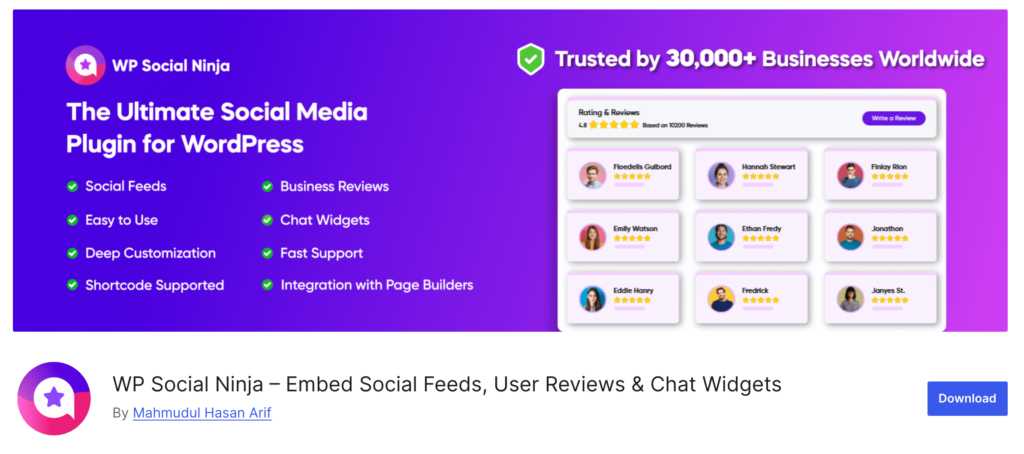
Free version: Google reviews and Airbnb reviews with customizable layouts, sync options, a set review count, sorting, anonymizing, and hiding reviews. It also includes Instagram, Facebook, YouTube, and TikTok feeds plus WhatsApp, Messenger, and Telegram chat widgets.
Pro: adds Facebook, Yelp, Tripadvisor, Booking.com, WooCommerce, and custom reviews, rating filters, AI summaries, more layouts, and many more chat channels.
| Pros | Cons |
|---|---|
| Replaces several plugins at once | More than you need if you only want Google reviews |
| Good value if you use social feeds too | Busier dashboard with a learning curve |
| Google reviews included free | Extra features can add weight if you enable many of them |
Best for: businesses that want Google reviews, social feeds, and chat buttons without installing three separate plugins.
6. WP Google Review Slider: Best for Sliders and Service-Area Businesses
WP Google Review Slider is a long-standing plugin with 30,000+ active installs and a strong 4.9 rating. Its standout feature is that it downloads reviews once and stores them in your WordPress database, so pages don’t call Google on every visit.
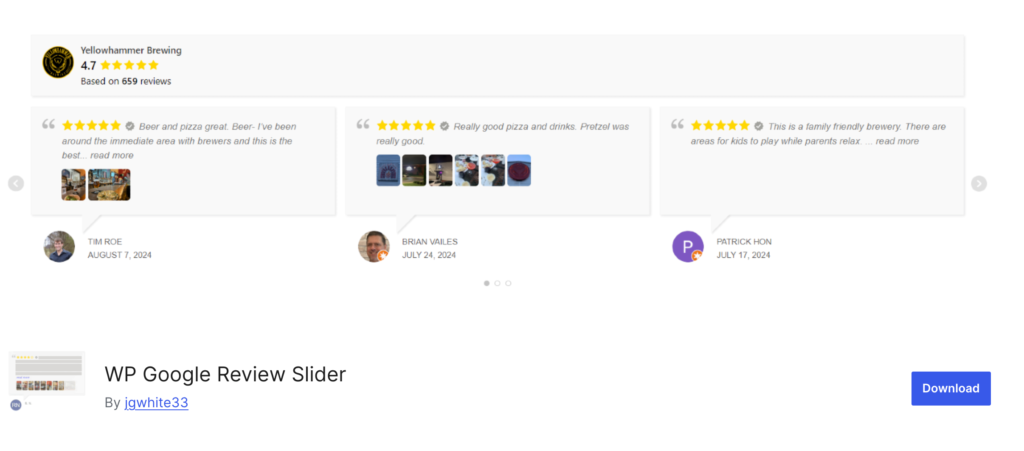
Free version: slider, grid, and list layouts, a review summary badge, multiple templates, color and style controls, minimum-rating filters, random or date sorting, custom CSS, and customer review images. It supports service-area businesses without a street address and multiple Google locations. Its crawl method can download a larger batch of reviews than the standard API approach (the listing mentions around 40 to 50).
Pro: reviews from 90+ sites, combined sliders, floating badges, manual reviews, a front-end review form, low-review email alerts, and more templates and filters.
| Pros | Cons |
|---|---|
| Stores reviews locally for speed | Admin interface feels less modern |
| Works well for service-area businesses | Many styling options sit in Pro |
| More reviews available on the free plan | Review count details vary by method |
Best for: service-area businesses and anyone who wants an animated review slider with more than 10 reviews for free.
7. Elfsight Google Reviews: Best No-Plugin Embed
Elfsight isn’t a traditional WordPress plugin. It’s a hosted widget you build on Elfsight’s website, then embed with a short code snippet. That makes it easy for non-technical users and works on any platform, not just WordPress.
Free plan: a limited free tier with Elfsight branding and caps on usage. Paid plans: remove branding and raise limits.
| Pros | Cons |
|---|---|
| Very easy visual editor | Reviews load from Elfsight’s servers, not your site |
| Works on any website builder | Ongoing subscription for full features |
| Many other widget types available | Less control over performance and data |
Best for: people who want a good-looking widget fast and don’t mind a hosted, subscription-based tool.
Honorable Mention: Page Builder Review Widgets
If you already use Elementor or a similar page builder, your addon pack may include a Google reviews widget (for example, some Elementor addon plugins offer one). This avoids installing another plugin, but these widgets are often basic and many still need a Google API key, so check the details before relying on one.
Free vs Paid Google Reviews Plugins
Is a WordPress Google reviews widget free plan enough? For most single-location businesses, yes. Here’s what you typically get at each level.
| Feature | Typical free plan | Typical paid plan |
|---|---|---|
| Google reviews shown | 5 to 10, or more collected over time | More reviews, faster or larger imports |
| Number of widgets | One or a few | Unlimited |
| Layouts | Basic slider, grid, list, badge | Full template library, carousels, floating badges, popups |
| Other platforms | Google only (sometimes Yelp or Airbnb) | Facebook, Yelp, Tripadvisor, Trustpilot, WooCommerce, and more |
| Filtering | Minimum star rating, hide reviews | Keyword filters, moderation queues, tags |
| Branding | Vendor logo or link may appear | Removed |
| Multiple locations | Varies | Usually included |
| Review collection | Not included | Some offer review request emails or forms |
Stay on the free plan if: you have one location, only care about Google reviews, and are happy showing your best 10 or so.
Upgrade if: you have several locations, want reviews from multiple platforms in one feed, need to remove branding for a client site, or want automated review collection.
How to Add Google Reviews to WordPress?
The exact screens differ by plugin, but the process to embed Google reviews on WordPress is nearly always the same.
- Make sure your Business Profile is set up. You need a verified Google Business Profile with reviews. If you’re new, start by connecting your Google Business Profile to WordPress so your profile and site stay in sync.
- Install the plugin. In WordPress, go to Plugins > Add New, search for the plugin name, then install and activate it.
- Connect your business. Depending on the plugin, paste your Google Place URL, search for your business by name, enter your Place ID, or add a Google API key.
- Choose a layout. Pick a slider for your homepage, a grid for a testimonials page, or a small badge for your header or footer.
- Set filters. Choose a minimum star rating if you like, hide empty reviews, and turn on owner replies.
- Add it to your page. Use the plugin’s block, shortcode, widget, or page builder element.
- Test on mobile and check speed. View the page on your phone and run it through PageSpeed Insights to make sure the widget isn’t slowing things down.
Where to Place Google Reviews on Your Website
- Homepage: a slider near the top builds instant trust.
- Service pages: reviews that mention that specific service are especially convincing.
- Location pages: for multi-location businesses, show reviews from that location’s profile.
- Contact and booking pages: a small rating badge near the form can lift conversions.
- A dedicated testimonials page: a full grid for people who want to read more.
If you’re still building your site, our guide to building a WordPress website for a local business covers which pages to create first.
Do Google Review Widgets Help SEO?
Indirectly, yes. Directly, less than some plugins suggest.
The Truth About Review Stars in Search Results
Some plugins advertise “star ratings in Google search results” by adding review schema. Be careful here. Since 2019, Google has treated reviews that a business displays about itself (called self-serving reviews) as ineligible for review rich snippets when they’re marked up with LocalBusiness or Organization schema. In plain terms: putting your Google reviews on your own site and adding review markup usually won’t earn you stars in search results for your business pages.
Your LocalBusiness schema should still describe your business accurately. Our guide to LocalBusiness schema for WordPress covers what to include. Just don’t expect a reviews plugin to unlock star snippets on its own.
How Review Widgets Really Help
- Trust and conversions: visitors who see recent, genuine reviews are more likely to call, book, or buy.
- Fresh, relevant text: review snippets often mention your services and city in natural language.
- Engagement: good social proof keeps people on the page longer and moving toward your contact form.
What Actually Moves Local Rankings
The reviews that influence local rankings are the ones on your Google Business Profile: how many you have, how recent they are, your rating, and how you respond. A widget showcases them, but it doesn’t replace the work of earning and replying to reviews. Our guide to Google Business Profile reviews covers how to get more of them, and our breakdown of local SEO ranking factors shows where reviews fit in.
Watch Your Page Speed
A slow widget can cost you more than it earns. Prefer plugins that store reviews locally, lazy load the widget, and let you limit the number of reviews shown. Test the page before and after installing.
Which Google Reviews Plugin Is Best for Your Business?
| Your situation | Our pick | Why |
|---|---|---|
| Single-location small business, no budget | Widgets for Google Reviews (Trustindex) | Best free layouts, no API setup |
| You care most about page speed | Rich Showcase for Google Reviews | Lightweight and Google-focused |
| Service-area business (plumber, cleaner, contractor) | WP Google Review Slider | Supports businesses without a street address and stores reviews locally |
| Multiple locations | Rich Showcase (free) or Trustindex (paid) | Multiple places supported |
| Restaurant, hotel, or rental with Yelp, Tripadvisor, or Airbnb reviews | Reviews Feed Pro or WP Social Ninja | Multi-platform feeds |
| WooCommerce store | Reviews Feed Pro or WP Social Ninja Pro | Can show product reviews alongside Google reviews |
| You also want social feeds and chat buttons | WP Social Ninja | One plugin instead of three |
| You build sites for clients | Trustindex paid or Reviews Feed Pro | Unlimited widgets, branding removed |
| Non-technical, any site builder | Elfsight | Hosted visual editor |
| You want every Google review answered quickly | FoundHint (plus any display widget above) | Manage reviews in WordPress and auto-reply with templates for 5, 4, 3, 2, and 1 star reviews |
If you manage several locations, remember that each location’s reviews should appear on its own location page. Our guide to multi-location local SEO explains how to structure those pages, and online stores can see how reviews fit into WooCommerce local SEO.
Frequently Asked Questions
What is the best Google reviews plugin for WordPress?
For most businesses, Widgets for Google Reviews by Trustindex is the best place to start: it’s free, popular, easy to set up, and has the largest layout library. If speed matters most, try Rich Showcase for Google Reviews. If you want multiple platforms in a polished feed, Reviews Feed by Smash Balloon is a strong choice.
Is there a free WordPress Google reviews widget?
Yes. Widgets for Google Reviews, Rich Showcase for Google Reviews, Reviews Feed, WP Social Ninja, and WP Google Review Slider all have free versions that display Google reviews. Free plans usually limit how many reviews you can show or add vendor branding.
Why does my Google reviews plugin only show 5 reviews?
Google’s Places API returns only a few reviews (up to five) per request. Some plugins work around this by importing a bigger batch at setup, collecting new reviews over time, or using their own servers. If you need more reviews, choose a plugin that stores and accumulates reviews or upgrade to a paid plan.
Do I need a Google API key to show reviews on WordPress?
Not always. Trustindex, Rich Showcase (for the first 10 reviews), and Reviews Feed (for up to 10 reviews) can work without one. An API key usually unlocks automatic updates. Hosted widgets like Elfsight don’t need one at all.
How do I embed Google reviews on WordPress without a plugin?
You can use a hosted widget service like Elfsight and paste its embed code into a Custom HTML block. You could also manually copy reviews into a testimonials section, but they won’t update automatically, and you should never change their wording.
Will a Google reviews widget get star ratings in search results?
Usually not for your business pages. Google doesn’t show review rich snippets for self-serving reviews marked up with LocalBusiness or Organization schema. Widgets still help with trust and conversions.
Do Google reviews on my website help local SEO?
They help indirectly by building trust and improving conversions. The reviews that influence local rankings are the ones on your Google Business Profile, so focus on earning and replying to those.
Can I show reviews from multiple locations?
Yes. Rich Showcase, WP Google Review Slider, and paid plans of Trustindex and Reviews Feed support multiple Google locations. Show each location’s reviews on its own location page.
Can I filter out negative reviews?
Most plugins let you set a minimum star rating for what’s displayed on your website. That’s allowed, but the reviews still live on Google, so reply to negative reviews there professionally.
Will a reviews plugin slow down my site?
It can. Choose plugins that store reviews in your database, support lazy loading, and limit the number of reviews shown. Test your page speed before and after installing.
Can I auto-reply to Google reviews from WordPress?
Yes. With FoundHint, you can manage your Google My Business reviews from your WordPress dashboard and set up auto review replies using pre-made templates for each star rating: 5-star, 4-star, 3-star, 2-star, and 1-star. You can personalize each template to match your brand voice.
Conclusion
The best Google reviews plugin for WordPress depends on what you need. FoundHint is the pick for managing your Google reviews and replying to every one automatically.
For displaying reviews, Widgets for Google Reviews by Trustindex is the easiest free starting point, Rich Showcase is the lightweight pick, Reviews Feed by Smash Balloon wins on design and multi-platform feeds, WP Social Ninja is the all-in-one choice, and WP Google Review Slider is great for sliders and service-area businesses.
Whichever display plugin you choose, check how many reviews the free version really shows, store reviews locally if you can, and test your page speed.
Just remember that a widget only displays your reputation. The reviews themselves, and how quickly and thoughtfully you reply to them on Google, are what win trust and local rankings.
Pair a display plugin with FoundHint, set up auto-replies with templates for every star rating, and you’ll never leave a customer review unanswered again.