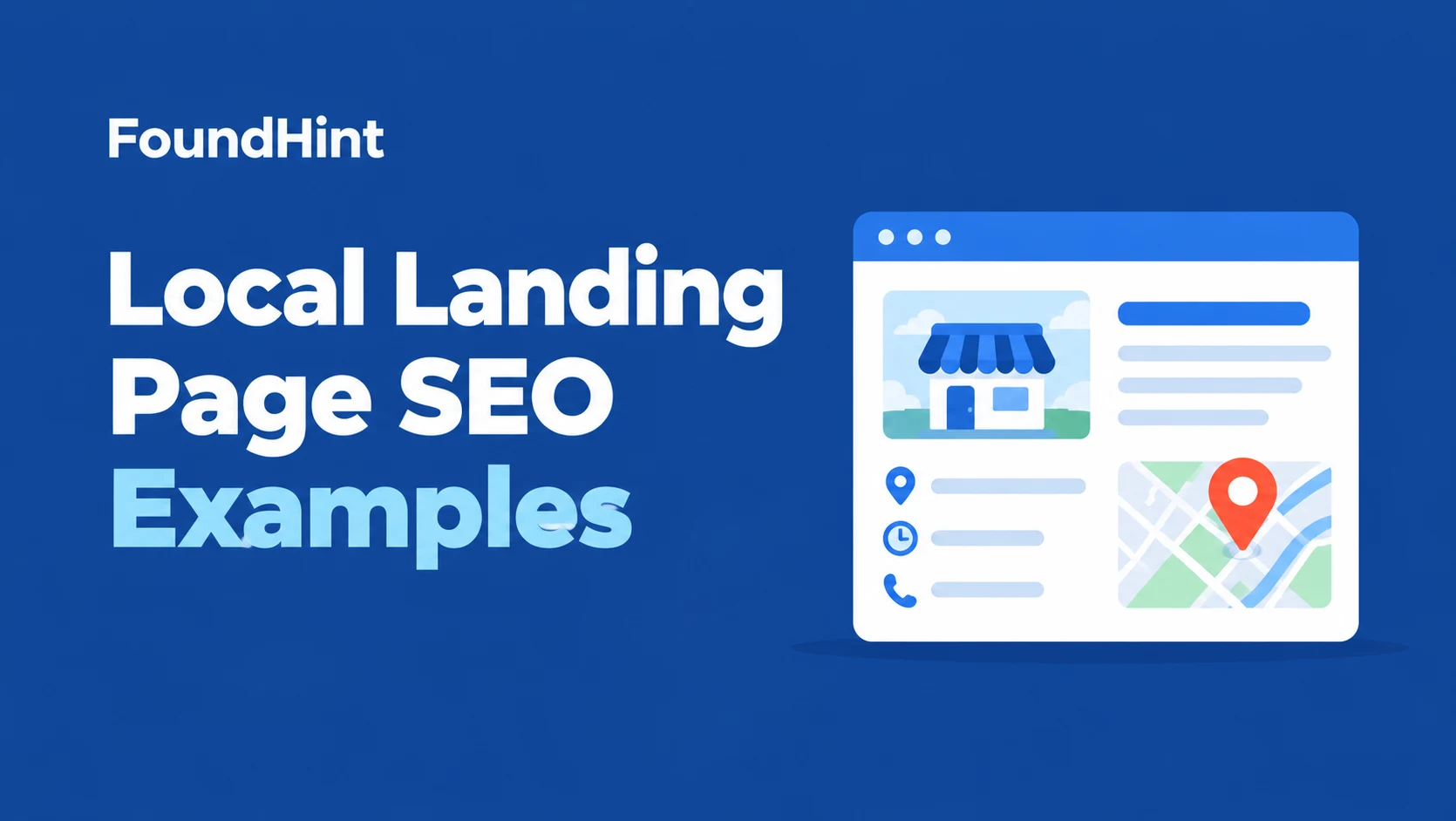
You know you need local landing pages, but every example you find is either a vague “best practices” list or a page that just swaps one city name for another.
So you end up with thin location pages that don’t rank, don’t convert, and might even get treated as doorway pages by Google.
This guide shows you what good actually looks like.
You’ll see eight local landing page SEO examples for plumbers, dentists, restaurants, law firms, HVAC companies, retailers, salons, and roofers, each broken down section by section with its URL, title tag, headline, content blocks, proof, and call to action.
You’ll also learn the elements every winning local page shares, the mistakes that sink them, how to build one in WordPress, and a copy template you can reuse for every city or location you serve.
 FoundHint Local SEO WordPress
Optimize your Google Business Profile without leaving WordPress
Connect your GBP profile, compare it with your website and fix the gaps FoundHint finds.
- Business Profile audit and optimization
- Google Post scheduling
- Review management and replies
- Local rank tracking on a map grid
What Is a Local Landing Page?
A local landing page is a page on your website built to rank for, and convert, searches in a specific place.
It tells Google and customers exactly what you offer, where you offer it, and how to get in touch.
There are three common types:
| Type | What it targets | Example URL | Best for |
|---|---|---|---|
| Location page | A physical branch or office | /locations/austin/ | Multi-location businesses with real addresses |
| Service area page | A city or region you serve without an office there | /service-areas/round-rock/ | Plumbers, cleaners, contractors, and other service-area businesses |
| Service + city page | One service in one market | /water-heater-repair-austin/ | High-value services in your main market |
All three can work. The difference between a page that ranks and one that doesn’t usually comes down to one thing: whether it’s genuinely useful to someone in that place, or just a copy of another page with the city name changed.
Local Landing Pages and Your Google Business Profile
For multi-location businesses, each Google Business Profile should usually link to its own location page rather than the homepage.
That gives Google a clear match between each map listing and a page with the same name, address, and phone number.
If you’re new to this, our guide to multi-location local SEO explains the setup.
What Makes a Local Landing Page Work: The 12 Elements
Every strong example below shares the same building blocks. Use this as your checklist.
| Element | What good looks like |
|---|---|
| 1. Clear URL | Short and descriptive: /locations/austin/ or /roof-repair-denver/ |
| 2. Title tag | Service + city + brand, under about 60 characters |
| 3. Meta description | A specific reason to click, like same-day service or free estimates |
| 4. H1 headline | Says the service and place in plain words |
| 5. Local intro | The first paragraph mentions the area and the main benefit |
| 6. NAP and hours | Name, address (or service area), phone, and hours that match your Business Profile |
| 7. Real local content | Neighborhoods served, local projects, local team, local conditions |
| 8. Proof | Reviews from customers in that area, photos of local work, credentials |
| 9. Service details | What’s included, process, pricing guidance where possible |
| 10. Map and directions | An embedded map, parking or landmark tips for storefronts |
| 11. Strong call to action | Click-to-call, booking, or quote form above the fold and repeated |
| 12. Technical basics | Mobile-friendly, fast, indexed, internally linked, accurate LocalBusiness schema |
Our guide to local SEO title tags and meta descriptions covers elements 2 and 3 in depth, and our guide to LocalBusiness schema for WordPress covers element 12.
8 Local Landing Page SEO Examples, Broken Down
The businesses below are illustrative examples built on patterns that consistently perform well for local search. Use them as blueprints, then fill them with your own real details.
Example 1: Plumber Service + City Page
- Business: a plumbing company based in Phoenix
- Page type: service + city
- URL: /emergency-plumber-phoenix/
- Title tag: Emergency Plumber Phoenix | 24/7 Service | Desert Flow Plumbing
- H1: 24/7 Emergency Plumber in Phoenix
Page structure:
- Hero with headline, “Call now” button, average response time, and a strip showing the Google rating
- Short intro: what counts as a plumbing emergency and how fast the team reaches Phoenix homes
- Services covered: burst pipes, water heater failures, sewer backups, leaks
- Neighborhoods served: Arcadia, Ahwatukee, Maryvale, Downtown, with notes on common issues like hard water damage
- Three reviews from Phoenix customers that mention emergencies
- Photos of real local jobs and the team’s trucks
- Upfront pricing guidance: after-hours fees explained clearly
- FAQ: “Do you charge extra at night?”, “How fast can you get here?”
- Repeated call button and a short form
Why it works: it matches urgent intent, answers the questions a stressed homeowner has, and proves local presence with neighborhoods, reviews, and photos. The click-to-call button is visible without scrolling on mobile.
Example 2: Dentist Multi-Location Page
- Business: a dental group with four offices around Dallas
- Page type: location page
- URL: /locations/plano/
- Title tag: Dentist in Plano, TX | Smile Bright Dental Plano
- H1: Smile Bright Dental in Plano
Page structure:
- Office photo, address, phone, hours, and “Book an appointment” button
- Embedded map with parking instructions and nearby landmarks
- Meet the dentists at this office, with photos and short bios
- Treatments offered at this location (some offices offer different services)
- Insurance accepted and new patient information
- Reviews from patients of this office
- Office-specific FAQ
- LocalBusiness (Dentist) schema with this office’s details
Why it works: every detail is specific to one office: its team, its address, its hours, and its reviews. The Plano Google Business Profile links here, so the map listing and the page reinforce each other.
Example 3: Restaurant Location Page
- Business: a taco restaurant with two locations in Austin
- Page type: location page
- URL: /locations/south-congress/
- Title tag: Tacos on South Congress, Austin | Casa Verde Tacos
- H1: Casa Verde Tacos on South Congress
Page structure:
- Hero photo of the dining room, hours, and buttons for “Order online” and “Directions”
- Location-specific menu highlights and daily specials
- Parking, patio seating, and pet-friendly details
- Embedded map
- Photos of dishes and the space
- Reviews mentioning this location
- Events and happy hour details
Why it works: restaurant searchers want hours, menus, and directions fast. This page puts all three at the top, and its practical details (parking, patio, pets) answer questions before customers have to call.
Example 4: Law Firm Practice Area + City Page
- Business: a personal injury firm in Houston
- Page type: service + city
- URL: /houston-car-accident-lawyer/
- Title tag: Houston Car Accident Lawyer | Free Consultation | Reed Law
- H1: Houston Car Accident Lawyer
Page structure:
- Headline, free consultation offer, phone, and short form
- What to do after a car accident in Houston, with local context like busy highways and Texas filing deadlines
- How the firm handles cases, step by step
- Attorney profiles with credentials and bar memberships
- Client testimonials and case results presented within professional rules
- Office address and map
- FAQ about fees, timelines, and insurance
Why it works: it builds trust with expertise and credentials, includes genuinely useful local information, and makes a low-risk next step (free consultation) easy.
Example 5: HVAC Service Area Page
- Business: an HVAC company based in Charlotte that also serves nearby suburbs
- Page type: service area page
- URL: /service-areas/matthews-nc/
- Title tag: AC Repair and HVAC Service in Matthews, NC | Cool Air Pros
- H1: HVAC Service in Matthews, NC
Page structure:
- Headline, service area note (“Serving Matthews from our Charlotte shop, about 20 minutes away”), and call button
- Services available in Matthews: AC repair, furnace repair, installs, maintenance plans
- Recent jobs in Matthews with photos and short descriptions
- Local conditions: humid summers, common system issues in older homes nearby
- Reviews from Matthews customers
- Map showing the service area
- Seasonal maintenance offer and booking form
Why it works: it’s honest about where the business is based, while proving it actually works in Matthews through real jobs and reviews. That’s the difference between a useful service area page and a doorway page. Our guide to service area business SEO covers this setup in detail.
Example 6: Retail Store Location Page
- Business: an outdoor gear store with a shop in Denver
- Page type: location page
- URL: /stores/denver/
- Title tag: Outdoor Gear Store in Denver | Summit Supply Co.
- H1: Summit Supply Co. Denver Store
Page structure:
- Store photo, address, hours, phone, and “Get directions” button
- In-store services: ski tuning, bike repair, rentals
- Local pickup and same-day delivery information
- Upcoming in-store events and local trail clinics
- Staff picks for nearby trails and seasons
- Embedded map and parking details
- Reviews of the Denver store
Why it works: it gives locals a reason to visit in person, highlights services unique to the store, and connects online shoppers to local pickup. Stores selling online can learn more in our guide to WooCommerce local SEO.
Example 7: Salon Location Page
- Business: a hair salon in Seattle
- Page type: location page (single location, so this is the homepage or main location page)
- URL: /capitol-hill-salon/
- Title tag: Hair Salon on Capitol Hill, Seattle | Studio Luxe
- H1: Hair Salon on Capitol Hill, Seattle
Page structure:
- Hero with “Book now” button and next available appointment
- Services and price ranges
- Stylist profiles with specialties and booking links
- Before and after photo gallery
- Reviews mentioning specific stylists
- Location, parking, and nearby transit
- New client offer
Why it works: salon customers choose a stylist as much as a salon. Stylist profiles, real photos, and online booking turn visitors into appointments.
Example 8: Roofing Service + City Page
- Business: a roofing contractor in Denver
- Page type: service + city
- URL: /roof-replacement-denver/
- Title tag: Roof Replacement in Denver | Free Estimates | Peak Roofing
- H1: Roof Replacement in Denver
Page structure:
- Headline, free estimate form, and financing note
- Signs you need a new roof, with local context like hail damage
- Roofing materials offered and what suits Colorado weather
- The replacement process from inspection to cleanup
- Project gallery from Denver neighborhoods
- Licenses, insurance, and manufacturer certifications
- Reviews and a short video testimonial
- FAQ about insurance claims and timelines
Why it works: roof replacement is a big decision. This page educates, proves expertise with local projects and credentials, and offers a free estimate as a low-pressure first step.
What All 8 Examples Have in Common
- One clear service and place per page
- Details that only apply to that location
- Real proof: reviews, photos, credentials, and projects
- A primary call to action that’s easy to use on a phone
- Contact details that match the Business Profile
Local Landing Page Mistakes to Avoid
Doorway Pages
The most common mistake is creating dozens of near-identical pages where only the city name changes. Google’s spam policies describe doorway pages as pages created to rank for similar searches that funnel users elsewhere or offer little unique value. These pages rarely rank for long and can drag down the rest of your site.
The test: if you removed the city name, would the page be identical to another one? If yes, it needs real local content or it shouldn’t exist.
Other Common Mistakes
- Pages for places you don’t serve. Only create pages for areas where you genuinely work.
- Fake addresses. Never list an address where you don’t operate.
- Keyword stuffing. Repeating “Dallas plumber” ten times makes the page worse, not better.
- No call to action. A page that ranks but doesn’t make it easy to call or book wastes traffic.
- Stock photos only. Generic images don’t prove you work in the area.
- Inconsistent NAP. Contact details that don’t match your Business Profile cause confusion. See our guide to NAP consistency.
- Orphan pages. Location pages with no internal links are hard for Google to find.
- Slow mobile pages. Most local searches happen on phones.
- Duplicate schema. Multiple plugins adding conflicting LocalBusiness markup.
For a wider list, see our guide to common local SEO mistakes.
How to Build a Local Landing Page in WordPress
- Plan your pages. List each location, service area, or service + city combination you genuinely serve. Prioritize your highest-value services and biggest markets. Our guide to local SEO keyword research helps you pick them.
- Choose a URL structure. Use /locations/city/ for branches, /service-areas/city/ for areas you serve, or /service-city/ for key service pages. Keep it consistent. Our guide to WordPress site structure for service businesses shows practical layouts.
- Gather local material first. Collect reviews from that area, photos of local jobs, team members, neighborhoods served, and any local details before writing.
- Write the page using the template in the next section.
- Set the title tag and meta description in your SEO plugin.
- Add LocalBusiness schema with that location’s details, and make sure only one plugin outputs it.
- Embed a map for storefronts or a service area map for service-area businesses.
- Link it internally from your homepage, a locations hub page, related service pages, and your footer or navigation where it makes sense.
- Connect it to your Business Profile. For multi-location businesses, link each Google Business Profile to its location page.
- Publish, then request indexing in Google Search Console and check it on mobile.
If you’re building the site from scratch, our guide to building a WordPress website for a local business covers the foundations, and the WordPress local SEO checklist covers the full setup.
A Local Landing Page Template You Can Reuse
Copy this structure for every location or city page, then fill each section with details that are true only for that place.
| Section | What to write | Example (roofer in Denver) |
|---|---|---|
| Title tag | Service + city + brand + benefit | Roof Replacement in Denver, Free Estimates, Peak Roofing |
| H1 | Service + city | Roof Replacement in Denver |
| Hero | Main benefit, call button, rating, trust badge | “Hail-damaged roof? Free inspection within 48 hours.” |
| Intro (first 100 words) | Who you help in this area and why customers choose you | Mention Denver, hail season, and years serving local homes |
| Services | What’s offered at this location or in this area | Asphalt, metal, and tile roofs |
| Local proof | Projects, neighborhoods, team | Recent jobs in Wash Park and Highlands |
| Reviews | 2 to 4 reviews from local customers | Reviews that mention Denver and the service |
| Process and pricing | How it works, what affects cost | Inspection, insurance claim help, installation, cleanup |
| Credentials | Licenses, insurance, certifications | Manufacturer certifications |
| Map and contact | NAP, hours, map or service area | Matches the Business Profile exactly |
| FAQ | 3 to 6 local questions | “Does insurance cover hail damage in Colorado?” |
| Final CTA | Repeat the main action | Free estimate form and call button |
Make Each Page Unique
Aim for local content that couldn’t be copied to another city without being wrong. Good sources include:
- Real projects and photos from that area
- Reviews from customers who live there
- Local conditions, like weather, building types, or regulations
- Team members who work that area
- Neighborhoods, landmarks, and travel times
- Location-specific offers or services
How to Measure Local Landing Page Performance?
A local landing page is working when it brings in calls, bookings, and visits from the area it targets. Track these:
| Metric | Where to find it | What it tells you |
|---|---|---|
| Impressions and clicks for local queries | Google Search Console (filter by page) | Whether the page is ranking and earning clicks |
| Average position for service + city searches | Google Search Console | Progress over time |
| Map rankings across the area | A ranking grid tool | Whether the linked Business Profile is visible across the area |
| Calls, form fills, and bookings | GA4 key events | Whether visitors become leads |
| Business Profile clicks to the page | GA4 with UTM tags | How much traffic the map listing sends. See our guide to UTM tracking for Google Business Profile |
| Engagement | GA4 | Whether visitors scroll and interact or leave quickly |
If a page gets impressions but few clicks, rework its title tag and meta description. If it gets clicks but few leads, strengthen the call to action, proof, and mobile experience. If it gets neither, check that it’s indexed and add more genuinely local content and internal links.
Support Your Local Landing Pages With FoundHint
A great local landing page works best when your Google Business Profile backs it up with the same details, fresh activity, and strong reviews.
FoundHint, a local SEO plugin for WordPress, helps you manage that side from the same dashboard where you build your pages.
FoundHint Local SEO WordPress
Optimize your Google Business Profile without leaving WordPress
Connect your GBP profile, compare it with your website and fix the gaps FoundHint finds.
- Business Profile audit and optimization
- Google Post scheduling
- Review management and replies
- Local rank tracking on a map grid
It connects your Google Business Profile to WordPress with no API keys or Google Cloud setup.
| Landing page goal | How FoundHint helps |
|---|---|
| Matching NAP on the page and profile | Edit business info, address, hours, special hours, social links, attributes, and services, then send updates to Google |
| Multi-location pages | Manage every location’s Business Profile from one place |
| Fresh reviews to feature on the page | Manage and reply to reviews, with auto-reply templates for 5, 4, 3, 2, and 1 star reviews |
| Active profiles that support the page | Create and schedule posts, and add or remove photos |
| Services that match the page | Add services and sync WooCommerce products to your profile |
| Knowing if your pages and profiles are visible | The Ranking Grid shows map rankings for your target keywords across your target location |
| Consistent details across the web | The citation feature shows where you’re listed and where you’re missing, based on your business category |
Build the page, connect the profile, and use the Ranking Grid to see how visibility changes across each area you serve.
Frequently Asked Questions
What is a good local landing page example?
A good local landing page clearly states one service and place, shows matching contact details, includes real local proof like reviews and project photos, answers common questions, and makes it easy to call or book. The dentist location page and HVAC service area page above are strong examples to model.
How many local landing pages should I create?
One for each real location, plus pages for the service areas and key service + city combinations where you genuinely work and can add unique content. Fewer strong pages beat dozens of thin ones.
Do local landing pages help Google Maps rankings?
They can support them. A location page that matches your Business Profile’s details and is linked from the profile helps Google connect the two. Map rankings still depend on relevance, distance, and prominence, as explained in our guide to local SEO ranking factors.
What’s the difference between a location page and a service area page?
A location page is for a physical branch with an address customers can visit. A service area page is for a city or region you serve without an office there, and should be honest about where you’re based.
Are city landing pages doorway pages?
Only if they’re near-duplicates created just to rank, with little unique value. City pages with real local content, proof, and useful information are legitimate and helpful.
How long should a local landing page be?
Long enough to answer what a local customer needs to know. For most businesses, that’s a few hundred to around a thousand words, plus photos, reviews, and FAQs. Focus on usefulness, not a word count.
Should local landing pages have their own schema?
Yes, location pages for physical branches should include LocalBusiness schema with that location’s details. Make sure it matches the page and isn’t duplicated by another plugin.
Can I use the same content on multiple city pages?
You can reuse the structure and some shared sections, like your process or credentials, but each page needs substantial unique local content. Copying entire pages with only the city name changed is risky.
Conclusion
The best local landing page SEO examples all follow the same simple idea: be genuinely useful to someone in that place.
A clear URL and title, a headline that names the service and city, contact details that match your Business Profile, real local proof, honest service area information, and a strong call to action will beat a stack of copy-and-paste city pages every time.
Use the eight examples as blueprints, the 12 elements as your checklist, and the template to build each new page.
Start with your most valuable location or service, measure calls and bookings, then expand to the next area once the first page is working.
Keep your Business Profile aligned with every page, and your local landing pages will do what they’re meant to do: turn local searches into local customers.