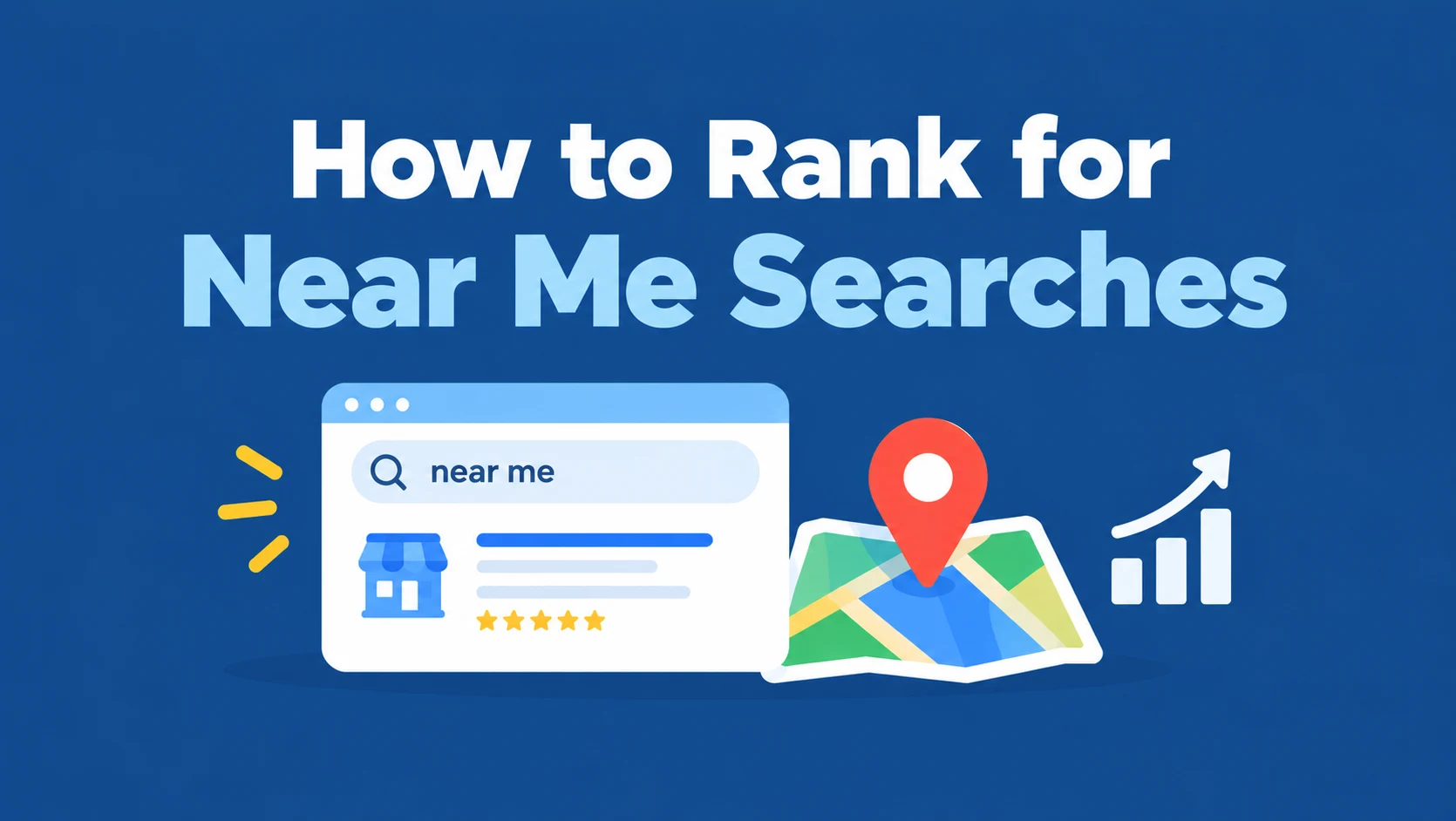
To rank for near me searches, make your Google Business Profile the most relevant and trusted match for the service someone wants, close to where they’re searching.
That means the right primary category, accurate hours and service details, a steady flow of genuine reviews, consistent business information across the web, and a website that confirms what you do and where.
You don’t need to repeat “near me” anywhere: Google already knows the searcher wants something nearby.
Someone a few blocks away types “plumber near me,” and three businesses appear on the map.
If yours isn’t one of them, that customer calls someone else.
This guide explains how Google decides which businesses to show, what you can and can’t control, 12 practical steps, the myths that waste time, and how to track rankings across your whole area instead of from your own desk.
 FoundHint Local SEO WordPress
Optimize your Google Business Profile without leaving WordPress
Connect your GBP profile, compare it with your website and fix the gaps FoundHint finds.
- Business Profile audit and optimization
- Google Post scheduling
- Review management and replies
- Local rank tracking on a map grid
What Near Me Searches Are and How They Work?
A near me search is any search where someone wants a business close to where they are, whether they type “near me” (“pharmacy near me”) or not (“pharmacy open now”). These searches have strong intent: the person usually wants to call, visit, or book soon.
For the wider picture, see what local search is.
Explicit vs. Implicit Near Me Searches
Near me searches come in two forms:
| Type | Example | What Google does |
|---|---|---|
| Explicit | “dentist near me”, “coffee nearby” | Uses the searcher’s location to find close matches |
| Implicit | “dentist”, “emergency plumber”, “pharmacy open now” | Recognizes the service is local and shows nearby results anyway |
| Location named | “dentist in Brooklyn” | Uses the named place instead of the searcher’s location |
Google treats explicit and implicit searches almost the same way for local services.
A business that ranks for “emergency plumber” near a searcher will usually rank for “emergency plumber near me” too.
How Google Knows Where the Searcher Is?
Google estimates location from the device: GPS and Wi-Fi on phones, IP address on computers, plus the person’s location settings.
If the search names a place, Google uses that place instead. This is why one search shows different businesses a few streets apart, and why a business can’t see its “real” ranking by searching from its own office.
This has three practical consequences:
- The searcher’s location decides who is eligible. Results change street by street.
- Your Google Business Profile is what ranks in the Local Pack (the map block of usually three businesses) and in Google Maps.
- Results are often filtered by details like “open now”, ratings, or attributes, depending on the search.
Relevance, Distance, and Prominence
Google describes local ranking with three factors in its own tips to improve your local ranking:
- Relevance: how well your profile and website match what was searched. Categories, services, and descriptions do most of the work.
- Distance: how far your business is from the searcher, or from the place named in the search. You can’t change this, only describe it accurately.
- Prominence: how well known and trusted your business is, based on reviews, ratings, links, citations, and your website’s position in search results.
Ranking for near me searches means improving relevance and prominence while accepting the limits of distance.
What Affects Near Me Rankings?
| Factor | What it means | Can you control it? | How to improve it |
|---|---|---|---|
| Distance | How close you are to the searcher | Not really | Set an accurate address or service area |
| Relevance | How well you match the search | Yes | Accurate categories, services, products, attributes, and relevant website pages |
| Prominence | How well known and trusted you are | Yes | Reviews, ratings, citations, local links, and a website that ranks well |
Accurate business details (hours, phone, address) aren’t a separate ranking factor, but they decide whether you’re shown for “open now” searches and whether customers trust what they see.
An active profile with recent photos and posts helps people choose you, though Google hasn’t confirmed activity as a ranking factor.
Google Business Profile Signals
Your profile is what appears in the map pack, so its signals carry the most weight: primary and additional categories, a real business name, an accurate address or service area, hours, services, products, and photos.
Keeping all of that current is where most businesses slip.
Website and On-Page Local Signals
Your website backs up your profile.
Clear service pages, genuinely local location pages, natural use of your service and city in titles and headings, visible NAP (name, address, phone), fast mobile pages, and accurate LocalBusiness schema all help Google confirm what you do and where.
Reviews, Citations, and Local Links
These build prominence.
A steady flow of recent reviews with owner replies, consistent listings on the directories your customers use, and links from local organizations all show Google that your business is real, active, and trusted in your area.
Our breakdown of local SEO ranking factors covers each one, and Google Maps local SEO explains how they play out in Maps.
12 Steps to Rank for Near Me Searches
Steps 1–7 cover your Business Profile.
They focus on what matters most for near me searches; for every field in detail, see our Google Business Profile optimization guide.
Step 1: Claim and Verify Your Google Business Profile
Google can create a listing for your business without you, but only a verified owner can control what it says.
Claim the profile, complete verification, and make sure it’s publicly visible.
If your site runs on WordPress, you can connect your profile to WordPress and manage it from the same dashboard as your website.
Step 2: Choose the Right Primary Category
Your primary category is one of the strongest relevance signals.
If someone searches “emergency vet near me,” a profile with the category “Emergency veterinarian” has a clear advantage over one that just says “Veterinarian.” Add additional categories only for real secondary services.
Our guide to choosing Business Profile categories shows how to compare yours against the businesses already ranking.
Step 3: Complete Every Business Detail
Fill in your real business name (no added keywords), address or service area, phone, website, description, and attributes such as “wheelchair accessible” or “online appointments.”
A complete profile gives Google more to match against filtered searches like “wheelchair accessible café near me.”
Step 4: Keep Hours and Special Hours Accurate
Many near me searches include “open now,” either typed or implied. If your hours are wrong, you can drop out of those results or send customers to a closed door. Set special hours before every public holiday.
Step 5: Add Services, Products, and Photos
List every core service with a short description, add products where relevant, and upload real photos of your team, work, storefront, and interior.
Specific services help Google match you to specific searches like “tire rotation near me,” and photos help customers choose you.
Store owners can also see WooCommerce local SEO.
Step 6: Build Reviews and Reply to Every One
Google lists review count and score as part of prominence, and ratings are shown right in near me results, where customers compare businesses side by side.
Ask every customer for an honest review, make leaving one easy with a direct link or QR code, and reply to each one.
See how to get more Google reviews and how to respond to Google reviews.
Never pay for reviews or ask only happy customers; both break Google’s policy.
Step 7: Post Regularly on Your Business Profile
Posts about offers, events, new services, and recent projects give searchers more reasons to choose you.
Google hasn’t confirmed posts as a ranking factor, so treat them as a way to convert profile visitors.
A weekly habit is easy to keep and keeps the profile looking current.
Step 8: Keep Your NAP Consistent Across the Web
Your business name, address, and phone number should match exactly on your website, Google, Apple Business Connect, Bing Places, Yelp, Facebook, and industry directories.
Inconsistent details make it harder for Google to trust your information. Our guide to NAP consistency explains what to fix first.
Step 9: Build Quality Citations
Accurate listings on the platforms your customers use support prominence and help customers find you in more places.
Start with the main platforms in your country and your industry’s directories, fix old listings before adding new ones, and choose where you list rather than buying bulk submissions.
Our guides to local citations and local business listings cover where to start.
Step 10: Optimize Your Website for Local Searches
Your website supports relevance and prominence, and its pages can also rank in the organic results below the map pack for near me searches.
- Create a page for each core service.
- Add location or service-area pages with genuinely local content. See these local landing page examples.
- Use your service and city naturally in title tags and headings. See where to put city names.
- Show your NAP in the footer and on the contact page.
- Keep the site fast, mobile-friendly, and indexed, with click-to-call buttons on mobile.
- Add accurate LocalBusiness schema.
For how to organise all of this, read about site structure for service businesses.
Step 11: Earn Local Links and Mentions
Links from local news sites, your chamber of commerce, sponsors, and community partners build prominence. Sponsor a local event, join business groups, and publish genuinely useful local content.
Our guide to local SEO link building has 20 practical tactics.
Step 12: Manage Every Location Separately
If you have several locations, each one competes in its own neighbourhood. Give each location its own verified profile, location page, reviews, and posts, and keep hours and replies up to date at smaller branches too.
Our guides to multi-location local SEO and franchise local SEO cover the wider strategy.
Near Me Keyword Myths That Waste Your Time
Myth 1: You Need “Near Me” in Your Content
You don’t need it to appear in the map pack.
Google ranks Business Profiles for near me searches based on relevance, distance, and prominence, not on whether your website says “near me.”
For organic results, some published tests have found small gains from using “near me” in page titles, but the phrase reads awkwardly to customers.
Write naturally about your service and the areas you serve; if you test “near me” in a title, measure the result before rolling it out.
Myth 2: Adding “Near Me” to Your Business Name Helps
It breaks Google’s guidelines, looks spammy, and can get your profile suspended. Use your real business name only.
Myth 3: You Can Rank Everywhere With Enough SEO
Distance is a real factor. A business 20 miles away will usually struggle to rank for a near me search on the other side of town.
Strong relevance and prominence can widen the area where you rank, but they can’t override proximity.
Myth 4: Fake Addresses Help You Rank in More Areas
Virtual offices and addresses where you don’t operate break Google’s rules and can lead to suspension. If you travel to customers, set up a service area instead.
If your profile has disappeared, see business not showing up on Google Maps.
Myth 5: Lots of City Pages Will Do the Trick
Near-identical city pages with only the town name changed rarely rank and can be treated as doorway pages.
Build a page only where you have real local content to share: projects, staff, reviews, or details specific to that area.
Near Me Searches in AI Overviews and Maps’ Ask Feature
People increasingly ask questions like “which dentist near me is open Saturday and takes walk-ins?” in AI Overviews, in the Ask feature that Google is adding to Maps, and in AI assistants.
These answers draw on the same information as the map pack: your Business Profile details, your reviews, and your website.
Complete services and attributes, accurate hours, specific reviews, and clear service pages give those systems accurate material to work with.
Spoken searches work the same way; see voice search local SEO.
How to Track Your Near Me Rankings
Because near me results change with the searcher’s location, checking from your office gives a misleading picture. You might rank first on your street and not appear a few miles away.
Use a Ranking Grid
A ranking grid checks your position from many points across a map and shows where you’re visible and where you’re not.
Tools such as FoundHint’s Ranking Grid (inside WordPress). Use a grid to:
- See which neighbourhoods you already win.
- Spot weak areas where competitors outrank you.
- Measure the effect of changes like a new category, more reviews, or new service pages.
- Track progress month by month against the same grid.
Watch Your Business Profile Performance
The Performance section of your Business Profile shows views, calls, direction requests, and website clicks. Its search terms list shows the queries that triggered your profile, often including “near me” variations.
Use Google Search Console
Search Console doesn’t show where searchers were, but it shows the queries that brought people to your website.
Filter queries containing “near me” or your city and neighbourhood names to see which local searches reach your pages, and which pages they land on.
Our guide to local SEO metrics explains how to combine these into a simple monthly report.
Near Me Ranking Checklist
- Business Profile claimed, verified, and publicly visible
- Specific primary category and relevant additional categories
- Real business name with no added keywords
- Complete details: address or service area, phone, website, description, attributes
- Accurate regular and special hours
- Services, products, and real photos added
- Steady flow of genuine reviews, with replies to every one
- Regular Business Profile posts
- Consistent NAP across the web
- Listings on key and industry directories
- Service and location pages on a fast, mobile-friendly website
- Local links from community and business sources
- Rankings tracked across your area with a ranking grid
Manage Near Me Visibility From WordPress
Most of this checklist is ongoing work: hours change, reviews arrive, and rankings move.
If your site runs on WordPress, the FoundHint Local SEO plugin puts the recurring tasks in one dashboard: editing profile details and hours, scheduling posts, replying to reviews, sharing a review link or QR code, finding citation gaps, managing several locations, and tracking rankings with the Ranking Grid.
FoundHint Local SEO WordPress
Optimize your Google Business Profile without leaving WordPress
Connect your GBP profile, compare it with your website and fix the gaps FoundHint finds.
- Business Profile audit and optimization
- Google Post scheduling
- Review management and replies
- Local rank tracking on a map grid
For the rest of your site, work through the WordPress local SEO checklist.
Frequently Asked Questions
How do I rank for near me searches?
Verify and fully optimize your Google Business Profile, choose the most specific primary category, keep hours accurate, add services and photos, build genuine reviews and reply to them, keep your NAP consistent, build citations, optimize your website, and earn local links. Then track rankings across your area with a ranking grid.
Do I need to use “near me” on my website?
No. Google understands near me intent without the phrase, and it doesn’t help you appear in the map pack. Write naturally about your services and the areas you serve.
Why does my business rank in some areas but not others?
Distance from the searcher is a major factor, so you usually rank best close to your location. A ranking grid shows exactly where you’re visible.
What happens when someone searches “near me” for another city?
If the search names a place, such as “dentist near Central Park,” Google uses that place instead of the searcher’s location. If it doesn’t, Google uses where the person is, so a traveller planning ahead usually needs to name the city.
How long does it take to rank for near me searches?
Simple fixes like correcting your category or hours can show changes within weeks. Building reviews, links, and content usually takes a few months. Results depend on your competition and starting point.
Can a service-area business rank for near me searches?
Yes. Set an accurate service area, hide your address if customers don’t visit, and build reviews and useful service-area content. You’ll still rank best closest to your verified location.
Do reviews help near me rankings?
Yes. Google lists review count and score as part of prominence, and ratings appear in near me results, where they affect which business people choose.
How can I check my near me rankings accurately?
Use a ranking grid tool, which checks your map rankings from many points across your area instead of just your own location.